The AI Preorder Content Desk for Bare-Root Fruit Tree Nurseries
A practical AI-assisted Pinterest operating system for fruit tree nurseries that need accurate, inventory-aware preorder traffic before spring shipping.
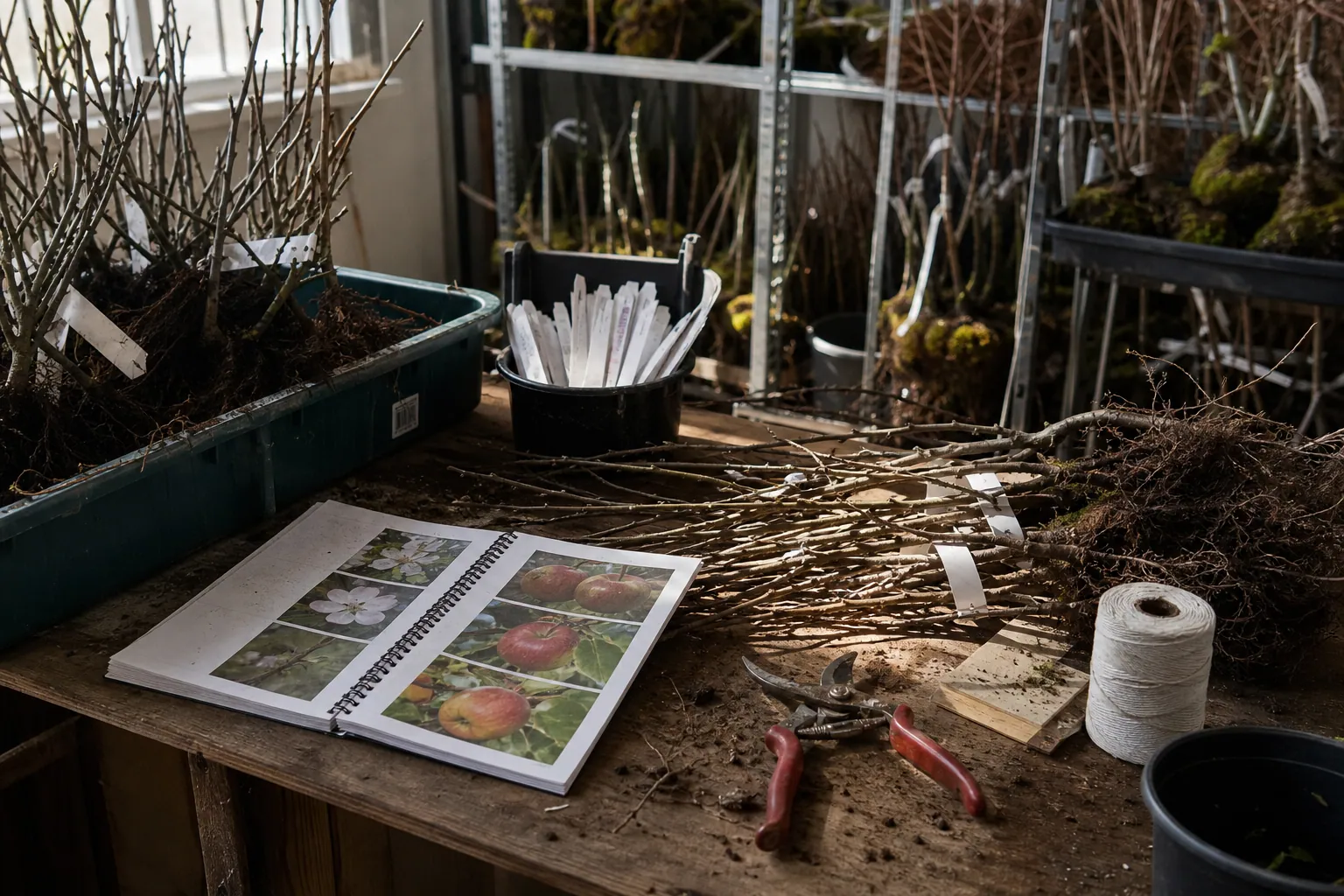
Bare-root fruit tree season creates a peculiar content problem: shoppers begin planning long before trees ship, while cultivar availability, rootstock choices, and shipping windows can change by the week.
For a small nursery, the answer is not to let AI publish hundreds of generic “apple tree ideas” Pins. That creates customer-service work, inaccurate claims, and traffic to trees that are already sold out.
Instead, build a compact AI-assisted content desk around the decisions a future buyer must make before placing a preorder: pollination, mature size, chill hours, harvest timing, planting space, and regional fit. The goal is to turn verified nursery knowledge into useful Pinterest discovery without giving an autocomplete tool authority it has not earned.
This blueprint is for a bare-root fruit tree nursery entering preorder season with a lean team, a changing catalog, and perhaps one person who also answers customer emails.
Start with two clocks, not a content calendar
A productive nursery Pinterest operation runs on two timelines.
The planning clock starts when gardeners research what to plant. Its content answers durable questions such as “do I need two apple trees for pollination?” or “dwarf apple tree for a small yard.” These Pins can send visitors to an apple tree pollination guide, a rootstock explainer, or a product collection page over several seasons.
The inventory clock starts when the current catalog opens and ends when a cultivar sells through or shipping restrictions change. Its content must be checked often and should point to live, accurate availability.
Do not make the two clocks compete:
| Content type | Primary destination | How long it can run | What must be verified |
|---|---|---|---|
| Pollination guide | Educational article with product paths | Multiple seasons | Botanical guidance and recommended partners |
| Rootstock comparison | Rootstock guide or collection | Multiple seasons | Size, bearing, staking, and site claims |
| Harvest calendar | Regional guide | One to several seasons | Harvest estimates and regional caveats |
| Variety collection | Live product collection page | While inventory is active | Stock status, price, shipping regions |
| Individual cultivar Pin | Live product page | Until sold out | Inventory, variant details, and lead time |
This distinction saves the team from a common failure: taking a beautiful Pin about a sold-out Honeycrisp tree down only to lose a durable search asset that could have pointed to the broader apple collection or pollination guide.
Build one source sheet AI can assist—but not overwrite
Before creating Pins, create a shared source sheet. This is the approved fact layer. AI draws from it; it does not invent a replacement for it.
One row per cultivar is enough to begin. Include:
- Common and botanical name
- Rootstock and expected mature height/spread
- Pollination group or compatible varieties, reviewed by your grower
- Chill-hour range, with a clear note that local microclimates vary
- Approximate harvest window and region it applies to
- Suitable USDA hardiness zones, where your nursery has confidence
- Bare-root shipping window and states or regions you cannot ship to
- Current stock status: available, low, waitlist, sold out
- Canonical product URL and relevant product collection page
- Image folder, including approved alt text or image notes
- Date each claim was last reviewed
Add a separate row for every guide and collection page. For example:
| URL type | Search question | Approved promise | Owner | Review trigger |
|---|---|---|---|---|
| Apple pollination guide | Do apple trees need a pollinator? | Explains compatible bloom timing and exceptions | Head grower | Annual or cultivar change |
| Dwarf apple collection | Best apple trees for small yards | Shows currently available compact options | Ecommerce lead | Stock change |
| Bare-root planting guide | How to plant a bare-root fruit tree | Gives a step-by-step planting method | Nursery manager | Annual |
The “approved promise” field matters. It tells a writer, designer, or AI tool what the page genuinely delivers. A Pin promising “best apple trees for every climate” should never lead to a collection that only ships to a few states.
Give AI narrow jobs
AI is useful after the facts are constrained. It is much less useful when asked to be a horticulturist, merchandiser, copywriter, and compliance reviewer at once.
Use it for five bounded tasks:
- Cluster customer language. Paste anonymized email questions, onsite search terms, and notes from nursery staff. Ask AI to group them into buyer decisions: pollination, space, harvest timing, disease concerns, or first-time planting.
- Turn one verified fact set into angles. From an approved dwarf apple collection, draft distinct angles for patio gardeners, first-time growers, espalier planners, and compact backyards.
- Draft concise Pin copy. Ask for titles and descriptions using only fields from the source sheet.
- Create designer briefs. Convert an angle into visual direction: photo needed, text overlay, destination, and required disclaimer.
- Triage performance patterns. Summarize a weekly export of Pinterest click cohorts and tagged ecommerce sessions, then suggest questions for the team to investigate.
Do not use AI to determine compatibility, diagnose pests, assign hardiness zones, summarize a product page it cannot access reliably, or claim that a variety will “thrive” in a visitor’s garden. Those are review tasks.
A prompt that produces reviewable drafts
Use a prompt that enforces your source sheet:
You are drafting Pinterest copy for a bare-root fruit tree nursery.
Use only the facts in the source record below. If a requested claim is absent,
write [VERIFY] rather than guessing.

Create 4 distinct Pin briefs for the search theme: dwarf apple tree for small yard.
For each brief provide:
- Search-led title, maximum 65 characters
- Description, maximum 300 characters
- On-image text, maximum 8 words
- Destination URL type
- Exact source facts used
- Any required caveat

Do not say “low maintenance,” “disease resistant,” “best,” or “perfect for”
unless those words appear in the approved source record.
The final two fields make review faster. The reviewer sees both the output and the evidence behind it.
Run a five-stage weekly desk
A steady preorder program does not require daily publishing. It requires a reliable handoff from seasonal knowledge to verified Pins.
Here is a practical cadence for a nursery producing 12 to 18 new or refreshed Pins each week.
Monday: collect signals for 30 minutes
Open four places:
- Last week’s customer questions from email, chat, and calls
- Onsite search terms and zero-result searches
- Products marked low stock, sold out, or newly available
- Pinterest analytics: outbound clicks, saves, top search terms where available, and Pin destinations
Write each signal as a plain-language question. “Are Gala and Honeycrisp compatible?” is stronger than “make an apple Pin.”
Choose just three weekly themes: one planning question, one catalog opportunity, and one maintenance or seasonal task. In late August, that might be pollination, dwarf apple tree preorders, and how to prepare a planting location before delivery.
Tuesday: make a nine-Pin production packet
For each theme, produce three related Pins rather than nine unrelated concepts. A simple packet could be:
- Decision Pin: “Do You Need Two Apple Trees? Pollination Explained” → guide
- Space Pin: “Dwarf Apple Trees for Small Backyards” → live collection
- Preparation Pin: “Prepare a Bare-Root Tree Site Before Shipping” → planting guide
Each Pin needs a ticket with a destination, target phrase, source facts, visual asset, owner, and UTM campaign label. This avoids the familiar problem of creating a Pin first and hunting for an appropriate landing page afterward.
A lightweight queue tool such as PinPinMe can help a small team keep these approved drafts, destinations, and scheduled dates together; the source sheet remains the authority for horticultural and stock details.
Wednesday: generate drafts and design from the packet
Have AI produce copy drafts from approved fields. Then create the visual variants.
For fruit trees, specificity generally beats generic orchard photography. Good visual ingredients include:
- A clearly labeled mature-size comparison
- One fruit photo and one full-tree or branch photo
- A simple pollination timing diagram, reviewed by the grower
- A planting-site checklist shown beside a prepared bed
- A cultivar tag or rootstock label only when it matches the landing page
Use large text and one decision per image. “Choose an Apple Pollinator” is clearer than “Everything You Need to Know About Orchard Planning.”
Avoid generating photorealistic tree images that might imply fruit size, growth habit, or maturity characteristics your nursery cannot substantiate. AI can improve a layout or turn a verified chart into a draft brief; it should not manufacture plant evidence.
Thursday: review in two passes
A single “looks good” approval is not sufficient. Split the review.
Accuracy pass — grower or nursery manager
- Is every cultivar, rootstock, and pollination claim correct?
- Does the Pin distinguish a general guideline from a guarantee?
- Are regional limitations and shipping dates still correct?
- Does the image portray the actual product or an appropriately labeled illustration?
Commerce pass — ecommerce lead
- Does the link resolve on mobile?
- Is the product in stock or does the page give an honest next step?
- Does the UTM label identify theme, asset family, and month?
- Is the Pin’s promise fulfilled above the fold on the landing page?
A useful UTM pattern is:
utm_source=pinterest
utm_medium=organic
utm_campaign=preorder_2026
utm_content=apple_pollination_diagram_v1
This level of Pinterest UTM tracking lets you distinguish a general guide from a product-forward Pin later, without treating all Pinterest traffic as one bucket.
Friday: publish with room for reality
Schedule Pins across the next seven to ten days. Do not put all three Pins from the same packet out on one afternoon. Give each angle time to find its audience and avoid making the account look like a duplicate catalog upload.
A sample weekly rhythm:
| Day | Content emphasis | Destination |
|---|---|---|
| Monday | Planning question | Guide |
| Tuesday | Compact-space collection | Product collection page |
| Wednesday | Planting preparation | Guide |
| Thursday | Pollination visual | Guide |
| Friday | Low-stock cultivar, if accurate | Product page |
| Saturday | Harvest-planning idea | Guide or collection |
| Sunday | Refresh of a proven evergreen topic | Existing winner |
If a product sells out, do not simply leave a dead end. Update the product page with alternatives or a waitlist, pause product-specific scheduled Pins, and leave durable guide Pins active when their destinations remain useful.
Set review rules before the rush begins
Preorder season makes teams reactive. Prewritten rules prevent both over-publishing and overreacting.
Review weekly
- Inventory-linked Pins leading to product pages
- Pins with a meaningful increase in outbound clicks
- Any asset with comments that reveal confusion about zones, pollination, or shipping
- Pages receiving Pinterest visits but showing weak add-to-cart behavior
Review monthly
- Search themes that earn qualified product collection page visits
- Pinterest ecommerce analytics by campaign and content family
- Saves-to-clicks relationship by topic; saves can signal future planning, but they are not an order forecast
- Low-stock destinations and discontinued product URLs
- Whether each board still helps a shopper navigate a real topic
Refresh quarterly or at the seasonal handoff
- Harvest calendars
- Shipping and preorder messaging
- Homepage and collection-page banners
- Rootstock and pollination guides when catalog composition changes
- Image treatments that have begun to look dated or duplicate one another
Keep a “do not refresh automatically” list for pollination charts, zone maps, pest guidance, and hardiness claims. Those assets require an expert review even when AI has found an old Pin with steady clicks.
Use a maintenance queue, not an archive graveyard
Every Friday, add affected assets to one of four queues:
| Queue | Trigger | Action |
|---|---|---|
| Keep | Accurate page and steady qualified clicks | Leave live; monitor monthly |
| Refresh | Useful topic but tired image or weak click-through | Keep destination, test a new visual or title |
| Redirect | Product sold out but an appropriate alternative exists | Change Pin destination only if the promise still matches |
| Retire | Inaccurate, expired, or no longer supported | Pause or remove; log why |
Logging the reason is more valuable than it sounds. Next year, a new team member can see that a Pin was retired because the cultivar left the catalog—not because “Pinterest did not work.”
Measure whether the desk is helping preorders
Do not judge this operation by impressions alone. For a nursery, leading and lagging signals should answer different questions.
Leading signals tell you if the content is reaching planners:
- Outbound clicks to guides and collections
- Click-through rate by search theme
- Saves on planning content
- Email signups for planting or pollination resources
- Visits to shipping and preorder information
Commercial signals tell you if it is helping the business:
- Product-page views from tagged Pinterest sessions
- Add-to-cart rate by content family
- Preorder conversion rate
- Revenue or preorder deposits by UTM campaign
- Assisted purchases within a sensible decision window
- Refunds or support tickets caused by expectation mismatch
A pollination guide may deserve continuation even if it does not produce an immediate order. But it should lead people toward the next decision—compatible cultivars, rootstock choice, or a collection—not become an isolated traffic trophy.
Your first 10 business days
If this desk does not exist yet, do not backfill every cultivar.
- Build source records for your top 20 preorder products and five core guides.
- Choose three search themes tied to real buyer decisions.
- Create three production packets, each with one guide, one collection, and one preparation or comparison angle.
- Set up a consistent UTM naming convention.
- Publish the first nine Pins only after accuracy and commerce passes.
- At day 10, check broken links, inventory changes, outbound clicks, product-page engagement, and customer questions.
Then repeat with evidence. The durable advantage is not AI volume. It is a small desk that keeps expertise, stock reality, and Pinterest search intent connected while gardeners make decisions months before spring planting.

The AI Project-Question Pinterest Desk for Mineral Paint Brands
A practical AI-assisted Pinterest routine for mineral paint sellers turning verified product facts, customer questions, and project intent into catalog traffic.

Strategy Memo: AI Pinterest Triage for Vintage Furniture Sellers
A 30-day plan for vintage furniture sellers using AI to turn fast-moving, one-of-a-kind inventory into accurate Pinterest discovery without leaving shoppers on sold-out listings.

AI Pinterest Content for Residential Architects: 5 Approaches Compared
Compare five ways residential architecture studios can use AI for Pinterest—without inventing project details, publishing stale plans, or attracting the wrong inquiries.
Which Pinterest Report Should a Fruit Tree Nursery Trust Before Preorders?
Late-summer Pinterest clicks often become bare-root orders months later. Compare five reporting models and build a scorecard that protects inventory decisions.

The In-Stock Pinterest Playbook for Small-Space Storage Shops
A practical Pinterest routine for storage ecommerce teams that need renter and dorm-room traffic to reach in-stock collections—not discontinued shelf configurations.

Case Study: The Project-First Pinterest Rebuild for a Stained-Glass Supply Shop
A composite case study showing how a small stained-glass supply shop can turn workshop notes, inventory, and maker questions into a maintainable Pinterest content operation.