Pinterest Tools for Relocation Real Estate Teams: Feed, Queue, or Content Library?
A practical tool decision guide for real estate teams that want relocation planning traffic—not short-lived listing clicks—to produce better buyer inquiries.

A relocation-focused real estate team has a Pinterest problem that a typical ecommerce brand does not: the most obvious inventory expires.
A listing Pin may look useful for a week, then the home goes under contract. Meanwhile, a Pin about moving timelines, neighborhood housing styles, condo-vs-townhome tradeoffs, or offer preparation can help a future buyer for months.
That changes the right tool stack. The aim is not to automate every property photo. It is to make durable planning content easy to produce, publish, track, and hand off—while keeping listing claims, brokerage disclosures, and fair-housing obligations under control.
This guide is for a small real estate team serving people relocating into one metro area. Assume you have a marketing coordinator, a lead agent who approves local guidance, and a CRM already in use.
Start with the content that survives the listing
Before comparing software, split your possible Pins into two buckets.
Short-life assets need a removal date:
- A current listing tour
- An open-house announcement
- A newly reduced price
- A limited-time builder incentive
Long-life assets can keep earning discovery traffic:
- A 90-day relocation timeline
- Questions to ask before choosing a neighborhood
- Condo, townhome, and single-family maintenance comparison
- Moving-to-the-area utilities checklist
- Offer timeline explainer
- First-weekend orientation itinerary
- Home inspection preparation guide
Most teams should build their Pinterest presence around the second bucket. A listing feed can support the first, but it should not become the whole account.
This matters because Pinterest search intent is usually planning-oriented. Someone searching “moving checklist for a new city” is earlier in the decision than someone browsing a property portal, but can be a strong future lead if your landing page genuinely helps.
The five tool approaches, compared
The choices below are not mutually exclusive. They solve different problems. The mistake is buying all of them before proving that a team can reliably turn one useful local resource into several accurate Pins.
| Approach | Best for | What it does well | Where it breaks down | Priority for a small team |
|---|---|---|---|---|
| Native Pinterest scheduler | Teams publishing a modest, planned weekly batch | Free, direct publishing and a simple approval checkpoint | Limited production planning and little help managing many assets | Start here |
| Design tool with reusable templates | Consistent branded Pins from guides, videos, and local photos | Fast resizing, visual consistency, easy versioning | Templates can create repetitive, vague Pins if copy is not briefed | Essential |
| Queue or bulk scheduling tool | Teams with 15+ approved Pins per week or multiple contributors | Batch uploads, queues, calendar visibility, reusable publishing steps | Can encourage quantity over fresh, accurate destinations | Add only after a cadence is stable |
| Listing/catalog feed | Brokerages with compliant, frequently refreshed inventory data | Helps expose eligible active properties and reduces manual SKU-style work | Listings expire, feed errors happen, and it does not create relocation demand | Optional and tightly governed |
| Attribution layer: UTMs, analytics, CRM fields | Teams that need to prove inquiry quality | Connects Pins to landing-page behavior, form starts, consults, and closed deals | Requires naming discipline and a weekly review | Essential |
1. Native scheduling: the sensible baseline
If your coordinator can publish six to 10 Pins each week, the native scheduler is usually enough at the beginning.
Use it for a repeatable release pattern:
- Tuesday: relocation timeline or checklist
- Thursday: neighborhood decision guide
- Saturday: home-type or offer-process explainer
The limitation is upstream. Native scheduling will not tell your coordinator which photos are approved, whether an old listing has expired, or which Pins use the right tracking link. Keep those decisions in a simple content sheet or database before anything reaches the scheduler.
Use the native option when one person is creating, approving, and publishing content in the same week.
2. A design tool: valuable only when templates preserve specificity
A design tool is the most useful purchase—or free account—you will use if it creates guardrails rather than more decoration.
Build five template types, not 30:
- Checklist Pin: “Moving to Madison? A 60-Day Setup Checklist”
- Comparison Pin: “Condo vs. Townhome: What Changes After Closing?”
- Timeline Pin: “What Happens Between an Accepted Offer and Move-In?”
- Map-style Pin: “How to Compare Commute, Walkability, and Housing Type”
- Local-process Pin: “Questions to Ask at a New-Construction Design Appointment”
Each template needs room for a precise promise. “Best places to live” is broad, subjective, and can introduce fair-housing concerns. “How to compare parking, transit access, home maintenance, and commute time” is more useful and easier to support.
The image should demonstrate the resource: a real checklist excerpt, a simple decision tree, an annotated planning map, or an agent-approved local photo. Avoid using AI-generated streetscapes or homes that could be mistaken for actual local inventory.
3. Queue tools: buy capacity, not a false sense of strategy
A queue tool makes sense when production is genuinely constrained by posting administration.
A practical threshold: add one when all three are true.
- You have at least 20 approved Pin assets ready each month.
- More than one person submits or approves assets.
- Pins sometimes miss seasonal windows because publishing is manual.
At that point, a queue can save time through bulk scheduling, reusable UTM fields, and a shared publishing calendar. But it cannot repair a weak destination page.
For example, a Pin titled “Moving to Madison: 12 Things to Do First” should go to a page with the 12 actions, a clear local-service area statement, and one appropriate next action: download a move planner, browse a buyer guide, or request a relocation call. Sending every Pin to a generic homepage wastes the click.
If approvals, publishing dates, and bulk batches are already scattered across documents, a focused platform such as PinPinMe can be useful for consolidating the publishing handoff. The underlying rule still applies: schedule only destinations that an agent has checked for accuracy and availability.
4. Listing feeds: treat them as an inventory channel, not a content strategy
A listing feed feels attractive because it is automated. For relocation teams, it is often the wrong first investment.
Use a feed only if you can answer yes to these questions:
- Are the property data, photo rights, and brokerage disclosures cleared for this use?
- Does the feed update quickly enough to prevent stale price or availability information?
- Is someone assigned to review rejected items and broken destinations?
- Do you have evergreen content that captures people who are not ready to browse listings?
A feed is most useful for a team with a sizable, compliant active inventory program and a person who owns feed hygiene. It is less useful for an independent agent whose best asset is trusted local planning guidance.
For most small teams, build the neighborhood and relocation library first. Add eligible listing Pins later as a narrow supplement.
5. Attribution tools: the layer that tells you whether Pinterest is working
A calendar full of Pins is not evidence of demand. You need Pinterest UTM tracking and a way to identify the lead source after the first click.
Use a short naming convention such as:
utm_source=pinterest&utm_medium=organic&utm_campaign=relocation_fall&utm_content=condo-townhome_v1
Put the same campaign vocabulary in your CRM’s lead-source field. Then review these stages each month:
| Stage | Useful question |
|---|---|
| Outbound click | Did the Pin earn a click from the right planning query? |
| Engaged visit | Did visitors read the guide, use the checklist, or view a second page? |
| Conversion | Did they download a guide, book a call, or begin an inquiry? |
| Qualified lead | Are they relocating to your service area within a realistic time frame? |
| Opportunity | Did the conversation become a signed buyer consultation or active search? |
Do not judge a neighborhood guide only by saves. Saves can be a useful signal of future planning value, but Pinterest qualified leads and consultations are the commercial outcome.
The stack I would choose at three stages
Stage 1: One coordinator, one metro area, fewer than eight Pins a week
Keep it deliberately lean:
- Pinterest search suggestions and your client questions for topic research
- One design tool with five locked templates
- A spreadsheet or lightweight database for asset status
- Native Pinterest scheduling
- GA4, tagged links, and one CRM source field
Spend the saved budget on three strong Pinterest landing pages: a relocation timeline, a home-type comparison, and a local buyer consultation page.
Stage 2: Two to four contributors and a steady monthly content library
Add structure before adding volume:
- A shared asset library with fields for photo rights, approval status, expiry date, and destination URL
- A scheduling queue if the team regularly batches 15 or more Pins
- A monthly broken-link and stale-listing check
- A CRM report that separates guide downloads from consult requests
At this stage, create a simple rule: no Pin goes live without an owner, approval date, destination check, and UTM link.
Stage 3: A brokerage with active listings and a documented compliance process
Now consider a properly governed feed, but keep the relocation library as the account’s foundation.
Assign one owner to feed exceptions. Establish expiry rules for listing-related creative. Keep an agent or compliance reviewer responsible for factual claims. And never allow an automated feed to replace human review of local pages, because those pages are where trust is won or lost.
A 14-day tool decision sprint
You do not need a six-month implementation project. Run this test instead.
Days 1–3: Audit the current handoffs
List every step from idea to published Pin. Mark where work waits: photo selection, approval, copy, links, scheduling, or reporting.
The tool you need is usually the one that removes the longest wait—not the one with the most features.
Days 4–7: Create one reusable relocation asset
Publish a genuinely useful page, such as “Your First 30 Days After Moving: Utilities, Records, and Home Setup.” Create four Pins with different entry angles, including a timeline, checklist, planning mistake, and printable preview.
Use distinct utm_content labels so you can see which Pinterest pin titles produce engaged visits.
Days 8–14: Run the stack with real work
Have your actual team create, approve, schedule, and report on those four Pins. Track:
- Minutes from approved page to scheduled Pin
- Number of approval corrections
- Broken or untagged links
- Outbound clicks and engaged sessions
- Guide downloads or relocation-call requests
If the process is calm, keep the lean stack. If scheduling administration is the bottleneck, test a queue. If asset approval is the bottleneck, fix the library first. If qualified visitors do not convert, improve the landing page before buying another publishing tool.
The practical recommendation
For most relocation real estate teams, start with a design tool, native scheduling, a disciplined asset tracker, and clean attribution. That combination supports the durable content Pinterest rewards without locking you into a complex setup.
Add a queue tool when people—not ideas—are causing delays. Add a listing feed only when your data, rights, compliance review, and maintenance capacity are ready.
The best tool stack makes one thing easier: turning local expertise into accurate planning resources that remain helpful long after a particular property is gone.

The Spring-Booking Pinterest Tool Stack for Party Rental Companies
A practical tool audit for party rental operators who need Pinterest planning traffic to reach rentable inventory, accurate packages, and qualified spring inquiries.
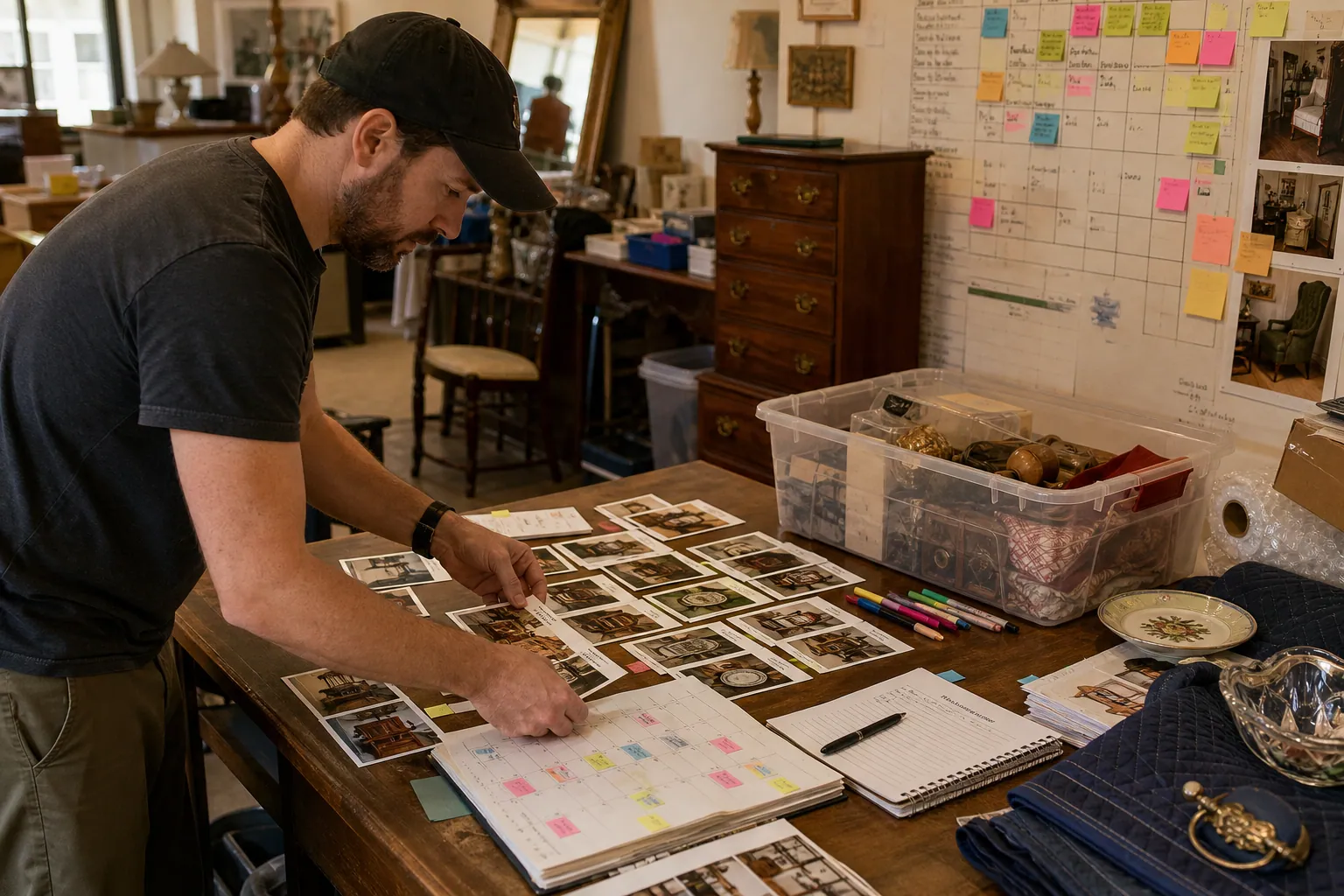
The 48-Hour Pinterest Tool Stack for Estate Sale Companies
A practical Pinterest tool audit for estate sale companies that need evergreen local leads without sending shoppers to sold-out inventory or expired sale pages.

The Pinterest Tool Stack for Laser-Cut SVG Shops Before Ornament Season
A lean tool audit for laser-cut SVG sellers who need holiday maker searches to become accurate downloads—not a queue full of broken links and generic Pins.

The Lean Pinterest Tool Stack for Printable Party Game Shops Before Holiday Hosting
A practical Pinterest content blueprint for printable party game shops: choose the right tools, batch seasonal Pins, prevent wrong-link errors, and maintain winners.

Pinterest SEO for Backyard Greenhouse Kit Shops
A practical weekly Pinterest SEO routine for greenhouse kit sellers turning foundation, placement, and size questions into qualified spring catalog traffic.

The AI Fit-Check Pinterest Desk for RV Solar Kit Shops
Turn real RV solar compatibility questions into accurate Pinterest content without letting AI invent wattage claims, promote unavailable kits, or bury buyers in jargon.