The October Pinterest Booking Desk for Holiday Light Installers
A practical Pinterest content operation for holiday light installers who need October searches to become profitable, route-ready installation bookings.
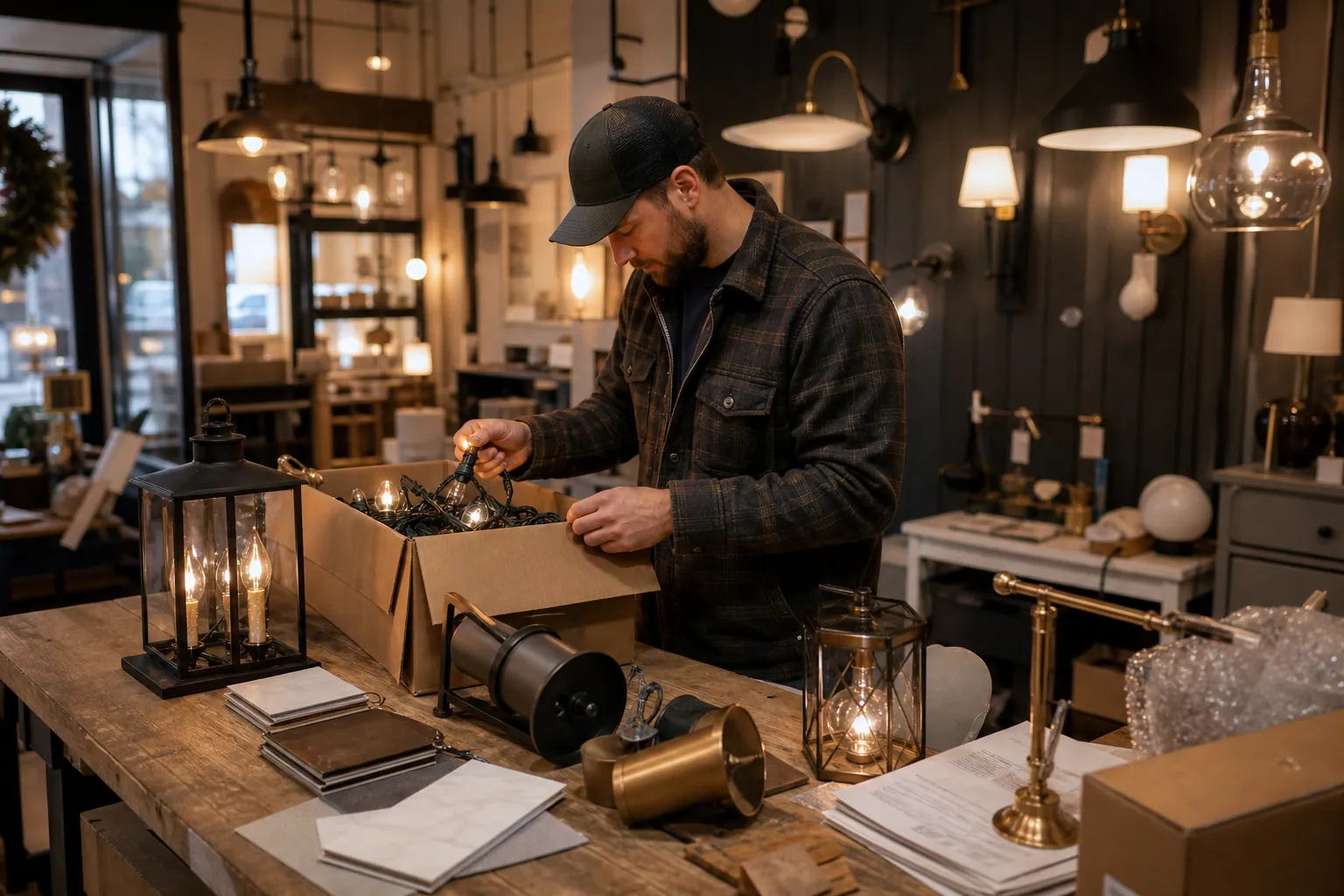
October is not the month for a holiday light installer to chase broad “Christmas decor” reach.
It is the month to help a homeowner answer a more valuable set of questions:
- Will professional lights work on my roofline?
- When should I book installation?
- What affects holiday light installation cost?
- Can one provider install, maintain, remove, and store everything?
- Can our storefront be lit before the town parade?
Those questions signal a project that can be scheduled, routed, staffed, and priced. A Pinterest account built around them becomes a booking desk—not an archive of pretty houses.
This blueprint is for a local holiday light installation company entering its booking window with a small team, a finite number of install slots, and a mix of residential and commercial work.
Start with the operating constraint, not the content calendar
Before making a Pin, define the booking you can actually fulfill.
For example, a three-crew installer in Columbus may decide its ideal October booking is:
A homeowner within 25 miles who wants a roofline-and-entry package installed before December 1, with removal included.
That sentence determines what Pinterest should promote. It rules out generic DIY decor ideas, extravagant projects outside your service range, and inspiration Pins that never explain the service.
Write down four boundaries:
| Decision | Example |
|---|---|
| Service radius | 25 miles from the warehouse |
| Best-fit job | Roofline, entryway, shrubs, and timer setup |
| Minimum viable booking | $1,200 installed package |
| Capacity limit | 14 new installs per week through mid-November |
These are not internal details to hide from marketing. They shape your topics, booking calls to action, and maintenance decisions. If commercial work is most profitable but crews are already booked for residential installs, Pinterest should not keep sending traffic to a commercial quote page.
Build the desk from evidence already inside the business
A good local Pinterest presence does not require a constant stream of new photo shoots. It requires a reliable way to turn real operating material into useful planning content.
Create one shared input sheet with these five columns:
| Input source | What to capture | Pinterest use |
|---|---|---|
| Estimate calls | Questions, objections, neighborhood, desired install date | Cost, timing, and service-area Pins |
| Site visits | Roof type, access issues, before photos, safety constraints | Feasibility guides and project examples |
| Installation crews | Detail photos, common fixes, weather delays | Process and expectation Pins |
| Customer emails | “Do you supply lights?” “Do you come back after storms?” | FAQ Pins and landing-page updates |
| Availability report | Open weeks, cutoff dates, removal dates | Timely booking Pins and pause decisions |
The important rule: do not create content from memory after the season ends. Have the estimator or crew lead add notes while the language is fresh.
A note such as “two-story roof; client worried about gutter clips; booked after seeing our removal process” can become three distinct Pins:
- Do Professional Holiday Lights Damage Gutters? What Installers Check First
- What’s Included in Holiday Light Removal and Storage?
- Two-Story Roofline Holiday Lighting: What Affects the Quote
Each serves a different Pinterest search intent, even though all came from one job.
Choose boards that mirror booking decisions
Avoid a single board called “Holiday Lighting Ideas.” It gives Pinterest little context and gives your team no clear publishing choices.
Instead, use five boards that match the way people plan an installed project:
1. Professional Holiday Light Installation
Use this as the broad service board. Pin projects, package explainers, timing guidance, and installation process content here.
2. Roofline and Exterior Christmas Light Ideas
This board earns visual planners but should lead them toward practical examples: ranch homes, two-story homes, brick exteriors, steep roofs, and entryway-focused designs.
3. Holiday Light Installation Cost and Planning
Place cost-factor explainers, booking timelines, service-inclusion pages, and quote-preparation checklists here. This is often the board closest to an inquiry.
4. Storefront and Office Holiday Lighting
Only maintain this board if you actively serve commercial clients. Include opening-night timing, branded color approaches, access planning, and maintenance expectations—not generic retail displays from businesses you did not install.
5. Holiday Light Removal and Storage
This board reduces a common booking objection. It also creates a post-season destination for people who discover you late, when installations are no longer available.
Board titles should use customer language, not internal terms. “Seasonal exterior illumination portfolio” may describe the work elegantly, but it is not how a homeowner plans a December roofline.
Give every input a production path
The most sustainable cadence is not “post every day.” It is a weekly batch that one person can prepare and one decision-maker can approve.
For a small installation company, run this Monday-to-Friday loop.
Monday: collect and select (30 minutes)
Review the input sheet and choose one weekly theme. In early October, themes might include:
- When to book holiday light installation
- Roofline lighting for ranch homes
- What professional installation includes
- Storefront lighting before holiday events
Select one main destination page and one supporting page. Do not send every Pin to the homepage.
Tuesday: draft a six-Pin family (60–90 minutes)
Build six Pins around that one theme:
| Pin angle | Example title | Destination |
|---|---|---|
| Decision | When Should You Book Holiday Light Installation? | Booking timeline page |
| Cost context | 5 Things That Change a Holiday Light Installation Quote | Cost guide |
| Process | What Happens on Professional Holiday Light Install Day | Service page |
| Project example | Ranch Home Roofline Lighting Before and After | Project gallery |
| Objection | Do Holiday Light Installers Provide the Lights? | FAQ page |
| Local availability | Holiday Light Installation in Dublin: November Dates | Location/service page |
Use a different photo, layout, and headline emphasis for each. A duplicate graphic with a revised color is not a useful new creative test.
The Pin title should state the planning outcome. The description can add location, service detail, and a next step. For example:
Title: What’s Included in Professional Holiday Light Installation?
Description: See how custom-fit lights, installation, in-season service, removal, and storage work for homeowners in the Columbus area. Request a holiday lighting quote before preferred November dates fill.
This is a practical application of Pinterest keyword research: use the terms a buyer uses, then make the page fulfill the promise.
Wednesday: run a 12-minute review gate
A manager, estimator, or owner should check every Pin against the same short list:
- Is the property image one we have permission to use?
- Does the image show work the company can currently deliver?
- Are roof, safety, and electrical claims accurate?
- Does the geographic reference match the service radius?
- Does the Pin go to the exact promised Pinterest landing page?
- Is the call to action realistic given remaining capacity?
This prevents an expensive mistake: promoting a “book before Thanksgiving” offer when the install calendar is already full through December 5.
Thursday: publish in a measured rhythm
Publish two or three Pins across the week rather than all six at once. A simple rhythm is Tuesday, Thursday, and Saturday, with two Pins each day.
Use consistent Pinterest UTM tracking so you can distinguish a cost-guide Pin from a project-gallery Pin in analytics. A practical format is:
utm_source=pinterest&utm_medium=organic&utm_campaign=holiday_lights_2026&utm_content=roofline_cost_01
A queue tool can help here, but it should not become an excuse to publish stale availability. A lightweight PinPinMe publishing queue is useful when it lets the team see what is scheduled, update destinations, and keep approved Pins organized in one place.
Friday: make one capacity decision (20 minutes)
Look at the calendar before deciding what the next batch promotes.
- If November install dates are open: keep publishing booking and quote content.
- If premium dates are nearly full: shift to later install windows, commercial work, or a waitlist.
- If residential installation is full: pause quote Pins and send traffic to removal, storage, or next-season priority-list pages.
The content operation must follow operations. Publishing a successful Pin into an unavailable service is not growth.
Use different landing pages for different levels of intent
A gallery Pin can send a visitor to a gallery. A cost question should not.
Match destination pages to the question that generated the click:
| Pinterest question | Best page | Primary action |
|---|---|---|
| “Holiday light ideas for ranch house” | Curated project gallery | View package or request estimate |
| “How much does professional holiday lighting cost?” | Cost-factors guide | Start quote request |
| “When should I book?” | Availability and timeline page | Check dates |
| “Do installers remove lights?” | Service FAQ | Book full-service package |
| “Commercial Christmas lights for storefront” | Commercial services page | Schedule site walk |
Every page should show the service area, what is included, a clear next action, and recent proof. A Pinterest visitor should not need to hunt through a generic navigation menu to learn whether you serve their neighborhood.
Measure booking quality, not autumn engagement
Pinterest saves can indicate that a visual idea is useful, but saves do not pay crews. Review the account once per week using three levels of metrics.
Discovery signals
- Impressions by topic
- Saves
- Outbound clicks
- Top search terms and Pin titles
Page-quality signals
- Quote form starts
- Availability-page visits
- Clicks to call or text
- Time on cost and FAQ pages
Business signals
- Qualified requests within service radius
- Estimates sent
- Booked jobs
- Average booked value
- Crew hours or route feasibility by job source
A useful monthly calculation is:
Booked revenue from Pinterest-tagged leads ÷ Pinterest outbound clicks
Also track the percentage of Pinterest inquiries that meet your minimum job value and radius. Twenty well-matched inquiries are more useful than 100 requests for a $150 DIY repair.
Keep the account accurate after the rush
Holiday service content has a short operational shelf life, even if the visuals remain useful next year. Put a maintenance date on the calendar now.
November 20: adjust promises
Remove “install before Thanksgiving” language, update availability pages, and route late searchers toward remaining slots or a priority list.
January: change the destinations
Keep strong project Pins live, but send clicks to removal and storage services, commercial planning for next season, or an early-booking list. Do not leave visitors on a dead seasonal page.
February: archive the evidence
Save the best images, estimate questions, objections, and performance notes in the input sheet. Label photos by home type, package, neighborhood, and permissions.
August: reopen the desk
Refresh the top pages, check service areas and pricing language, create the first planning batch, and begin publishing before October urgency arrives.
The simple version to copy this week
If you have no Pinterest operation yet, do not build every board and page at once. Start with this one-week setup:
- Define your service radius, ideal job, capacity, and booking cutoff.
- Create a cost-and-planning page plus one project gallery page.
- Make three boards: professional installation, roofline ideas, and cost/planning.
- Turn five real customer questions into five Pins.
- Add UTMs to every destination.
- Review inquiries and crew capacity every Friday.
The point is not to make your company look busy on Pinterest. It is to make it easier for a homeowner who is already planning holiday lighting to understand the service, check timing, and make a booking decision with confidence.

The Consult-Ready Pinterest Operator Playbook for Custom Closet Studios
Turn closet, pantry, and mudroom planning searches into better in-home design consultations with intent-led boards, useful Pins, and a simple weekly routine.

Pinterest Positioning for Newborn Photographers: 4 Routes Compared
Compare four Pinterest positioning routes for newborn photographers, then choose boards, Pins, and landing pages that lead to calmer, better-fit local inquiries.

From Nursery Mood Boards to Rug Orders: A Pinterest Operator Playbook
A practical Pinterest routine for nursery rug shops that need room-planning saves to become qualified collection visits, confident carts, and fewer wrong-size orders.

The Collection-to-Enrollment Pinterest Desk for Surface Pattern Design Courses
A copyable Pinterest content operation for surface pattern design educators who want sketchbook searches to become useful email subscribers and course enrollments.
The Pinterest Tool Stack for Laser-Cut SVG Shops Before Ornament Season
A lean tool audit for laser-cut SVG sellers who need holiday maker searches to become accurate downloads—not a queue full of broken links and generic Pins.

The Pinterest Test Ledger for Specialty Hot Sauce Gift Boxes Before Q4
Build a Pinterest testing operation for hot sauce gift boxes that measures recipient intent, margin, inventory, and delayed orders—not just holiday saves.