The Collection-to-Enrollment Pinterest Desk for Surface Pattern Design Courses
A copyable Pinterest content operation for surface pattern design educators who want sketchbook searches to become useful email subscribers and course enrollments.

A surface pattern design course has an unusual Pinterest advantage: the work is visual, but the buyer’s problems are usually practical.
They are not only looking for pretty floral repeats. They are trying to choose a portfolio direction, make a repeat tile correctly, organize a collection, or understand what belongs in a licensing pitch.
That distinction matters. A beautiful pattern mockup can earn saves from fellow creatives. A Pin that helps an aspiring designer finish a collection can earn a subscriber who is much closer to enrolling.
This article lays out a content desk for an educator selling an evergreen surface pattern design course—especially one covering repeat patterns, portfolio collections, and early licensing preparation. The goal is not to post every day. It is to run a small, reliable publishing operation that turns existing teaching material into a clear path from Pinterest discovery to enrollment.
Start with one learner and one paid outcome
Pick a narrow course promise before opening a design tool.
For this example, the course helps intermediate illustrators create a three-pattern mini collection, turn it into a concise portfolio presentation, and prepare for entry-level licensing outreach.
That creates three distinct learner moments:
- Stuck maker: “How do I make a seamless repeat pattern?”
- Emerging portfolio builder: “What should be in a surface pattern design collection?”
- Career planner: “How do I organize art for licensing?”
Each moment deserves a different destination. Sending all three people directly to “Enroll now” wastes useful Pinterest search intent.
| Learner moment | Helpful Pinterest destination | Business next step |
|---|---|---|
| Repeat-pattern problem | Free repeat troubleshooting sheet | Email lesson series |
| Collection-planning question | Collection Brief Builder | Course invitation after value emails |
| Portfolio question | Portfolio checklist or mini lesson | Course sales page or application |
| Licensing-curiosity search | Educational article with realistic caveats | Workshop replay, then course |
| Specific course-format search | Course landing page | Direct enrollment |
The operating rule: the closer the search is to an enrollment decision, the shorter the route can be.
A person searching “surface pattern design course for beginners” may reasonably land on the course page. Someone searching “how to choose motifs for a fabric collection” needs help before a sales message.
Build one lead magnet that previews the course method
A generic “free pattern design guide” tends to attract broad interest and weak follow-up. Create a resource that lets the right learner experience a small version of how you teach.
For this course, use a Collection Brief Builder: a four-page printable or fillable worksheet that asks the learner to define:
- customer and product category;
- collection mood in three words;
- a hero motif, supporting motifs, and blenders;
- a limited palette;
- three final pattern scales; and
- one mockup context, such as stationery, children’s apparel, or kitchen textiles.
This does two jobs at once. It gives a Pinterest visitor a result they can use today, and it reveals the gap your paid course closes: turning a rough brief into a coherent, finished collection.
Make the opt-in page do less, better
The landing page needs only five things:
- A specific outcome: “Plan your first three-pattern mini collection in 20 minutes.”
- A preview image of the actual worksheet pages.
- A short statement of who it is for and who should skip it.
- An email field and clear delivery expectation.
- One gentle bridge to the course: “The full course shows you how to draw, refine, present, and pitch the collection.”
Do not add a navigation menu, seven unrelated downloads, or an aggressive countdown timer. The visitor came to solve one creative decision.
Map the inputs before you make Pins
The best source material is probably already inside your teaching business. The desk starts with an input folder, not a blank content calendar.
Create five folders or database views.
1. Lesson assets
Pull from slide decks, demos, transcripts, and worksheets:
- repeat construction steps;
- motif-scale explanations;
- color-reduction exercises;
- portfolio sequencing lessons;
- mockup selection advice.
A lesson titled “Fixing visible seams” can become several Pins without being copied word-for-word:
- “Why Your Seamless Repeat Has a White Line”
- “3 Checks Before Exporting a Repeat Tile”
- “Offset Test for a Cleaner Repeat Pattern”
2. Student and audience questions
Collect questions from critiques, comments, office hours, support email, and discovery calls. Record the question exactly as asked.
For example:
- “How many patterns should go in one collection?”
- “Do I need to show my patterns on products?”
- “Why does my repeat look busy when I zoom out?”
These are stronger Pin ideas than vague categories like “pattern design tips” because they show a real decision point.
3. Proof assets
Save permission-cleared examples that show process, not just polished outcomes:
- a student’s early motif map beside the final collection;
- a before-and-after portfolio slide;
- a close crop showing different pattern scales; or
- an anonymized critique note with the correction applied.
Proof Pins should avoid implying that every student receives a licensing deal. Show craft progress and clearer presentation instead.
4. Search language
Once a month, collect phrases from Pinterest search suggestions, your own Pinterest Analytics, site search, and course-sales calls. Group them by intent rather than dumping them into one long list.
A practical set of clusters could include:
- seamless repeat pattern;
- surface pattern design portfolio;
- fabric collection ideas;
- pattern design color palette;
- art licensing portfolio;
- beginner surface pattern design course.
This is Pinterest keyword research in its useful form: language that changes what you teach in a Pin and where you send the click.
5. Offer and calendar data
Add enrollment deadlines, course updates, workshop dates, seasonal portfolio periods, and affiliate opportunities. For example, a carefully disclosed affiliate Pin about sketchbook paper can be useful, but it should not replace your core enrollment path.
Turn inputs into five repeatable Pin families
A small course business does not need 40 content types. It needs a few families that connect naturally to the funnel.
Family A: The quick diagnostic
These Pins name a recognizable problem and promise one useful check.
Example:
Is Your Repeat Pattern Too Busy? Check These 3 Motif-Scale Problems
Destination: a short lesson page with the Collection Brief Builder opt-in.
Family B: The planning prompt
These help a learner begin an intimidating project.
Example:
Start a Fabric Collection With This 5-Box Creative Brief
Destination: the lead magnet landing page.
This is likely your highest-volume subscriber family because the Pin and the free resource make the same promise.
Family C: The process breakdown
Show an instructional sequence from your course without trying to teach the entire module in a graphic.
Example:
A Simple Order for Building a 3-Pattern Collection
The Pin can show: hero motif → supporting pattern → blender → scale check → mockup. The destination can be a lesson article that introduces the full course process.
Family D: The portfolio decision
These attract learners with more commercial intent.
Example:
What to Include in a Surface Pattern Design Portfolio Page
Destination: a portfolio checklist, course lesson preview, or the sales page if the reader has clearly searched for course-level help.
Family E: The course-fit invitation
Use direct enrollment Pins sparingly and specifically.
Example:
Build a Cohesive Surface Pattern Portfolio: Self-Paced Course for Illustrators
Destination: the course page.
A sales Pin works better when it specifies the learner, outcome, and format than when it says “Enroll in my art course.”
Use a weekly production cadence that respects teaching time
Here is a realistic four-hour weekly rhythm for a solo educator or small team.
Monday: 30-minute intake
Choose one course concept and one search cluster. Review fresh questions and decide the week’s destination.
Example decision:
- Topic: motif scale
- Search cluster: fabric collection ideas
- Primary destination: Collection Brief Builder
- Secondary destination: motif-scale lesson page
Write this on a one-page brief before anyone opens Canva or writes copy.
Tuesday: 90-minute batch
Create six to eight Pins from the same source material:
- three planning or diagnostic Pins to the opt-in;
- two process Pins to a lesson page;
- one proof Pin;
- one direct course Pin; and
- one optional variation for a seasonal angle or different visual treatment.
Do not put the exact same headline on every design. One topic can support several genuine angles:
- “Choose a Hero Motif Before You Pick Colors”
- “A Better Starting Point Than a Random Motif List”
- “Plan Pattern Scale Before You Start Drawing”
Write Pinterest pin titles that match the actual lesson. Then use Pinterest descriptions to add context, a related phrase, and a plain-language reason to click.
Wednesday: 25-minute accuracy review
Review as the teacher, not as the marketer.
Check that:
- the artwork shown is yours or approved for use;
- the tutorial claim is technically accurate;
- terminology matches the lesson on the destination page;
- no student outcome is exaggerated;
- any licensing guidance is educational rather than legal advice; and
- the free resource is still available and current.
Thursday: 20-minute link and tracking review
Open every destination on mobile. Confirm that the page headline matches the Pin promise and the opt-in form works.
Add a distinct UTM pattern for each Pin family. For instance, retain the same campaign name for the Collection Brief Builder and use content values such as motif-scale, portfolio-checklist, or course-fit.
Consistent Pinterest UTM tracking makes it possible to see whether planning Pins create subscribers and whether portfolio Pins create sales-page visits.
Friday: 15-minute publish and log
Schedule the approved Pins across relevant boards. A light content library and scheduling queue, such as PinPinMe, can help keep asset links, status, and publication dates visible without making publishing a daily chore.
Log each Pin with:
- publish date;
- topic cluster;
- visual type;
- destination;
- UTM content value; and
- the question or lesson that prompted it.
That last field becomes valuable when you review results later.
Set review gates before publishing, not after traffic arrives
Course creators often create a beautiful batch, schedule it, and discover weeks later that half the Pins lead to an old webinar page or a retired download.
Use this short release checklist:
- Promise: Can someone understand the benefit without reading the description?
- Search fit: Does the title use language a learner would actually search?
- Visual clarity: Is the text readable on a phone, with one primary idea?
- Destination match: Does the page answer the exact question suggested by the Pin?
- Email continuity: Does the first delivery email reference the promised resource?
- Offer continuity: Does the email sequence eventually explain the next paid step?
- Measurement: Does the UTM distinguish this Pin family from the others?
If one item fails, return the asset to draft. This small pause protects both learner trust and the quality of your data.
Write the email follow-up around creative momentum
A Pinterest lead magnet should not trigger a generic welcome sequence. The visitor downloaded a collection-planning resource; help them complete the next small step.
Here is a five-email sequence for the Collection Brief Builder.
| Timing | Email purpose | Natural next step |
|---|---|---|
| Immediately | Deliver the brief and explain how to use it in 20 minutes | Complete boxes one through three |
| Day 2 | Teach a small motif-scale correction | Watch or read the free lesson |
| Day 4 | Show a concise before-and-after collection example | Identify one gap in their own brief |
| Day 6 | Explain what the paid course adds: feedback, sequence, demos, portfolio structure | Visit course curriculum |
| Day 9 | Invite them to enroll or attend a relevant workshop replay | Course page |
The course offer should feel like the next logical stage, not a surprise ambush. This is the core advantage of a focused Pinterest lead magnet: the resource qualifies people through action.
Review revenue by Pin family, not by vanity totals
Surface pattern content can collect saves for months. Saves are useful as a signal of visual or planning relevance, but they are not enough to guide the business.
Review four layers every month:
- Discovery: impressions and saves by topic cluster.
- Intent: outbound clicks and outbound click rate by Pin family.
- Lead quality: landing-page conversion rate, email opens, and worksheet completion replies.
- Revenue: course-page visits, enrollments, revenue per 100 outbound clicks, and assisted sales within a reasonable attribution window.
Use a 30- to 60-day window before declaring an evergreen educational Pin a loser. A person may save a portfolio checklist today and enroll when they finish a client project several weeks later.
Make decisions from patterns, not one winning Pin
At the monthly review, ask:
- Which topic produces the highest opt-in rate?
- Which source creates the most sales-page visits per 100 clicks?
- Does a Pin with lower click-through rate produce more qualified subscribers?
- Are direct course Pins earning sales, or should they be reserved for higher-intent terms?
- Is one destination page creating a drop-off because it does not match the Pin?
Then make one content decision and one funnel decision.
For example:
- Content decision: Make four more Pins around motif-scale mistakes because they generate high-quality worksheet signups.
- Funnel decision: Add a portfolio-page lesson to the email sequence because those subscribers click through to the course at a higher rate.
Maintain the desk so old Pins keep working
Evergreen course traffic is not completely hands-off. Set three maintenance appointments.
Monthly: 45 minutes
Check the top 20 Pins for broken links, outdated workshop dates, weak mobile pages, and inaccurate course pricing or modules.
Quarterly: two hours
Refresh the lead magnet preview, create new visual versions of the best two topics, and update the course landing page with current student work where permission allows.
Twice per year: half day
Review your search map. Retire topics that no longer match the course. Add questions from recent critiques. Rework any email that gets clicks but no enrollments.
A reliable course creator Pinterest strategy does not depend on continually inventing new art advice. It listens to learner questions, reuses strong teaching assets, and keeps the route from Pin to resource to course clear.
Your first two-week build
If this desk does not exist yet, do not attempt a full content library.
Week one
- Choose one course outcome and one learner problem.
- Build or refine one lead magnet that previews your teaching method.
- Create its landing page and five-email follow-up.
- Gather 10 real audience questions.
Week two
- Pick one search cluster.
- Make six Pins across the five families.
- Add UTMs and complete the review checklist.
- Publish, log the assets, and leave them alone long enough to collect useful data.
By the end of the month, you will have more than a collection of attractive Pins. You will have a small content operation that connects visual discovery to a real learning decision—and gives you evidence about what future students need next.

Strategy Memo: Build a Pinterest Revenue Ladder for Chicken Coop Plan Sellers
Turn coop-size, winter ventilation, and predator-control searches into plan sales without forcing every Pinterest visitor into the same email funnel.
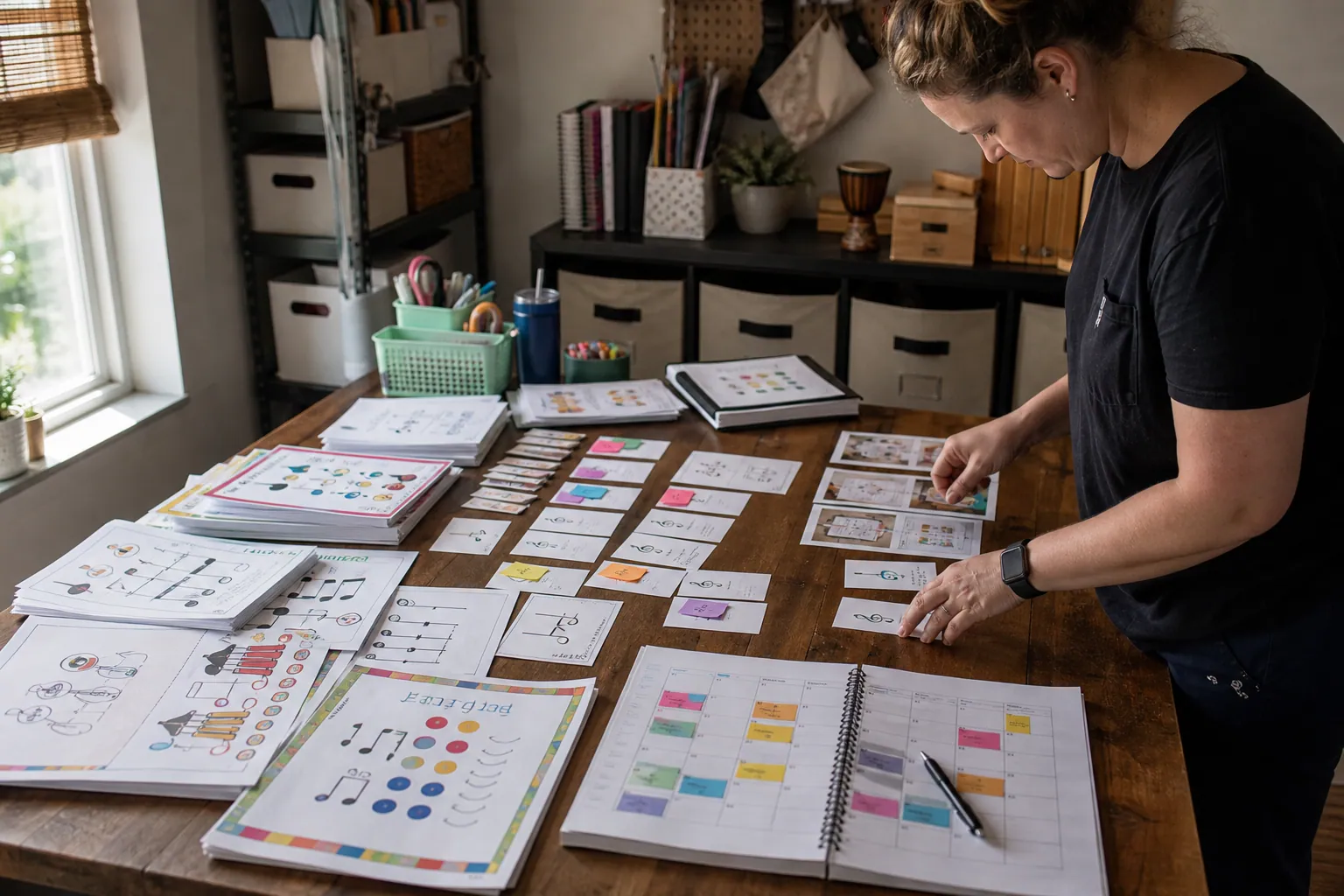
Case Study: How an Elementary Music Printable Shop Turned Pinterest Freebies Into Bundle Sales
A composite teardown of a music printable seller that stopped sending every Pinterest visitor to one freebie and built intent-led paths to bundle sales.

The October Pinterest Funnel for Royal Icing Template Shops
Turn holiday cookie-planning searches into template sales with a two-lane Pinterest funnel for ready buyers and beginner decorators.

Case Study: A Cottage Food Course’s Pinterest Shift From Recipe Saves to Enrollments
A composite teardown of a cottage food educator who replaced recipe-heavy Pins with compliance, pricing, and preorder content that produced more course-ready leads.

The Grant-Calendar Pinterest Content Desk for Self-Paced Courses
Turn real grant-writing questions into accurate Pinterest resources, email signups, and course discovery with a weekly publishing desk built to stay current.

The October Pinterest Booking Desk for Holiday Light Installers
A practical Pinterest content operation for holiday light installers who need October searches to become profitable, route-ready installation bookings.