The AI Pin Brief: Turn One Offer Into a Month of Search-Ready Pinterest Content
A practical AI workflow for creating Pinterest pin batches from one product, post, course, or service without losing strategy or quality control.

Most Pinterest automation fails for a simple reason: it starts with the pin, not the business asset.
An operator opens an AI tool and asks for pin titles, descriptions, or design ideas. The output sounds fluent, but it is detached from the offer, the customer, the keyword intent, and the landing page. That creates a pile of generic content that is technically publishable but unlikely to earn saves, outbound clicks, or revenue.
A better workflow is to build an AI Pin Brief first.
Think of it as a reusable production document that turns one product, blog post, course lesson, lead magnet, local service page, or SaaS feature into a month of Pinterest content. AI helps with expansion and variation, but the brief keeps the system grounded in Pinterest SEO, customer pain points, and conversion intent.
Below is a practical workflow you can use today.
What an AI Pin Brief does
An AI Pin Brief is not a prompt. It is the source material you feed into prompts.
It gives AI enough context to create useful variations without inventing claims or drifting into vague lifestyle copy. For Pinterest, that matters because one URL can support many pin angles: comparison, tutorial, checklist, seasonal use case, product benefit, beginner guide, mistake to avoid, and more.
A strong brief helps you create:
- Multiple search-ready pin titles from one URL
- Descriptions that include natural Pinterest keyword clusters
- Visual concepts that match search intent
- Fresh angles for the same offer without repeating yourself
- A scheduling queue that supports organic Pinterest traffic over time
This is useful whether you sell socks, courses, consulting, templates, software, or local services.
The 7 fields every AI Pin Brief needs
Use this structure before asking AI to generate anything.
1. The asset
Define the page or offer you want Pinterest users to discover.
Examples:
- Ecommerce: merino wool hiking socks product page
- Course creator: free lesson on meal planning for busy parents
- Local business: wedding florist service page for spring ceremonies
- SaaS: landing page for a client onboarding checklist tool
- Blogger: guide to small pantry organization
Include the URL, page title, main offer, price point if relevant, and the one action you want the visitor to take.
For Pinterest, every pin should have a job. It may drive a sale, email signup, booking inquiry, product comparison, or tutorial visit. If the job is unclear, the pin copy will be unclear too.
2. The buyer or reader moment
Pinterest users are often planning before they are buying. That means your content should meet them at the moment they begin searching, comparing, saving, and organizing ideas.
Write the moment in plain language:
- I need warm socks for a winter hiking trip and do not want blisters.
- I want to launch a small course but do not know what to include on the sales page.
- I am planning a backyard wedding and need floral ideas that fit a smaller budget.
- I am onboarding new clients manually and keep missing steps.
This field prevents AI from writing only about your product. It forces the content to speak to the searcher’s task.
3. Keyword clusters
Do not give AI one keyword. Give it clusters.
Pinterest SEO works best when pins align with related phrases, not one exact-match term repeated awkwardly. Start with 3 to 5 clusters for each asset.
For a sock shop, the clusters might be:
| Cluster | Example phrases |
|---|---|
| Hiking comfort | hiking socks, blister prevention socks, socks for long hikes |
| Winter warmth | warm wool socks, cold weather socks, winter hiking gear |
| Gift intent | gifts for hikers, stocking stuffers for outdoorsy people |
| Material search | merino wool socks, breathable wool socks, moisture wicking socks |
For a course creator, clusters might include:
- Pinterest for course creators
- online course launch checklist
- evergreen course traffic
- lead magnet ideas for courses
For SaaS, clusters might include:
- client onboarding workflow
- onboarding checklist template
- project management for agencies
- SaaS marketing operations
The goal is not to stuff every phrase into every pin. The goal is to give AI a vocabulary map.
4. Proof and constraints
AI tends to overclaim unless you give it boundaries.
Add specific proof points and forbidden claims.
For example:
- Product is made with 70% merino wool.
- Do not claim the socks prevent all blisters.
- Course includes 12 video lessons and templates.
- Do not promise students will earn a specific income.
- Florist serves Portland and nearby venues only.
- SaaS feature reduces manual handoff steps, but do not claim full automation.
This small field protects your brand and saves editing time.
5. Pin angles
A single asset can support many pin concepts. Choose angles before generating copy.
Good evergreen angles include:
- How to choose
- Checklist
- Mistakes to avoid
- Before and after
- Comparison
- Beginner guide
- Seasonal planning
- Gift guide
- Budget-friendly options
- Behind the process
- Template or swipe file
- FAQ answer
For a merino sock product page, the angles could be:
- How to choose hiking socks for cold weather
- Merino wool vs cotton socks for long walks
- Best stocking stuffers for hikers
- What to pack for a winter cabin weekend
- Blister prevention tips for beginner hikers
Notice that not every pin says buy these socks. Some pins solve the broader planning problem, then lead to the product page naturally.
6. Visual direction
AI-generated copy is only half the system. Pinterest is visual search, so the brief should guide creative production too.
Include:
- Product or lifestyle images available
- Brand colors and fonts
- Text overlay style
- Seasonal cues
- Layout ideas
- What to avoid visually
For example:
- Use close-up sock texture, boots at trailhead, packed weekend bag.
- Avoid generic mountain stock photos without the product.
- Use short text overlays under 8 words.
- Create both product-forward and guide-style designs.
This makes the design queue faster, whether you use templates, a designer, or AI-assisted mockups.
7. Measurement tag
Every batch should have a simple tracking label. This connects automation to learning.
Use a naming pattern like:
asset-angle-month
Examples:
merino-socks-hiking-comfort-julycourse-lesson-lead-magnet-julyflorist-spring-wedding-budget-julysaas-onboarding-checklist-july
If you use Pinterest UTMs, add a campaign name that matches the batch. This makes it easier to review Pinterest analytics later without guessing which creative angle drove outbound clicks.
The prompt stack: use AI in stages, not all at once
Once the brief is ready, do not ask AI to create the final batch in one prompt. Use a staged workflow.
Stage 1: Generate search angles
Prompt:
You are helping plan Pinterest content for the asset below.

Use the buyer moment, keyword clusters, proof points, and constraints to suggest 20 pin angles. Each angle should match a real search or planning intent on Pinterest.

Do not write final titles yet. Group the angles by intent: educational, comparison, seasonal, product-led, and conversion-focused.

Brief:
[Paste AI Pin Brief]
Your job as the operator is to delete weak angles. Look for ideas a real person would save or click.
Keep 8 to 12 angles.
Stage 2: Turn angles into titles
Prompt:
Create 3 Pinterest title options for each approved angle.

Requirements:
- Keep titles clear and specific.
- Use natural keyword language from the clusters.
- Avoid clickbait and exaggerated claims.
- Do not repeat the same title structure too often.
- Prioritize titles that make sense as text overlay or pin title.

Approved angles:
[Paste selected angles]
Good AI output still needs human trimming. Pinterest titles should be easy to understand in a feed. If you have to reread it, rewrite it.
Stage 3: Draft descriptions
Prompt:
Write one Pinterest description for each selected title.

Requirements:
- 1 to 2 concise sentences.
- Include related keyword phrases naturally.
- Match the landing page honestly.
- End with a soft action such as read the guide, explore the checklist, compare options, or see the product details.
- Do not use hashtags unless they are genuinely useful.
Descriptions are not the place for dense keyword stuffing. They should help Pinterest understand relevance and help the user decide whether the click is worth it.
Stage 4: Create design instructions
Prompt:
For each pin title, suggest a visual concept.

Include:
- Image type
- Text overlay
- Layout idea
- Whether the pin should feel like a guide, product feature, checklist, or comparison
- Any visual detail to avoid

Use the visual direction from the brief.
This turns AI into a creative assistant, not a replacement for taste.
A complete example: sock shop pin batch
Asset: merino wool hiking socks product page
Buyer moment: planning winter hikes, cabin trips, and gifts for outdoorsy people
Keyword clusters: hiking socks, warm wool socks, merino wool socks, gifts for hikers, blister prevention socks
Approved pin angles:
- How to choose socks for winter hiking
- Merino wool vs cotton for long walks
- Gift ideas for hikers under a practical budget
- What to pack for a cold-weather day hike
- Why sock material matters for sweaty feet
- Cabin weekend packing list
- Beginner hiking gear checklist
- Warm socks that do not feel bulky
Sample title variations:
- How to Choose Warm Hiking Socks for Winter Trails
- Merino Wool vs Cotton Socks for Long Walks
- Practical Gift Ideas for Hikers Who Have Everything
- Cold Weather Day Hike Packing Checklist
- Why Breathable Wool Socks Help on Long Walks
Sample descriptions:
- Planning a winter trail day? Learn what to look for in warm hiking socks, from merino wool to moisture control, before you pack your boots.
- Compare merino wool and cotton socks for long walks so you can choose a breathable pair for hikes, travel days, and cold weekends.
- Need a useful gift for an outdoorsy friend? See why warm wool socks make an easy stocking stuffer for hikers, campers, and cabin trips.
This batch can support one product page without making every pin look or sound the same.
How many pins should one brief create?
A practical starting point is 12 pins per asset:
- 4 educational pins
- 3 comparison or decision pins
- 2 seasonal pins
- 2 product-led pins
- 1 conversion-focused pin
For a high-value asset, you can stretch to 20 or 30 pins over several months. For a thin page, stop at 6 to 8 and improve the asset first.
The limiting factor should be angle quality, not AI output volume.
The weekly operating rhythm
Here is a simple automation-friendly schedule for a small team or solo operator.
Monday: choose assets
Pick 1 to 3 assets to promote this week. Choose based on business priority, seasonality, and previous Pinterest metrics.
Examples:
- Ecommerce: top-margin products before a seasonal buying window
- Course business: free workshop or lead magnet before enrollment period
- Local business: service pages tied to upcoming booking season
- SaaS: templates, calculators, or feature pages that convert well
Tuesday: build briefs
Fill the 7 fields for each asset. This is the most strategic part of the workflow. Do not outsource it completely to AI.
Wednesday: generate and edit copy
Use the prompt stack. Approve titles, descriptions, and design concepts. Add UTMs or campaign labels if needed.
Thursday: design pins
Create pins from templates. Make sure each pin has a distinct promise and visual concept. Do not simply swap the headline on the same background 12 times.
Friday: schedule and document
Schedule the batch, record the measurement tag, and note what you expect to learn. If you want a dedicated workflow for organizing drafts, assets, and publishing, PinPinMe can fit into this stage without replacing your strategy.
Quality checks before you schedule
Use this checklist before anything goes live.
Search fit
- Does the pin match a real Pinterest planning moment?
- Is the main keyword phrase natural, not forced?
- Would a user understand the value in two seconds?
Landing page fit
- Does the pin deliver what the destination page can actually satisfy?
- Are claims accurate?
- Is the call to action aligned with the page?
Creative fit
- Is the text overlay readable on mobile?
- Is the design meaningfully different from other pins in the batch?
- Does the image help explain the promise?
Measurement fit
- Is the batch labeled clearly?
- Are Pinterest UTMs consistent?
- Will you be able to review saves, outbound clicks, and conversions later?
This is where automation becomes an operating system rather than a content treadmill.
Common mistakes when using AI for Pinterest content
Mistake 1: Asking for viral pins
Pinterest is not only a viral content platform. It is a discovery and planning platform. Ask for search-intent angles, not viral ideas.
Mistake 2: Generating copy without keyword clusters
If AI does not know your Pinterest keyword clusters, it will default to generic language. Give it the vocabulary of your market.
Mistake 3: Creating too many near-duplicates
Fresh pins should have distinct creative value. If 10 pins use the same image, same promise, and same description with minor word changes, you are not building a useful library.
Mistake 4: Ignoring conversion context
A pin for a buying guide should not land on a page that only says add to cart. A pin for a checklist should not land on a vague homepage. Match the promise to the destination.
Mistake 5: Skipping the human edit
AI can expand ideas quickly, but your judgment decides what belongs in the brand. The edit is not a cleanup step. It is the strategy step.
The takeaway
AI can make Pinterest production faster, but speed only helps when the system is pointed at the right assets, keywords, and customer moments.
The AI Pin Brief gives you that system. Start with one important offer this week. Build the brief, generate 12 pins, schedule them with clear tracking, and review performance after the content has time to circulate.
If the batch earns saves but few clicks, sharpen the promise. If it earns clicks but no conversions, improve the landing page fit. If it earns both, turn the winning angle into a repeatable content planning pattern.
That is the real advantage of automation: not more content for its own sake, but faster learning from better inputs.
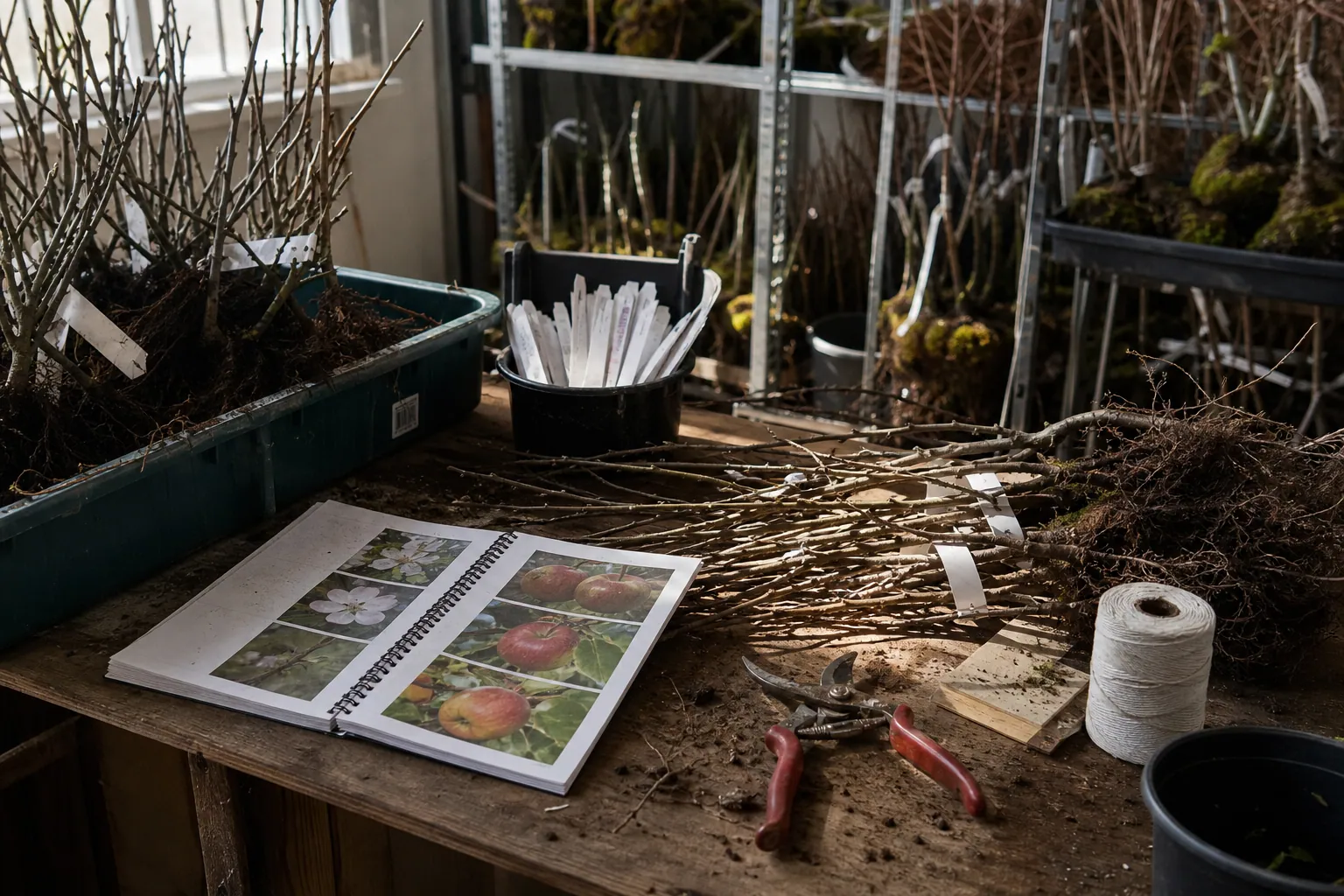
The AI Preorder Content Desk for Bare-Root Fruit Tree Nurseries
A practical AI-assisted Pinterest operating system for fruit tree nurseries that need accurate, inventory-aware preorder traffic before spring shipping.

AI Pinterest Content for Residential Architects: 5 Approaches Compared
Compare five ways residential architecture studios can use AI for Pinterest—without inventing project details, publishing stale plans, or attracting the wrong inquiries.

The AI Project-Question Pinterest Desk for Mineral Paint Brands
A practical AI-assisted Pinterest routine for mineral paint sellers turning verified product facts, customer questions, and project intent into catalog traffic.

Strategy Memo: AI Pinterest Triage for Vintage Furniture Sellers
A 30-day plan for vintage furniture sellers using AI to turn fast-moving, one-of-a-kind inventory into accurate Pinterest discovery without leaving shoppers on sold-out listings.

The Trip-Planning Pinterest SEO Desk for Family Travel Advisors
A copyable Pinterest content blueprint for Europe-focused family travel advisors: turn itinerary questions into accurate pins, useful pages, and better-fit planning calls.

The Measure-Visit Pinterest Desk for Custom Window Treatment Studios
Turn measuring appointments, fabric decisions, and installation photos into a steady Pinterest presence that earns better-fit window treatment consultations.