Project Posts vs Plan Pages: What a Woodworking Plan Shop Should Link From Pinterest
Compare five Pinterest destinations for PDF woodworking plans—from direct product pages to cut lists—and choose the route that fits each searcher's build decision.
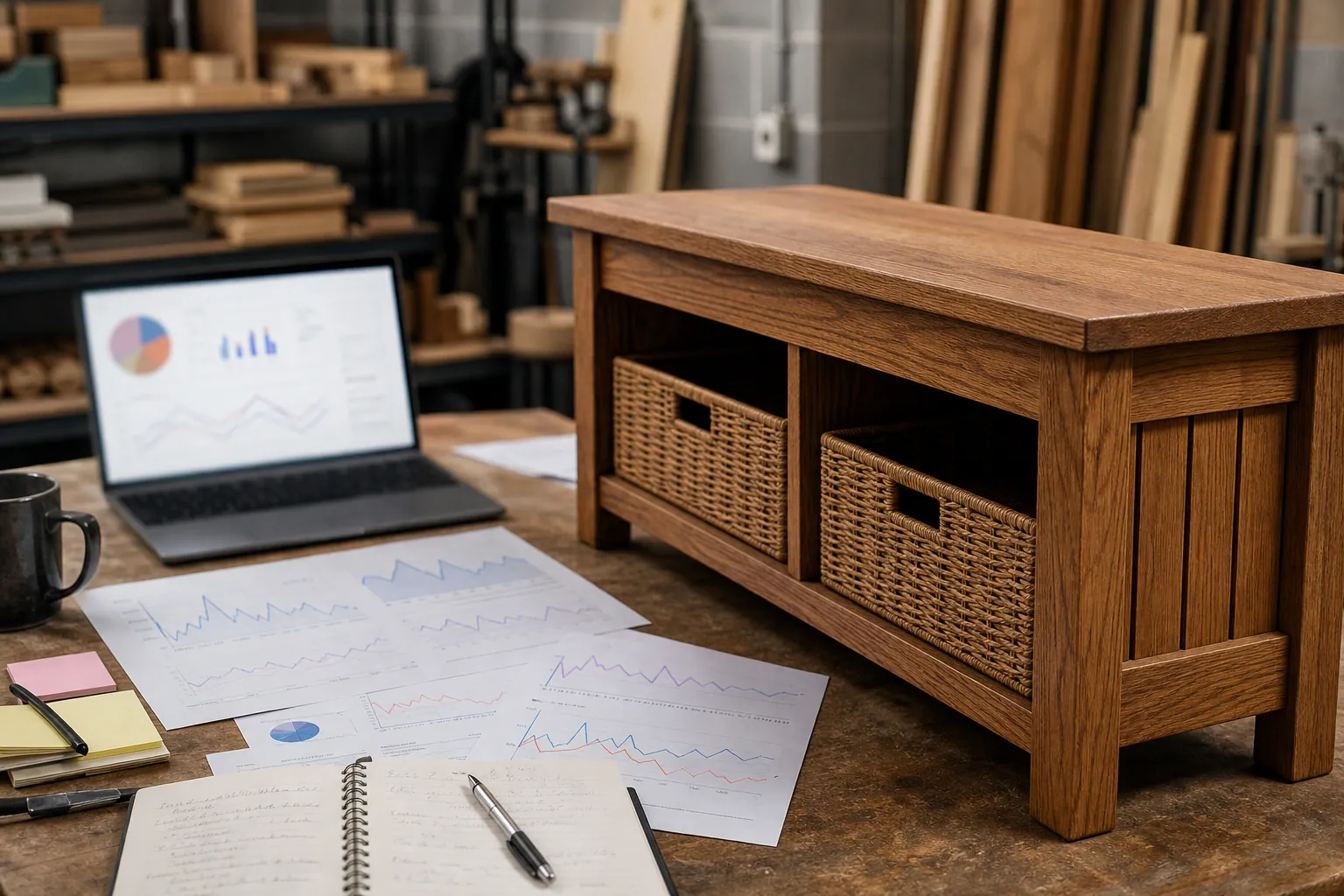
A PDF woodworking plan shop does not need a new project for every Pin. It needs a better answer to one question: what should this particular searcher see after they click?
That distinction matters for a shop with 20–60 downloadable plans. Someone searching for “entryway bench with shoe storage plan PDF” is close to purchasing. Someone searching for “how deep should an entryway bench be” is still working out whether the project will fit their hallway.
Sending both people to the same checkout page is convenient, but it asks one of them to buy before they have the information they came for. Sending both to a long tutorial has the opposite problem: it can earn clicks while keeping the paid plan too far from the decision.
For a woodworking plan seller preparing for fall indoor projects and holiday builds, the right Pinterest SEO move is not “make more Pins.” It is matching the Pin, the Pinterest landing page, and the next action to the stage of the build.
Five destinations a woodworking Pin can use
Imagine your shop sells a detailed PDF plan for a narrow entryway bench with shoe storage. Here are five legitimate routes from Pinterest search to that offer.
1. The direct PDF plan page
Use this route when the search includes a strong buying or format signal:
entryway bench plan PDFshoe storage bench woodworking plansbeginner entryway bench plans
The landing page should make the offer immediately legible: finished dimensions, skill level, required tools, a materials list, preview pages, and the download format. A visitor should not have to scroll through a lifestyle story to learn whether the plan suits their space.
A fitting Pin title might be:
Narrow Entryway Bench With Shoe Storage: PDF Woodworking Plan
This is the most direct path to a sale, but it is a poor destination for a search about bench depth, lumber selection, or comparing two storage layouts.
2. The problem-solving tutorial with a plan offer
Use a tutorial when the person has a design or construction question before they can choose a plan:
best bench depth for narrow entrywayhow to build a bench with shoe storageentryway bench clearance guide
The page should answer the question before presenting the plan. For example, a bench-depth article can show a 12-inch, 15-inch, and 18-inch option; explain walking clearance; and then offer the matching PDF plans.
This approach gives your Pin a useful promise. It also makes the plan feel like a sensible next step rather than an interruption.
The important caveat: do not write a thin article that withholds the answer until the final paragraph. Pinterest users will leave, and the page will not earn trust.
3. The free cut list or shopping-list download
A cut list works when the searcher is committed to the project but needs help estimating materials, time, or cost:
entryway bench cut listbench lumber shopping listDIY shoe storage bench materials
This route can build an email list, especially for higher-priced plan bundles. The free resource should complement the paid plan, not replace it. A useful division looks like this:
- Free download: lumber quantities, hardware checklist, and shopping notes
- Paid plan: measured drawings, assembly order, cut diagrams, joinery details, and printable instructions
Be realistic about the trade-off. Freebie-focused Pins may produce many signups from people who never build. Use this route only if you have a short follow-up email sequence that helps subscribers select a project or bundle.
4. The comparison or chooser page
Comparison content helps when shoppers are selecting among projects in your catalog:
storage bench vs cubby benchopen shoe rack vs storage benchbest entryway storage for narrow hallway
A good chooser page compares the options on criteria that actually matter: footprint, seating depth, shoe capacity, door clearance, tool requirements, and build time. Each recommendation can lead to an individual PDF plan.
This is especially effective for a catalog with similar products. It prevents every plan page from trying to explain why its configuration is right for every home.
5. The project collection page
A collection page suits broader, browse-oriented searches:
small entryway storage ideasweekend woodworking projects for the homeDIY hallway organization
The page should not be a wall of product thumbnails. Group plans into useful choices, such as “small-space benches,” “closed shoe storage,” “one-weekend builds,” and “projects for renters who need movable storage.” Give each group a short explanation and one clear click path.
Collection Pins often create less immediate revenue than exact-plan Pins, but they introduce your catalog to people who have not chosen a project yet.
Decision matrix: choose the route before designing the Pin
| Pinterest route | Best for search intent | What the visitor should get | Primary success signal | Avoid it when |
|---|---|---|---|---|
| Direct PDF plan page | Exact build and format searches | Plan preview, dimensions, tools, purchase option | Plan-page conversion rate | The query is a how-to or sizing question |
| Tutorial plus plan offer | Construction, fit, or method questions | A complete answer with a relevant plan next step | Outbound clicks to the plan and plan sales | You cannot provide a genuinely useful explanation |
| Free cut list | Material-planning and cost-prep searches | A practical companion file and clear email expectation | Qualified subscribers who later view plans | You have no email follow-up or the freebie gives away the full product |
| Comparison page | Shoppers choosing among build styles | Decision criteria and links to the right plans | Click-through rate to individual plan pages | Your plans are too different to compare cleanly |
| Collection hub | Broad inspiration and project browsing | Curated categories that reduce browsing effort | Engaged sessions and clicks into product categories | The query asks for one highly specific plan |
The matrix does not mean every plan needs five pages. Most small shops should start with two or three routes around one proven project.
For the entryway bench example, a lean starting mix is:
- A direct plan page for exact PDF-plan searches.
- A sizing tutorial for narrow-hallway questions.
- A small-entryway collection page for broader browsing.
Add a cut-list opt-in only after you can see that visitors need more time and information before purchasing.
Build a phrase ladder, not a pile of near-duplicate Pins
Pinterest keyword research is more useful when it reveals levels of intent, not just a list of related phrases. Start with one project and sort phrases by the decision behind them.
| Search phrase | Decision behind it | Best destination | Pin angle |
|---|---|---|---|
| Entryway bench with shoe storage plan PDF | “I know what I want.” | Direct plan page | Dimensions, plan preview, build level |
| Best bench depth for narrow entryway | “Will this work in my space?” | Tutorial | Clearance diagram and size comparison |
| Storage bench vs cubbies | “Which format solves my problem?” | Comparison page | Side-by-side capacity and footprint |
| Small entryway storage ideas | “Show me the options.” | Collection page | Three project types for compact halls |
This is a better use of Pinterest content planning than changing the background color on one generic product Pin six times. You are creating distinct promises for distinct searches.
Keep the wording consistent from Pin to page
For each route, check four places before publishing:
- On-Pin headline: State the project, problem, or choice clearly.
- Pin title: Put the core phrase and format in plain language.
- Pinterest description: Add helpful context, a relevant qualifier, and an accurate expectation for the click.
- Landing-page heading and first screen: Confirm the visitor has landed in the right place.
For example, a Pin titled “Bench Depth for a Narrow Entryway” should not land on a generic “All Woodworking Plans” page. Its article heading should answer the same question, and the first screen should show the depth guidance promised in the Pin.
Use Pinterest descriptions to clarify rather than cram. This is enough:
Compare practical bench depths for a narrow hallway, with clearance notes and entryway storage plan options for DIY builders.
It supports the title without repeating the phrase four times or making unsupported claims about ease, time, or safety.
A small production method that keeps pages and Pins connected
Before creating graphics, make a one-page project brief with:
- The product facts: dimensions, materials, tool requirements, skill level, and included files
- The buyer questions: fit, cost, storage capacity, build time, and finish options
- The three search-intent routes you will support
- The exact destination URL and CTA for each route
- One tracked campaign label per Pin family
That brief lets a designer, writer, or founder produce variants without losing the thread. Once the pages and creative have passed review, a lightweight publishing queue such as PinPinMe can help keep destination URLs, Pin versions, and scheduled dates organized.
For Pinterest UTM tracking, label the route—not just the platform. For instance, distinguish a sizing-tutorial Pin from a direct-plan Pin even if both promote the same bench. That makes it possible to see whether the tutorial assists purchases that happen later.
A simple tracking sheet needs only these columns:
- Publish date
- Project name
- Search phrase
- Route type
- Pin creative version
- Destination page
- Outbound clicks
- Email signups, plan-page views, add-to-carts, and purchases
Pinterest outbound clicks tell you whether the Pin earned a visit. They do not tell you whether the destination matched the visitor’s need. Keep the downstream columns.
What to do over the next 30 days
Pick one evergreen project with enough margin to justify improving the page around it. Avoid starting with a plan that is only relevant for a two-week trend or that has unclear instructions.
Then take these steps:
- Collect 8–12 phrases around the project and label each as exact-plan, problem, comparison, or browse intent.
- Choose two routes from the matrix. A direct plan page plus one genuinely helpful tutorial is usually enough for the first test.
- Improve the destinations first. Add a clear heading, project facts, visual proof of the finished plan, and the next action before designing Pins.
- Create two Pins per route with different useful angles, not merely different fonts. One might feature dimensions; another may feature shoe capacity or a cutaway view.
- Review by route after 30 days. Compare results per 100 outbound clicks where possible. Raw sales alone can favor Pins that simply received more distribution.
If direct-plan Pins receive strong clicks but weak purchases, inspect the product page: unclear preview files, missing tool requirements, a slow mobile checkout, or an unexpected price can be the issue. If the tutorial earns clicks and plan-page visits but not orders, the plan may not be the logical answer to the question—or the CTA may be too vague.
The useful shortcut is not forcing every Pinterest visitor straight to a checkout page. It is giving each builder the next piece of information they need, then making the relevant plan easy to choose.

Strategy Memo: Pinterest SEO for Squirrel-Proof Bird Feeder Shops
A focused Pinterest SEO plan for bird feeder retailers: choose problem-solving content over generic bird inspiration, define useful metrics, and launch in 30 days.

The Stitch-Guide Pinterest SEO Desk for Needlepoint Canvas Shops
Turn hard-to-search canvas names into Pinterest discovery assets with a weekly routine built around stitch questions, finishing decisions, and project-ready collections.

The Trip-Planning Pinterest SEO Desk for Family Travel Advisors
A copyable Pinterest content blueprint for Europe-focused family travel advisors: turn itinerary questions into accurate pins, useful pages, and better-fit planning calls.

Product Pins vs Routine Guides for Refillable Cleaning Shops
Compare product, bundle, routine, and problem-solution Pinterest pins to choose the right catalog-growth mix for a refillable cleaning brand this fall.
Practice Sheets vs Project Pins: Pinterest Paths for Brush Lettering Courses
Compare five Pinterest entry paths for brush lettering educators—from drill-sheet opt-ins to direct enrollment—and choose the one that fits your course and capacity.

Strategy Memo: AI Pinterest Triage for Vintage Furniture Sellers
A 30-day plan for vintage furniture sellers using AI to turn fast-moving, one-of-a-kind inventory into accurate Pinterest discovery without leaving shoppers on sold-out listings.