Case Study: How a Seed-Starting Light Shop Turned Pinterest Questions Into Kit Sales
A composite teardown of a seed-starting light retailer that replaced catalog-only Pins with setup and troubleshooting content that sold more complete kits.
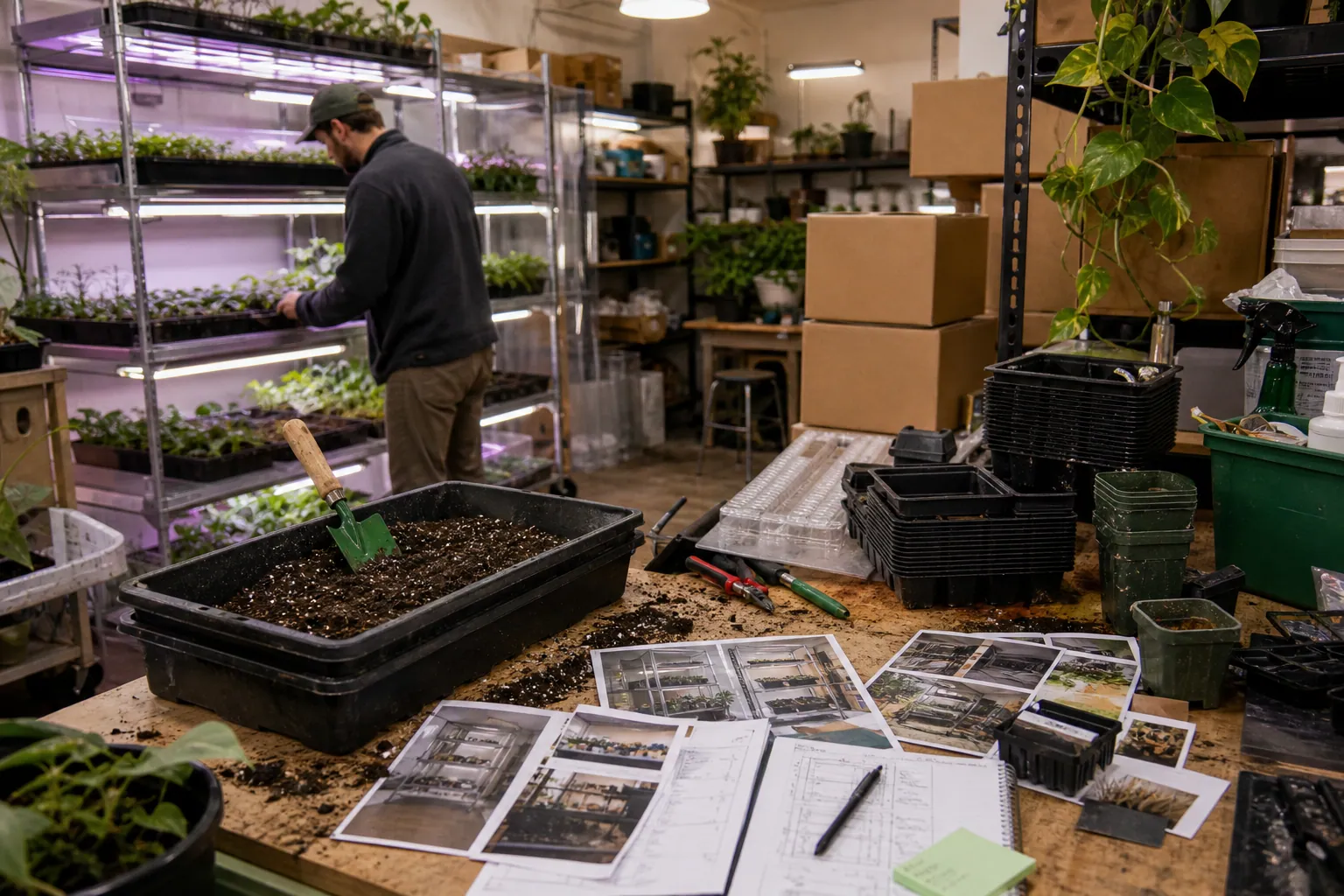
A seed-starting light retailer had the kind of Pinterest account many ecommerce teams initially want: tidy product images, attractive shelves, and steady saves from gardeners.
What it did not have was enough evidence that those saves were helping shoppers choose a kit.
The company sold adjustable grow-light shelves, timers, trays, and starter bundles. Yet its Pinterest traffic largely landed on individual product pages before a visitor knew whether a shelf would fit their basement corner, how many trays they needed, or what to check when tomato seedlings became leggy.
This composite teardown combines patterns from small garden-product retailers. The figures are rounded and representative, not a promise of results for every shop.
The starting point: a healthy catalog, a weak decision path
In early November, the retailer was preparing for the seed-starting planning window. Its catalog was current, its product photography was good, and its feed produced Pinterest product Pins without much manual work.
The problem was the route between search and purchase.
| Baseline observation | What it revealed |
|---|---|
| 19 of the last 24 Pins were direct SKU or collection Pins | The account answered buy now questions but not planning questions. |
| Most Pinterest sessions landed on a product detail page | Visitors had to work out fit, capacity, and setup requirements on their own. |
| Support emails repeated questions about shelf size, light height, timers, and tray capacity | The team had a ready-made research list but had not turned it into content. |
| Titles repeated seed-starting kit in slight variations | The Pins competed for the same broad intent instead of serving distinct searches. |
The original content assumed that someone searching seed starting supplies was ready to compare products. In practice, many Pinterest users were one step earlier: they were trying to make a plan.
That distinction shaped the rebuild.
The research came from the questions shoppers already asked
Rather than beginning with a giant keyword spreadsheet, the operator collected three months of support tickets, on-site search terms, reviews, Pinterest search suggestions, and Google Search Console queries.
They then sorted phrases by the decision behind the phrase—not just the words in it.
| Search theme | The underlying decision | Best first destination |
|---|---|---|
| seed starting shelf setup | Will a shelf fit my space and hold enough trays? | Shelf setup planner |
| grow light height for seedlings | Can I adjust this safely as seedlings grow? | Height and adjustment guide |
| tomato seedlings leggy | Is light actually the issue, and what should I change? | Diagnostic article |
| seed starting light timer | What routine do I need, and is a timer included? | Timer guide with compatible kits |
| seed starting kit for basement | Which complete package fits a low-light indoor space? | Kit collection page |
This is a useful Pinterest SEO move because it prevents a common mistake: treating related phrases as interchangeable.
Someone searching for a seed-starting shelf setup needs a measuring and capacity answer. Someone searching for a kit for a basement may be ready to purchase. Both people may eventually buy the same shelf, but they should not be sent to the same page first.
A safety and accuracy rule mattered here
The retailer avoided generic claims such as a universal light distance or a guaranteed number of hours for every seedling. Light requirements differ by crop, fixture, setup, and indoor conditions.
Each educational page instead:
- explained what the retailer could verify about its own fixture and adjustability;
- told readers to follow the fixture manual and seed packet guidance;
- described leggy seedlings as a diagnosis with several possible contributors, not a one-product problem;
- showed measurements, tray capacity, included components, and electrical requirements clearly;
- removed unavailable kits from evergreen articles until they were back in stock.
Accurate content earns fewer avoidable returns than broad claims designed solely to win clicks.
The pivotal decision: stop making every Pin a product Pin
The team kept the catalog feed. Pinterest product Pins remained useful for shoppers searching specific kit types and for retargeting-like discovery around product interest.
But the feed was no longer asked to do the whole job.
They created three durable pages that could support both Pinterest search traffic and product discovery.
1. A shelf setup planner for space and capacity questions
The planner included a simple measuring checklist:
- available width, depth, and ceiling clearance;
- number and size of trays planned;
- room for light adjustment as plants grow;
- outlet location and timer access;
- whether the shopper needed a shelf-only option or a complete setup.
The final section pointed visitors to two kit collections: compact apartment and basement setups. It did not dump every SKU into a product grid.
2. A leggy-seedling diagnostic guide
This page answered the high-intent question behind a large share of support tickets: why are my tomato seedlings tall and floppy?
It used a simple decision tree: check light positioning and duration against the equipment guidance, then examine temperature, spacing, watering, and timing. Relevant adjustable-light kits appeared only after the diagnosis section.
That order mattered. The page was useful even to a gardener who bought their current equipment elsewhere, which made the product recommendations more credible.
3. A timer and daily-routine guide
The timer page covered setup rather than promising a perfect schedule. It explained what was included with each kit, which accessories were compatible, and how to verify a chosen routine against seed and fixture instructions.
The retailer found that this page drove smaller initial baskets than the kit collection. It also led to a stronger add-to-cart rate because visitors arrived with clearer expectations.
From one article to a family of search-specific Pins
The shop had previously published one Pin per product page. The new approach treated each useful page as a source for several distinct Pinterest entries.
For the shelf setup planner, the team made four Pins:
| Pin angle | On-image message | Pin title | Destination |
|---|---|---|---|
| Space planning | Measure before buying a seed-starting shelf | Seed Starting Shelf Setup: Space, Trays and Light Clearance | Shelf setup planner |
| Capacity | How many trays fit on a starter shelf? | Seed Starting Shelf Capacity Guide for 1020 Trays | Shelf setup planner |
| Basement use | Starting seeds in a basement without window light | Basement Seed Starting Setup Checklist | Shelf setup planner |
| Kit selection | Shelf-only or complete seed-starting kit? | Choose a Seed-Starting Light Kit for Your Space | Compact-kit collection |
The visual treatment changed with the angle. The capacity Pin used labeled trays and shelf measurements. The basement Pin showed a practical setup context. The kit-selection Pin used a clean comparison layout.
This was not duplicate publishing with a different background color. Each Pin made a different promise and led to the page that fulfilled that promise.
Two description patterns that held up
Descriptions reinforced context without repeating a string of keywords.
Planning-led description
Planning an indoor seed-starting shelf? Use this checklist to measure shelf space, tray capacity, light clearance, and timer access before choosing a kit.
Problem-led description
Tomato seedlings can become leggy for more than one reason. Review light placement, growing conditions, spacing, and setup details before changing your indoor seed-starting equipment.
The primary phrase appeared naturally near the beginning of the title. The description added useful qualifiers. Neither tried to rank for every gardening phrase at once.
A modest publishing queue beat a frantic winter burst
The retailer began in November, before January seed-starting demand increased. It planned a small queue around the gardener's timeline:
- November: shelf measurements, basement setups, compact-space planning;
- December: timers, tray capacity, kit comparisons, giftable starter setups;
- January and February: crop-specific setup questions, leggy seedling diagnostics, indoor-starting checklists;
- March: transplant preparation and what to do with equipment after indoor starts move outside.
Each entry in the production sheet included the target query, visitor decision, landing page, product availability check, visual source, UTM value, publishing date, and refresh date. A shared PinPinMe content calendar can keep those details attached to the Pin instead of leaving them scattered across design folders and spreadsheets.
The team published a manageable two to three new creative variations per week. When an older Pin kept sending qualified clicks, it refreshed the image or seasonal context only if the destination still matched and the merchandise was available.
What changed over one planning-to-spring cycle
The operator compared 90-day periods while checking the same measures by Pin family and landing page. Seasonal demand still influenced the numbers, so the team did not credit Pinterest alone for every gain.
Still, the traffic quality shift was clear.
| Measure | Before the rebuild | After the rebuild |
|---|---|---|
| Pinterest sessions landing on a guide or planner before shopping | 14% | 49% |
| Outbound click-through rate across tracked organic Pins | 0.8% | 1.5% |
| Add-to-cart rate from Pinterest sessions | 1.9% | 4.2% |
| Orders per 100 Pinterest sessions | 0.9 | 1.8 |
| Average order value from Pinterest | $84 | $108 |
The average order value increased because more visitors chose complete setups rather than a single replacement tray or light accessory.
The strongest performers were not the most visually saved Pins. The shelf-capacity and basement-setup Pins produced fewer saves than an attractive seedling-room image, but they earned more clicks to the planner and more kit purchases per visit.
The weakest category was broad indoor plant shelf inspiration. It generated discovery and saves, yet visitors often wanted decor ideas rather than seed-starting equipment. The team did not delete those Pins; it simply stopped giving that theme most of its production time.
The tracking detail that made the conclusion usable
Every destination used a consistent UTM structure, such as:
?utm_source=pinterest&utm_medium=organic&utm_campaign=seed_starting&utm_content=shelf_capacity_v1
That allowed the retailer to compare Pinterest Analytics outbound clicks with ecommerce sessions, add-to-carts, orders, and post-purchase outcomes. It also made it possible to see which Pinterest landing pages produced full kit orders versus accessory-only carts.
A simple 30-day and 60-day cohort view mattered. Some gardeners saved a setup idea in December, returned in January, and purchased only after checking their shelf dimensions. A same-day attribution view understated that planning behavior.
What another catalog business can take from this teardown
You do not need to sell grow lights to use the underlying lessons.
Build Pinterest SEO around a decision, not a department name. Product taxonomy helps internal navigation; it rarely mirrors how a shopper frames a Pinterest search.
Treat customer questions as evidence of content demand. Support tickets, live-chat transcripts, returns, and on-site searches often reveal the decision gap between a Pin and a product page.
Match the first landing page to the visitor's stage. Send ready buyers to collections or products. Send planners to checklists, comparisons, and diagnostic guides that naturally lead into the catalog.
Make every Pin family deliberately different. A capacity question, a setup checklist, a comparison, and a troubleshooting question can point to related merchandise without being near-duplicate Pins.
Protect trust with precise claims. If fit, compatibility, safety, performance, or inventory depends on conditions, say so. Useful qualifiers filter out the wrong buyer and help the right buyer move forward.
Judge creative by commercial context. Saves can show relevance, but outbound clicks, add-to-carts, orders, average order value, and return reasons tell you whether a Pinterest content investment deserves another production slot.
For an operator starting this week, the first task is small: export 25 recent customer questions, highlight the five that occur most often, and identify which one has no useful page on your site. Build that page before designing another generic product Pin.
The Cold-Weather Pinterest SEO Playbook for Merino Sock Shops
A practical weekly routine for merino sock retailers to turn weather, boot-fit, and gift questions into Pinterest search traffic that reaches the right collection.

The Dormancy-to-Repotting Pinterest SEO Desk for Bonsai Supply Shops
A practical Pinterest SEO routine for bonsai retailers that turns winter research into spring-ready traffic for tools, soil, pots, and beginner kits.

The Jar-Eligibility Pinterest SEO Playbook for Candle Refill Shops
Turn candle-jar, refill, care, and gift searches into qualified Pinterest traffic without making unsafe compatibility claims or relying on cozy-photo saves.

Case Study: How a Cabinet Hardware Shop Turned Kitchen Saves Into Sample Kits and Project Orders
A composite teardown of a cabinet hardware retailer that replaced generic kitchen Pins with sizing, finish, and project-planning routes that produced more sample-led orders.

Case Study: How a Podcasting Course Creator Turned Planning Pins Into Evergreen Enrollments
A composite teardown of a podcasting educator who replaced aesthetic creator Pins with planning resources that attracted more course-ready subscribers and buyers.
Case Study: How a Needle-Felting Kit Shop Used AI to Make Gift-Ready Pinterest Pins Without Inventing Product Claims
A composite teardown of a craft-kit retailer that used AI for faster Pinterest production while protecting product accuracy, inventory, and beginner-buyer trust.