Case Study: How a Hood Cleaning Company Cut Its Pinterest Stack and Booked Better Site Walks
A composite teardown of a commercial kitchen hood cleaner that replaced scattered tools and generic food imagery with a lean Pinterest stack built for service-area-qualified leads.
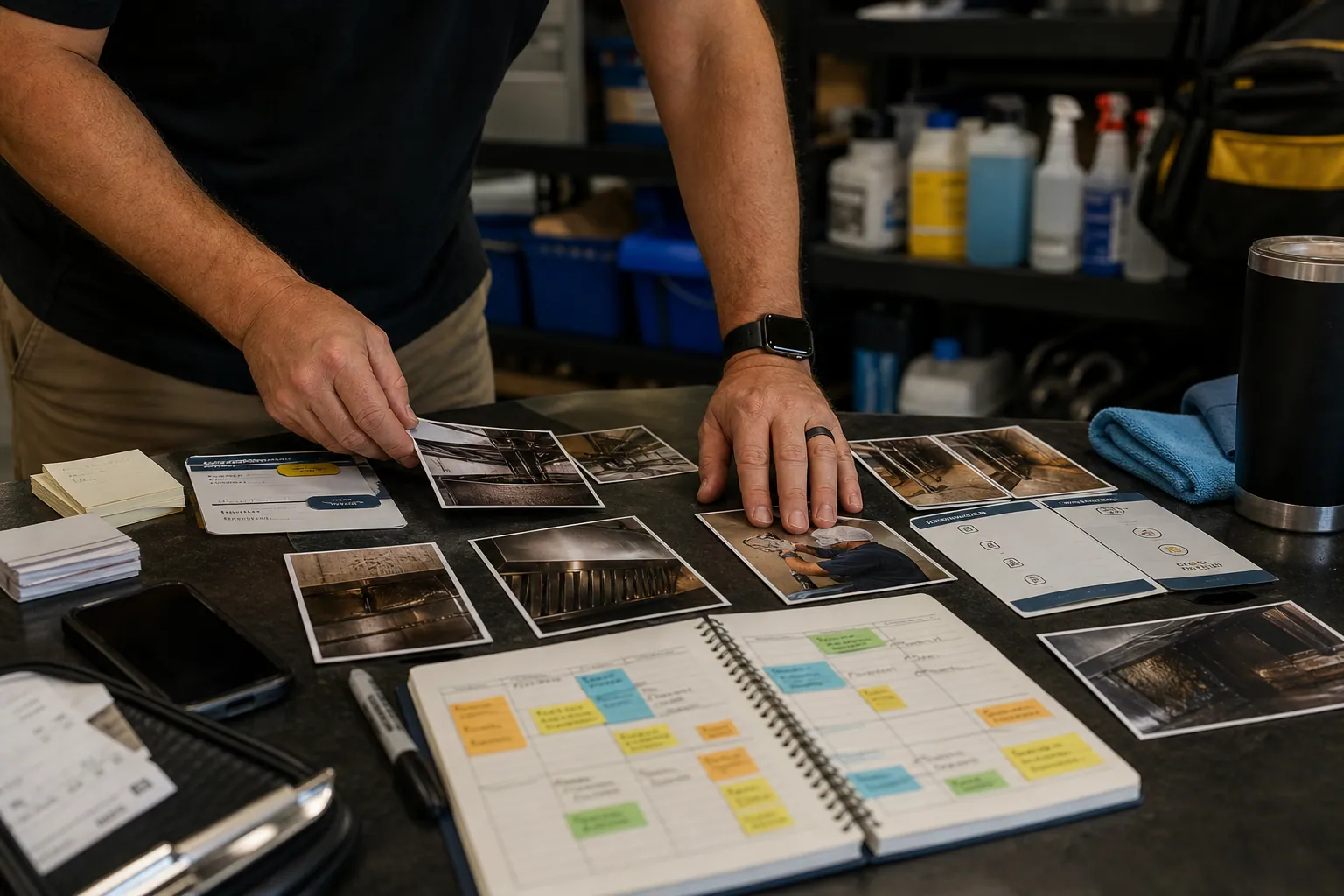
A commercial kitchen hood cleaning company does not need more restaurant inspiration traffic.
It needs the facilities manager opening a second location, the restaurant owner trying to understand maintenance timing, or the general contractor building out a new kitchen. Those people may use Pinterest while planning—but only if the content answers an operational question rather than showing a beautiful plated dish.
This composite case study follows a two-truck hood cleaning company serving restaurants, breweries, and small institutional kitchens across one metro area. Its original Pinterest effort was technically active: posts went out through a broad social media suite, designs lived in several Canva folders, and leads landed in a CRM.
But nobody could explain which Pin, page, or tool had contributed to an actual site walk.
The fix was not a bigger software budget. It was a narrower tool stack with clear jobs.
The baseline: activity without a useful trail
The company had one marketing coordinator who spent about 90 minutes a week on Pinterest. Her process looked reasonable on paper:
- Pull a photo from a completed cleaning job.
- Add a generic headline such as “Commercial Kitchen Cleaning Tips.”
- Schedule it through the agency’s all-in-one social tool.
- Link it to the homepage.
- Check impressions at month-end.
Three problems followed.
The Pins described the company, not the buyer’s decision
Most images showed shiny hoods, kitchen lines, or technicians at work. They proved the team did cleaning, but they did not help a restaurant operator answer questions such as:
- How often should a commercial hood be professionally cleaned?
- What should a manager prepare before a hood-cleaning appointment?
- What belongs on a restaurant opening cleaning checklist?
- Who coordinates hood cleaning when a tenant takes over an existing kitchen?
A polished after-photo can earn a save. It rarely qualifies an inquiry by itself.
Every destination was the homepage
A first-time visitor had to choose among emergency service, recurring cleaning, inspections, pressure washing, and contact information. There was no page for a restaurant opening, no service-area explanation, and no pre-service checklist.
That made Pinterest landing pages impossible to evaluate. A click was just a click.
The tools overlapped, but no one owned attribution
The social suite reported posts. Pinterest reported outbound clicks. Google Analytics reported sessions. The CRM held inquiry records. None used the same campaign naming or required a lead source field.
The coordinator could truthfully say, “Pinterest had reach.” The owner could equally truthfully say, “I cannot see revenue from it.”
The audit question that changed the stack
Instead of asking, “Which Pinterest tool has the most features?” the team used a tougher question:
Does this tool help us publish accurate service content, send visitors to a useful next step, or prove whether a lead became a site walk?
If the answer was no, it did not belong in the process.
This matters for Pinterest for local service businesses. A broad suite may be worthwhile if it handles community management, paid social, and many channels. It is not automatically the best choice for a business publishing 6–10 durable Pinterest assets a month.
The team scored every tool against four criteria:
| Decision criterion | What it meant for this company |
|---|---|
| Field accuracy | Could a technician or operations lead verify claims before publishing? |
| Local relevance | Could the content direct people to the right service area and request type? |
| Publishing reliability | Could the coordinator queue Pins without duplicating posts or losing links? |
| Revenue traceability | Could an inquiry be connected to a Pin family and then to a site walk? |
What they kept, cut, and added
The final stack was deliberately ordinary. That was a strength, not a compromise.
Kept: Canva for repeatable, readable designs
Canva stayed because the coordinator could make consistent 2:3 vertical Pins without waiting on a designer.
But the team stopped treating templates as decoration. Every template was built around one operational promise:
- Inspection-prep Pin: “Restaurant Hood Cleaning: What to Move Before the Crew Arrives”
- Opening-planning Pin: “New Restaurant Cleaning Checklist Before Opening Week”
- Maintenance Pin: “Questions to Ask Before Booking Commercial Hood Cleaning”
Each template included room for a clear headline, one visual proof point, and a small label such as “For restaurant operators” or “For kitchen build-outs.”
They made four layouts, not forty. A limited set reduced link mistakes and made results easier to compare.
Cut: the broad social scheduler for evergreen Pinterest content
The company’s social suite remained useful for short-lived announcements on other channels. It was removed from the Pinterest publishing step.
Why? The coordinator had to navigate a multi-network calendar, while Pinterest needed deliberate boards, distinct descriptions, destination checks, and a schedule based on seasonal planning cycles—not the daily cadence of other networks.
For a small account, the native Pinterest scheduler was enough during the first month. The team could see the queue, review the final destination, and confirm each Pin went to the appropriate board.
Once the backlog grew, the owner evaluated a dedicated Pinterest publishing workspace. A tool such as PinPinMe can be useful when maintaining Pin variants and a more organized publishing queue becomes difficult inside a general marketing calendar.
The important decision was not native scheduler versus specialist tool. It was assigning Pinterest publishing to one place rather than two.
Added: one source-of-truth content sheet
The most valuable addition was not software. It was a shared spreadsheet that joined field knowledge to content production.
Each row contained:
| Field | Example |
|---|---|
| Buyer situation | Taking over an existing restaurant kitchen |
| Verified question | “Do I need hood cleaning before opening?” |
| Content owner | Operations manager |
| Pin title | “Restaurant Takeover Cleaning Checklist Before Opening” |
| Destination | Restaurant opening checklist page |
| Board | Restaurant Operations and Maintenance |
| UTM campaign | pinterest_restaurant_takeover_checklist |
| Status | Draft, reviewed, scheduled, live, refresh due |
The operations manager reviewed anything involving cleaning frequency, compliance, or service scope. The marketing coordinator owned Pin production and publishing.
That division prevented a common local-service mistake: attractive content that makes claims a field team would not stand behind. The checklist also included a plain disclaimer that local requirements, insurance obligations, and fire-safety standards vary; readers should confirm requirements with the relevant authority and qualified provider.
Added: a short UTM convention and a required CRM question
The team used a simple structure for Pinterest UTM tracking:
utm_source=pinterest
utm_medium=organic
utm_campaign=[pin_family]
utm_content=[creative_version]
For example:
utm_source=pinterest&utm_medium=organic&utm_campaign=restaurant_opening&utm_content=checklist_photo_a
They did not create a unique campaign for every Pin. That would have made reporting too granular to use. Instead, they grouped Pins by the buyer situation they were designed to serve:
restaurant_openingrecurring_maintenancekitchen_takeoverfacility_manager
The inquiry form added two fields:
- Kitchen type: restaurant, brewery, commissary, school/care facility, other
- What are you planning? recurring service, opening/renovation, inspection issue, unsure
The CRM also required staff to select a lead source before a quote could be marked qualified. “Pinterest” was one option; “unknown” was allowed only with a note.
This is basic Pinterest attribution, but it changed the conversation from “Pinterest got impressions” to “Which planning situation produced site-walk-worthy requests?”
The publishing decisions that made the tool stack matter
Tools did not create the improvement alone. The company changed what it made.
1. It built Pins around maintenance moments, not services
The first content family served kitchen operators planning for a new opening, renovation, or tenant turnover.
Instead of linking to the homepage, Pins led to a page with:
- A printable pre-opening cleaning checklist
- A short explanation of what the company does and does not cover
- Service-area cities
- A request option for a site walk or recurring-service quote
- A clear note to verify applicable local requirements
That page did not promise compliance. It helped an operator prepare the right questions.
2. It separated recurring-service traffic from urgent-problem traffic
A Pin about “What to prepare before hood cleaning” reached planners. A Pin about a sudden grease issue reached a different visitor with a different urgency level.
The company created separate destinations instead of forcing both groups through one contact page. This improved internal response, too: office staff knew whether to send recurring-service information or assess an urgent request.
3. It treated Pinterest descriptions as routing information
The team rewrote Pinterest pin titles and descriptions to make the reader and destination obvious.
Weak title:
Commercial Kitchen Cleaning Tips
Stronger title:
Restaurant Opening Cleaning Checklist for a New Kitchen
Weak description:
Keep your kitchen sparkling with these helpful commercial cleaning ideas.
Stronger description:
Opening or taking over a restaurant kitchen? Use this planning checklist to organize hood-cleaning questions, access details, and service timing before opening week. Built for restaurant operators and facility managers.
The second version is less broad, but it earns more useful clicks. It also creates a cleaner signal for Pinterest search and for the sales team reviewing lead quality.
What changed over ten weeks
The figures below are illustrative composite operating data, not a promise or a universal benchmark. The point is the pattern of measurement.
| Measure | Before the rebuild | Ten weeks after |
|---|---|---|
| Pinterest destination types | Homepage only | Four intent-specific pages |
| Pins with identifiable campaign data | 0% | 100% of new Pins |
| Pins published per month | 16 loosely related posts | 8–10 reviewed, decision-led Pins |
| Outbound clicks that reached a relevant page | Unclear | Visible by Pin family in GA4 |
| Inquiry source captured in CRM | Inconsistent | Required before qualification |
| Pinterest inquiries fitting the service area and kitchen type | Not measurable | Trackable and reviewable |
| Site walks attributed or assisted by Pinterest | Unknown | Visible as a separate pipeline stage |
The team did not celebrate every rise in clicks. One Pin about restaurant kitchen cleaning checklists generated substantial traffic but many visitors were outside the service area. It remained useful for search discovery, but it was not the first asset to scale.
The better performer was a smaller set of Pins aimed at restaurant takeovers and opening preparation. Those visitors spent more time on the checklist page, selected a kitchen type more often, and produced a higher share of quote-ready conversations.
This was the most useful tool-stack outcome: it revealed that less glamorous content could have more commercial value.
The weekly review that prevented tool sprawl
Every Friday, the coordinator and owner spent 20 minutes reviewing a single sheet. They did not open five dashboards and hunt for a vanity metric.
They asked:
- Which Pin family drove outbound clicks this week?
- Did those clicks reach the intended page without broken UTMs or outdated service information?
- Which inquiries had a usable location, kitchen type, and planning need?
- Did any inquiry turn into a site walk, quote, or recurring-service agreement?
- What question did the sales or field team hear that could become next month’s Pin?
This review produced better content ideas than an abstract keyword list. If three prospective customers asked whether the crew could work around a Monday opening, that became a planning resource—not a speculative post about restaurant trends.
Tool choices the company deliberately did not make
A strong stack includes exclusions.
No automatic reposting across every social network
The company stopped cross-posting every Pinterest asset to Instagram, LinkedIn, and Facebook. A checklist Pin designed for search discovery needs a different caption, format, and shelf life than a feed post.
No automated publishing from unreviewed AI drafts
AI was acceptable for outlining alternatives to a title or reorganizing technician notes. It was not allowed to state service intervals, safety requirements, or code claims without human review.
For a business working near fire-safety operations, accuracy is part of marketing quality.
No catalog feed
A service company without a conventional product catalog did not need one. The team used ordinary rich visual content and service pages. Buying catalog technology would have added administration without solving a lead-quality problem.
No “all leads from Pinterest” claim
Some buyers saved a Pin, searched the business name later, then submitted a direct form. Others discussed the checklist internally before calling. The team used UTMs and source fields as evidence, not as a demand for perfect credit.
That is a healthier approach to Pinterest attribution for longer-consideration local services.
Transferable lessons for local service operators
This case is about hood cleaning, but the underlying choices apply to many appointment-led businesses: contractors, specialty cleaners, inspectors, designers, and installation companies.
Match tools to the real bottleneck
If your issue is inaccurate claims, add a subject-matter review step before buying a scheduling tool. If your issue is broken visibility between clicks and booked consultations, fix Pinterest UTM tracking and CRM source capture before buying more design templates.
Let the landing page do the qualifying
A specific planning page will often outperform a generic service page for Pinterest visitors. It gives people enough help to recognize whether they need you, and it gives your team context before the first call.
Use a small number of repeatable Pin families
For a local business, 8 accurate Pins tied to real buyer decisions are more manageable than 40 generic images. Repetition in the underlying topic is fine; repetition in the exact creative and destination is not.
Judge a tool by the handoff it improves
A scheduling platform should make publishing and destination checks easier. A design tool should make field-approved content easier to produce. Analytics should connect a Pin family to a commercial outcome. If a tool cannot improve a handoff, it is probably another login rather than an operating advantage.
Start with this one-hour stack audit
Before changing your Pinterest software, make a list of your last 10 Pins and answer these questions:
- Does every Pin lead to a page that matches its promise?
- Can you identify the buyer situation behind each Pin?
- Is the claim on the Pin approved by someone who performs or manages the service?
- Is there one publishing location, rather than two competing queues?
- Can your analytics and CRM show whether Pinterest traffic becomes a qualified inquiry, site walk, or sale?
- Which current tool would you stop paying for if it did not have Pinterest listed as a feature?
The goal is not a sophisticated stack. It is a dependable route from a planning question to a useful page, a well-documented inquiry, and a sales conversation your team can act on.

The Holiday Pop-Up Pinterest Tool Stack for Permanent Jewelry Studios
A practical Pinterest tool audit for permanent jewelry studios that need holiday party and pop-up searches to become bookable, well-tracked events.

The Sample-First Pinterest Tool Stack for Handmade Tile Shops
A practical Pinterest tool audit for tile retailers that need color and layout searches to become sample orders, project quotes, and usable catalog traffic.

The Stock-Safe Pinterest Tool Stack for Independent Bookshops
A practical Pinterest tool audit for independent bookshops that need holiday gift-guide traffic to reach available titles, durable collections, and measurable sales.

The AI Compliance-Question Pinterest Desk for Hood Cleaning Companies
Use AI to turn real restaurant-owner questions into accurate Pinterest Pins that earn service-area-qualified hood cleaning inquiries—without inventing code claims.
The Contract-Value Pinterest Operator Playbook for Hood Cleaning Companies
A practical testing routine for hood cleaning firms that need Pinterest traffic to create service-area-qualified maintenance contracts—not generic restaurant cleaning questions.

Case Study: How a Home Energy Audit Company Turned “Cold Room” Pins Into Booked Assessments
A composite Pinterest teardown for home energy auditors who need draft and comfort searches to become local, serviceable assessment requests—not generic eco-home saves.