The Sample-First Pinterest Tool Stack for Handmade Tile Shops
A practical Pinterest tool audit for tile retailers that need color and layout searches to become sample orders, project quotes, and usable catalog traffic.

A handmade tile shop has 18 glaze colors, five formats, sample chips, field-tile boxes, and a six-to-eight-week production window. On Monday, the owner sees a Pinterest Pin for “warm white zellige backsplash” sending visitors to a discontinued shade. On Tuesday, a designer requests samples after seeing a lovely kitchen photo—but cannot tell whether the tile is 4x4, 2x8, or available for a shower wall.
The problem is not a lack of Pins. It is a tool problem: the publishing process is disconnected from product facts, project questions, and sample attribution.
For a tile retailer, Pinterest should not function as a gallery of finished kitchens. Its job is to help a homeowner or designer make the next low-risk decision: choose a color family, compare a format, order samples, or request a project quote.
Start with the diagnosis: where does the handoff break?
Before adding a scheduler, catalog feed, or new design subscription, trace one Pinterest visitor through the buying path.
A healthy route looks like this:
Search or browse Pin → decision-focused page → sample order or project inquiry → tile order or quote
Most small tile shops find one of four breaks.
| Break | What it looks like | Tool decision that fixes it |
|---|---|---|
| Product facts are scattered | Pins mention a glaze or lead time that is no longer accurate | Create one approved product-fact table fed by the store catalog |
| Images cannot be found or approved | The team reuses the same finished kitchen photo because raw project images are buried | Set up a searchable asset library with project, color, format, and permission fields |
| Pins are produced without a destination decision | Every Pin goes to the homepage or one broad collection | Build a destination map for sample pages, comparison guides, collections, and quote pages |
| Results stop at clicks | The team knows outbound clicks but not which Pins lead to sample orders | Standardize Pinterest UTM tracking and connect sample orders to the original landing page |
The most important distinction: a Pinterest catalog is not a content strategy. Product Pins can help shoppers reach an individual sample or tile collection. They cannot answer project questions such as “cream versus ivory tile,” “vertical stack backsplash,” or “how much variation is normal in handmade tile.”
Those questions need useful Pinterest landing pages and editorial Pins that earn the click.
Choose tools by the decisions your customer needs to make
A lean setup is enough for most direct-to-consumer tile brands. Add tools only when they remove a real source of error or delay.
1. Product truth layer: your store plus one editorial intake table
Your ecommerce platform should remain the source of truth for price, availability, sample SKU, production status, and product URLs. Do not ask a designer to maintain those facts separately in a design file.
Then create a lightweight editorial intake table in Airtable, Notion, or a shared spreadsheet. Each row represents a Pin opportunity, not merely a product.
Useful fields include:
- Primary project question: “white tile with warm undertones”
- Product family and approved shade names
- Format and finish
- Destination URL
- Sample availability
- Current lead-time language
- Image folder link
- Claims requiring review, such as water-use suitability or variation expectations
- Seasonal relevance
- UTM campaign name
For example, one row might be:
| Field | Entry |
|---|---|
| Pin topic | Cream vs ivory handmade tile for a warm kitchen |
| Destination | Warm-neutral sample bundle page |
| Products featured | Sand, Linen, Soft White |
| Required disclosure | Natural tonal variation; samples show only a portion of variation |
| CTA | Compare three warm-neutral samples at home |
| Status | Approved for publishing through January 31 |
This is more dependable than creating Pins from memory or from a past Instagram post.
2. Asset library: organize by tile decision, not photo shoot
A folder called Pinterest becomes unusable quickly. Store files so someone can locate a usable image from the decision they are trying to illustrate.
A practical naming pattern is:
[room]_[color family]_[format]_[finish]_[project type]_[approval status]
For example:
kitchen_warm-white_2x8_gloss_offset-backsplash_approved
Keep these image types together:
- Full-room installed shots
- Close-ups that show glaze movement and edge character
- Flat-lay format comparisons
- Sample cards in natural and warm indoor light
- Installation diagrams created or approved by your technical team
- Short clips of unboxing or arranging samples
Do not use heavily filtered room photography as evidence of true color. It is appropriate for inspiration, but a sample page should clearly set expectations about screen-to-screen and batch variation.
3. Design tool: choose repeatability over elaborate templates
Canva is usually sufficient when one person creates Pins and the shop needs brand-locked templates. Use a small set of layouts rather than reinventing every Pin:
- Color decision: large tile close-up + “Cream vs Ivory Tile”
- Format decision: room image + “2x8 or 4x4 for a Small Backsplash?”
- Project planning: diagram or checklist + “Order Samples Before Choosing Grout”
- Product route: product-forward image + exact collection or sample CTA
Figma may be a better fit when a brand designer needs a component library, formal approvals, or accurate layout diagrams. But it is unnecessary if it slows a founder who needs six clean, accurate Pins each week.
The deciding question is simple: can a non-designer swap the approved image, headline, destination, and product facts without breaking the brand or making an unsupported claim?
4. Publishing tool: use the least complex option that protects accuracy
The native Pinterest scheduler is enough when you publish a small, reviewed batch and one person owns the account. It keeps the process close to the platform and avoids a second queue to monitor.
A dedicated planning and publishing workspace becomes worthwhile when several people need to see statuses, avoid duplicate URLs, and coordinate review. For example, PinPinMe can be useful when a founder wants the content calendar, destination links, and scheduled Pins visible in one place rather than spread across design files and browser tabs.
Whatever you use, require these fields before a Pin enters the queue:
- Final destination URL
- Board
- Scheduled date
- Product or guide status
- Reviewer name
- UTM-tagged link
- Refresh or expiry date, if the Pin mentions lead times, promotions, or seasonal collections
5. Catalog feed: promote stable products, not every variation blindly
A Pinterest catalog feed earns its place when it reliably reflects live, purchase-ready inventory. For handmade tile shops, that often means sample kits, core color collections, and standard field-tile products.
Be cautious with:
- Discontinued glazes that remain visible in old feeds
- One-off overstock lots
- Products available only by custom quote
- Items where format, finish, and lead time create many near-duplicate listings
- Tile boxes that are not the appropriate first purchase for an uncertain shopper
A sample-first feed strategy often works better than pushing every visitor to full-box products. A shopper researching backsplash colors may be months from ordering tile but ready to buy three sample chips today.
6. Measurement: combine Pinterest data with store behavior
Pinterest Analytics can reveal impressions, saves, and Pinterest outbound clicks. Your store analytics should reveal what happened after the visit.
Track at least four events:
- Landing-page visit from Pinterest
- Sample kit added to cart
- Sample order completed
- Tile quote request or full-order revenue, where available
Use a consistent UTM format such as:
utm_source=pinterest&utm_medium=organic&utm_campaign=warm_neutral_samples&utm_content=cream_vs_ivory_pin
Do not build a complicated reporting dashboard before you have clean naming. A weekly spreadsheet with Pin URL, landing page, outbound clicks, sample orders, and assisted tile revenue is more useful than an elegant dashboard filled with ungrouped data.
The weekly operating rhythm: 100 minutes, not an all-day content project
This cadence assumes the shop has a functioning site, sample products, and a small library of approved photography. It is designed for an owner, ecommerce manager, or marketing generalist.
| Time | Action | Tool | Output |
|---|---|---|---|
| Monday, 20 min | Check discontinued products, lead-time changes, sample stock, and top support questions | Store admin + intake table | A short “safe to publish” list |
| Tuesday, 40 min | Produce a six-Pin batch from two customer decisions | Asset library + design tool | Two color Pins, two format Pins, two project-planning Pins |
| Tuesday, 15 min | Add destinations, UTM links, boards, and review notes | Intake table + publishing queue | Reviewed scheduled batch |
| Friday, 25 min | Review the prior four weeks by landing page and sample conversion | Pinterest Analytics + store analytics | Keep, refresh, redirect, or retire decisions |
Monday: pull decisions from customer language
Look at search terms from site search, customer-service tickets, showroom conversations, and quote forms. Tile shoppers often ask questions that are more commercially useful than broad design trends.
Examples:
- “Will this white look yellow next to my cabinets?”
- “Is 4x4 too busy for a narrow backsplash?”
- “Should I order samples before picking grout?”
- “How much color variation should I expect?”
- “Can I mix two tile formats in the same kitchen?”
Turn each question into a Pin family. A single project photo can support several routes, each with a different promise and destination.
Tuesday: make six Pins from two decisions
Suppose the week’s decisions are warm-white color selection and small-kitchen backsplash layouts.
Create three Pins for each topic, changing the visual evidence and the headline—not simply the background color.
Warm-white sample Pins
- “Cream vs Ivory Handmade Tile: What Changes in Warm Kitchens?” → comparison guide and sample bundle
- “Choosing Warm White Tile Before You Pick Grout” → sample bundle page
- “Three Warm-Neutral Tile Samples to Compare at Home” → sample collection
Small-kitchen layout Pins
- “2x8 vs 4x4 Tile for a Narrow Kitchen Backsplash” → format comparison guide
- “Vertical Stack Tile Ideas for a Small Kitchen” → curated collection with installed examples
- “Before You Order Backsplash Tile: Measure These Three Areas” → measurement guide with a sample CTA
The goal is not to publish three competing versions of the same generic “beautiful kitchen tile” message. It is to give different types of planners a clear next step.
Friday: judge the route, not the image alone
A Pin with 80 saves and two sample orders may be more valuable than a Pin with 2,000 saves and no site activity. But do not immediately kill Pins that have clicks without purchases; tile decisions have a longer consideration period than an impulse accessory purchase.
Review Pin groups after at least 21 to 30 days, then ask:
- Which topic sends visitors to the correct page?
- Which landing page turns Pinterest sessions into sample orders?
- Do sample buyers later return to request a quote or purchase tile?
- Are visitors exiting because the page lacks format details, sample availability, or shipping information?
- Has a featured product changed status since publishing?
This is Pinterest attribution in a form a small operator can actually maintain.
Three tool setups for common tile-shop situations
The founder-run shop with fewer than 30 core products
Use your ecommerce platform, a shared spreadsheet, Canva, native scheduling, Pinterest Analytics, and store analytics.
Skip a complicated digital asset manager and advanced queue tool. The biggest gains will come from accurate destination pages and consistent naming, not more software.
The growing DTC brand with a sample program and part-time marketer
Use the store catalog as product truth, Airtable or Notion as the editorial intake layer, a structured cloud asset library, Canva brand templates, a publishing calendar, UTMs, and a simple monthly report.
At this stage, the important upgrade is approval discipline. Someone must approve shade names, availability, and technical wording before a Pin is scheduled.
The showroom brand serving homeowners and trade designers
Use the same core stack, but add distinct landing routes: homeowner sample bundles, trade sample requests, and project quote pages. Tag the routes separately.
A designer researching “handmade tile color variation” may need a technical spec or trade inquiry path. A homeowner searching “white backsplash tile ideas” may need a simple sample bundle. Sending both groups to one generic collection page wastes the click.
Mistakes that make tile Pins expensive to maintain
Treating every finished project as evergreen proof
A five-year-old kitchen may include discontinued tile, a retired format, or lead times that no longer apply. Keep the image if it is useful, but redirect it to an available alternative or an inspiration gallery with clear labeling.
Sending color questions to a full catalog
If the shopper must filter 200 SKUs before seeing a warm-neutral sample option, the Pin has created work instead of reducing it. Send color-decision Pins to a focused comparison or sample page.
Letting a feed create hundreds of weak product Pins
More catalog coverage is not always better. If product titles, images, and availability are inconsistent, a broad feed expands the number of inaccurate routes. Start with the products you can maintain.
Using project photos without technical context
A stunning shower image does not automatically answer whether a specific product is appropriate for a shopper’s application. Keep use-case wording aligned with verified product documentation and avoid broad performance claims in Pin copy.
Measuring only direct full-tile orders
Pinterest often enters before the final transaction. For tile shops, sample orders, quote requests, and return visits are meaningful leading indicators. Track them alongside full revenue.
Scheduling around old lead times
A Pin that says “ships in two weeks” can become a customer-service issue fast. Give time-sensitive Pins an expiry date and review them whenever production changes.
Short operating checklist
Before publishing this week’s batch, confirm:
- Every featured shade, format, and sample is currently available.
- Each Pin answers one project decision, not just “looks good in a kitchen.”
- The destination matches the Pin’s promise: guide, sample page, collection, or quote form.
- Images show enough detail to support the claim without implying exact on-screen color.
- Product facts, lead times, and technical language have been reviewed.
- Every destination has a consistent Pinterest UTM.
- Your catalog feed excludes products that cannot be maintained accurately.
- Last month’s Pins have been reviewed for sample orders, quote assists, and dead links.
The best Pinterest tool stack for a handmade tile shop is not the one that produces the largest queue. It is the one that keeps product facts current and makes the next project decision easy enough for a cautious shopper to order samples.

The Stock-Safe Pinterest Tool Stack for Independent Bookshops
A practical Pinterest tool audit for independent bookshops that need holiday gift-guide traffic to reach available titles, durable collections, and measurable sales.

The Holiday Pop-Up Pinterest Tool Stack for Permanent Jewelry Studios
A practical Pinterest tool audit for permanent jewelry studios that need holiday party and pop-up searches to become bookable, well-tracked events.
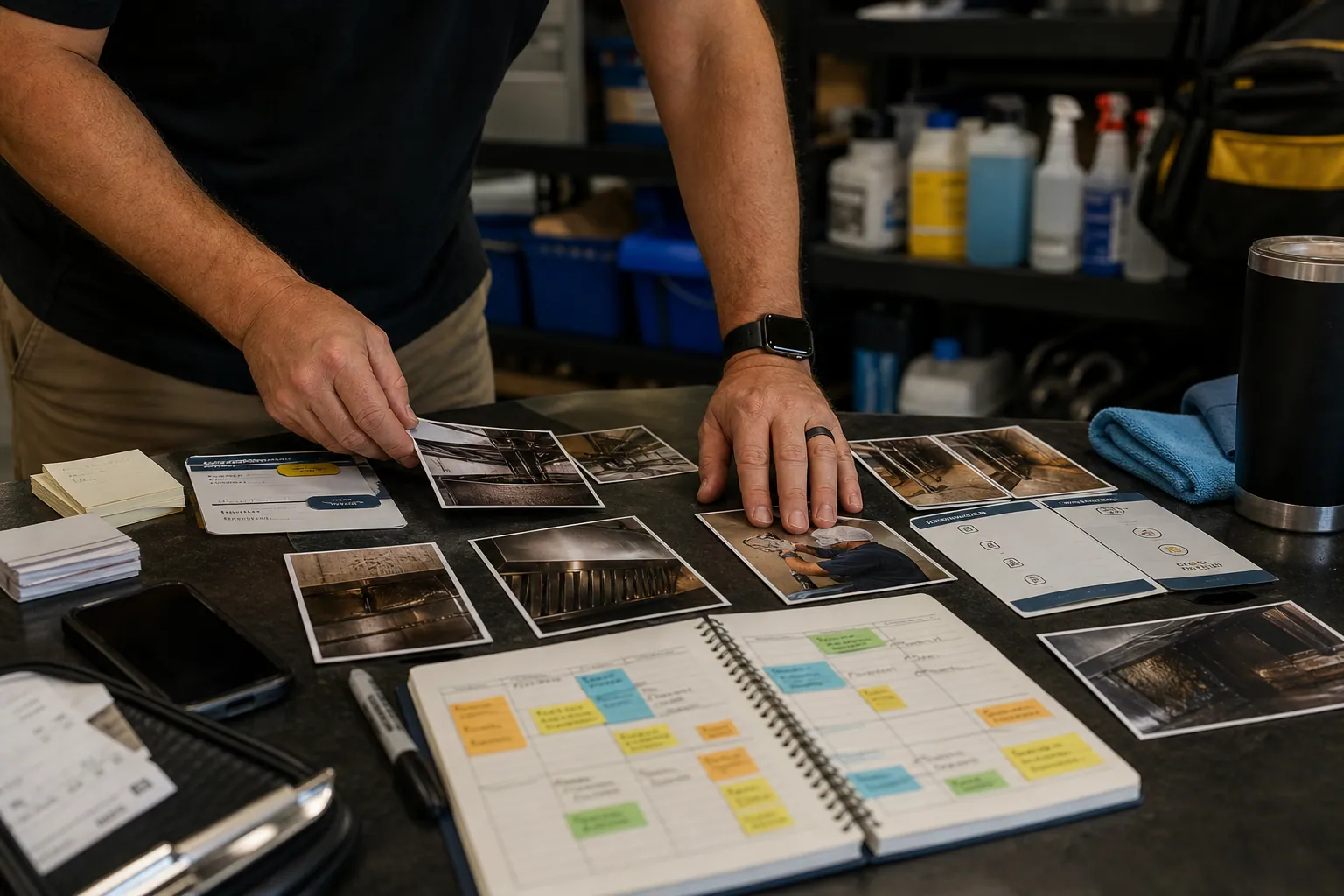
Case Study: How a Hood Cleaning Company Cut Its Pinterest Stack and Booked Better Site Walks
A composite teardown of a commercial kitchen hood cleaner that replaced scattered tools and generic food imagery with a lean Pinterest stack built for service-area-qualified leads.

Case Study: How a Handmade Tile Shop Found the Pinterest Pins That Led to Sample Kits—and Projects
A composite teardown of a handmade tile retailer that stopped celebrating saves and used sample, quote, and deposit data to find its highest-value Pinterest routes.

The Gift-Deadline Pinterest Operator Playbook for Loose-Leaf Tea Shops
A practical November Pinterest routine for tea retailers: turn gifting, sampler, and hosting searches into in-stock collection visits without creating fulfillment problems.

The Fit-First Pinterest Operator Playbook for Sofa Slipcover Shops
A practical Pinterest routine for slipcover retailers that turns room inspiration into fit-confident collection visits, fewer wrong orders, and stronger catalog revenue.