From Bouquet Intake to Booked Dates: A Pinterest Content Blueprint for Floral Preservation Studios
Turn bouquet intake notes, process photos, and client questions into a Pinterest publishing rhythm that earns better-fit floral preservation reservations.
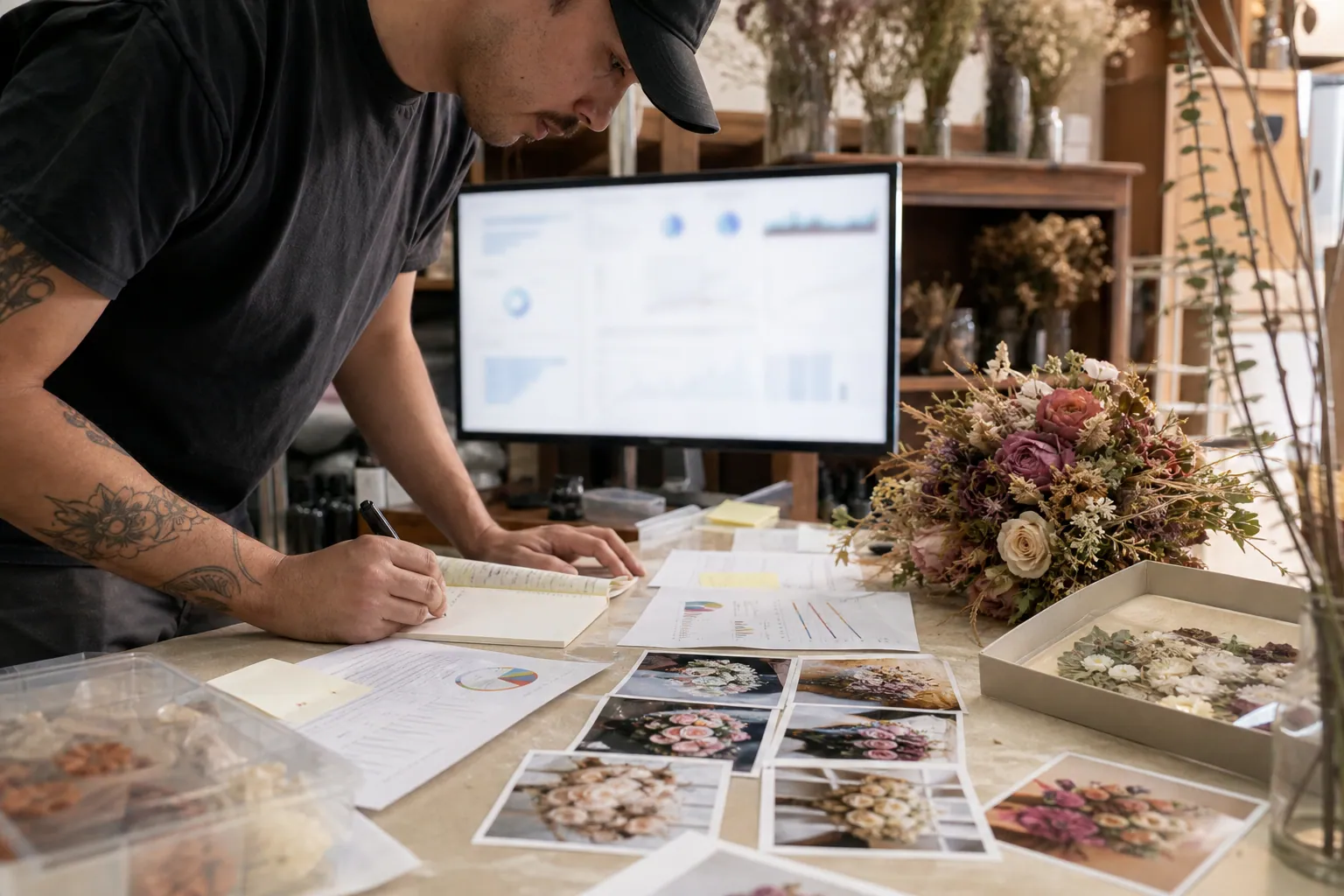
A floral preservation studio has a Pinterest advantage that many local service businesses do not: the work is highly visual, emotionally meaningful, and tied to a deadline.
It also has a common Pinterest problem. The account becomes a gallery of beautiful finished resin blocks and pressed-flower frames, but it does little to help a newly engaged customer answer the questions that lead to a reservation:
- Can my bouquet still be preserved?
- Should I choose resin or a pressed frame?
- Do I need to book before the wedding?
- How do I ship my flowers safely?
- What happens if some blooms bruise or wilt?
The fix is not posting more finished pieces. It is making every bouquet intake create a small, permission-safe set of content inputs that answer those decisions.
This blueprint is for a floral preservation studio that books wedding bouquets, offers local drop-off or shipping, and wants Pinterest to generate reservation-ready traffic rather than generic wedding inspiration saves.
Start with one business outcome: earlier, better-fit reservations
Pinterest content can support gifts, memorial flowers, anniversary keepsakes, and wedding bouquets. A small studio should not try to market all of them with equal weight at first.
For the next 90 days, choose one primary outcome:
Get couples to reserve a preservation date before their wedding, while capacity is still available.
That decision changes the content you make. A final-product Pin may be lovely, but a Pin titled “When to Reserve Wedding Bouquet Preservation” meets a much closer-to-booking need.
Your main destination should be a reservation page that answers practical objections:
- which dates are currently available;
- whether flowers must arrive within a defined window;
- local drop-off and shipping rules;
- starting prices or a clear price-request route;
- the preservation options available;
- what the customer needs to submit to reserve.
Do not send every Pin to your homepage. Pinterest landing pages work best when the promise in the Pin is completed on the page.
Build five boards around decisions, not aesthetics
A board is a shelf for a search topic, not a dumping ground for every image your studio creates. Start lean with five boards that match a customer’s planning sequence.
| Board | Job it performs | Pin examples |
|---|---|---|
| Wedding Bouquet Preservation | Captures the broadest high-intent search | how it works, reservation timing, real keepsakes |
| Pressed Wedding Flower Frames | Helps customers assess one technique | pressed frame styles, flower suitability, layout choices |
| Resin Bouquet Preservation | Answers technique and product questions | resin block vs tray, process views, care guidance |
| Wedding Bouquet Aftercare & Shipping | Reduces deadline anxiety | post-wedding flower care, packing instructions, shipping checklist |
| Heirloom & Memorial Flower Keepsakes | Creates a separate route for non-wedding demand | anniversary flowers, memorial bloom keepsakes, inherited flowers |
Avoid boards such as “Pretty Wedding Ideas” or “Floral Inspiration.” They can attract impressions, but they do not tell Pinterest—or a potential client—what your studio is equipped to help with.
Use clear board names and descriptions with the phrases customers actually use. This is practical Pinterest SEO, not a reason to repeat a phrase unnaturally. If a client calls it “bouquet preservation,” use that language; if they repeatedly ask whether flowers can be “pressed in a frame,” make that a distinct topic.
The source material: one bouquet record
Your content calendar should begin at the point a project is accepted. Create a shared bouquet record for each eligible order. It can live in a spreadsheet, project manager, or client folder.
Capture these fields at intake
| Field | Why it matters for Pinterest |
|---|---|
| Customer permission status | Prevents accidental use of private wedding photos or names |
| Wedding month and delivery method | Reveals seasonal and shipping-related content opportunities |
| Bouquet flower types and palette | Provides accurate visual and educational details |
| Chosen preservation format | Connects the project to the right service page and board |
| One client question | Supplies exact audience language for Pinterest pin titles |
| One useful process moment | Gives you a non-generic image or short video to use |
| Known flower limitations | Creates honest educational content, with careful wording |
| Destination URL | Stops the team from linking Pins to vague or mismatched pages |
| UTM label | Makes the project traceable in analytics |
A client question is especially valuable. “Will my white roses turn brown?” is not just support work; it can become a carefully reviewed Pin about preparing flowers for preservation. Do not answer with a blanket promise. Explain what affects results and direct readers to the studio’s documented process.
Assign one content card, not an endless list of ideas
Each bouquet record only needs one content card per week. A content card contains:
- the search question;
- the appropriate board;
- one approved visual;
- one destination page;
- two or three Pin angles;
- the publishing week;
- a status: draft, reviewed, scheduled, or live.
For example:
Source: September local wedding bouquet with dahlias, roses, and ranunculus
Question: “Do I have to decide on resin before the wedding?”
Destination: Resin bouquet preservation options page
Pin angles: “Resin Bouquet Preservation: When to Reserve”; “What to Decide Before Preserving a Wedding Bouquet”; “Resin Block or Pressed Frame? Start With These Three Questions”
That is enough material for a focused set of Pins without inventing content you cannot substantiate.
Turn each content card into a useful Pin family
A Pin family is three different explanations of the same decision. It is not three nearly identical graphics with different colors.
For floral preservation, use these three roles:
1. The deadline Pin
This addresses urgency and booking logistics.
Example title: “Wedding Bouquet Preservation Timeline: What to Do After the Reception”
Visual: a simple day-by-day sequence from reception to drop-off or packing.
Destination: aftercare and shipping instructions.
2. The choice Pin
This helps a customer select a format or approach.
Example title: “Pressed Wedding Flowers vs Resin: Which Keepsake Fits Your Bouquet?”
Visual: side-by-side formats with only verified distinctions.
Destination: a comparison page, not a single product page.
3. The proof Pin
This shows a real outcome while giving it context.
Example title: “How This Wildflower Wedding Bouquet Became a Pressed Flower Frame”
Visual: source bouquet plus the final approved keepsake, if client consent permits.
Destination: a relevant gallery category or a page explaining the pressed-frame service.
This structure keeps the account balanced. Deadline Pins capture planning searches, choice Pins help people move forward, and proof Pins make the service tangible.
A weekly production rhythm a two-person studio can sustain
The goal is not daily scrambling. Build a short recurring rhythm around the work already happening in the studio.
Monday: collect and prioritize for 25 minutes
Review new bouquet records and select one primary topic for the week. Choose it based on:
- upcoming capacity needs;
- seasonality, such as fall weddings or holiday keepsake gifting;
- the questions clients asked repeatedly;
- existing pages that deserve more qualified traffic.
Put lower-priority ideas in a backlog. Not every bouquet needs to appear on Pinterest.
Tuesday: write six briefs in 40 minutes
Draft six Pins from two content cards: three Pin family roles for each. Run lightweight Pinterest keyword research before writing. Search suggestions and the wording used in relevant search results can show whether people seek “wedding bouquet preservation,” “pressed wedding flowers,” or “how to preserve a bridal bouquet.”
Write titles for clarity first. A useful pattern is:
Specific outcome + format or constraint
Examples:
- “How to Pack a Wedding Bouquet for Overnight Shipping”
- “Pressed Flower Frame Ideas for a Garden-Style Wedding Bouquet”
- “When to Reserve Bouquet Preservation for an October Wedding”
Pinterest descriptions can add a secondary detail, a truthful benefit, and a natural next step. They should not cram every floral preservation phrase into one paragraph.
Wednesday: make the visual batch in 60–90 minutes
Use two reliable layouts rather than designing six new concepts:
- Process layout: numbered steps, timeline, or comparison;
- Project layout: finished keepsake paired with an approved process or bouquet image.
Keep text readable on a phone. Never place vital words over delicate petals, translucent resin, or a busy bridal background.
Name source files so someone else can find them later:
2026-09_pressed-frame_shipping-checklist_v1.png
Thursday: hold a 15-minute approval check
Use three review gates.
Accuracy gate
- Are turnaround times, shipping windows, availability, and material claims current?
- Does the Pin avoid guaranteeing preservation outcomes?
- Is the format shown actually available now?
Brand and consent gate
- Is client imagery approved for marketing?
- Are names, venue details, invitation text, and faces removed unless explicitly approved?
- Does the image set expectations accurately rather than showing an unusually elaborate piece as a base option?
Destination gate
- Does the link work on mobile?
- Does the page answer the Pin’s question above the fold?
- Is the UTM attached?
A light approval queue is more valuable than another design app. If you want a single place to organize drafts, approvals, and scheduled publishing, PinPinMe can support that handoff without changing the strategy behind it.
Friday: schedule and log six Pins
Publish at a sustainable rate: six fresh Pins per week is enough for a small studio with limited project volume. Schedule them across the week instead of releasing them all at once.
A practical mix:
- 2 deadline or aftercare Pins;
- 2 technique or format-choice Pins;
- 1 real-project proof Pin;
- 1 seasonal or occasion Pin.
In September, the seasonal Pin might focus on preserving late-summer flowers, autumn wedding bouquets, or a holiday gifting cutoff—only if the page reflects those dates and fulfillment realities.
Use a simple tracking label before you publish
Pinterest outbound clicks are useful, but they cannot tell you whether someone checked availability, requested a quote, or reserved a date. Add UTM tracking to every destination.
A compact convention could be:
utm_source=pinterest&utm_medium=organic&utm_campaign=floral-preservation&utm_content=shipping-checklist_sep26
Keep the utm_content value tied to the actual Pin family. This lets you compare deadline, choice, and proof content in GA4 or your site analytics.
Track these numbers weekly in one sheet:
| Signal | What it tells you | Action it can trigger |
|---|---|---|
| Saves | The idea has future-planning value | Consider a follow-up angle, not an automatic repost |
| Outbound clicks | The Pin earned active interest | Review the page and create a second, distinct angle |
| Reservation-page visits | The traffic is commercially relevant | Check which query and board produced it |
| Completed inquiry or reservation forms | The content attracted the right audience | Protect and expand that topic cluster |
| Inquiry quality | Whether timing, budget, and service area fit | Tighten the Pin and landing page if needed |
Do not judge a new Pin after 48 hours. Review the weekly batch after 21–30 days, then look again after 60–90 days. Wedding planning behavior often has a long lead time, and Pinterest content can keep surfacing well after publication.
Monthly maintenance: protect trust and prevent stale Pins
A preservation studio’s operational details change. Capacity closes. Shipping policies change in hot or freezing weather. A product format may be paused. Pinterest content must reflect that.
On the first business day of each month, spend 45 minutes on maintenance:
- Pause or redirect Pins pointing to unavailable formats.
- Check all reservation, shipping, and price pages on mobile.
- Update seasonal wording and date-specific cutoffs.
- Review the top ten Pins by outbound clicks and reservation-page visits.
- Turn recurring client questions into next month’s content cards.
- Archive visuals whose consent status is uncertain.
When a Pin performs well but leads to an outdated page, fix the destination before designing more content around that topic. A strong Pin attached to stale information creates more support work and less trust.
Your first seven days
You can set this up without a huge archive or a daily content commitment.
| Day | Task |
|---|---|
| 1 | Define the primary conversion: reservation, quote request, or waitlist |
| 2 | Create the five decision-led boards and write clear descriptions |
| 3 | Build the bouquet record and content card templates |
| 4 | Pull three recent, permission-approved projects and their client questions |
| 5 | Draft nine Pin briefs using deadline, choice, and proof angles |
| 6 | Create and review the first six visuals; add Pinterest UTM tracking |
| 7 | Schedule the batch and set a 30-day review date |
The useful discipline is simple: do not make Pinterest content separately from studio operations. Capture the questions, decisions, and process moments already present in each order. Then publish the parts that help a future customer act before their flowers—and your availability—are gone.

The Measure-Visit Pinterest Desk for Custom Window Treatment Studios
Turn measuring appointments, fabric decisions, and installation photos into a steady Pinterest presence that earns better-fit window treatment consultations.

Which Pinterest Positioning Fits a College Essay Coach?
Compare five Pinterest positioning routes for independent college essay coaches, then build boards and landing pages that serve fall applicants without making outcome promises.

Strategy Memo: Pinterest for Basement Waterproofing Contractors Before Fall Rains
A practical Pinterest strategy for waterproofing contractors: position around homeowner diagnosis, avoid low-fit inspiration traffic, track estimate-ready demand, and launch in 30 days.

Case Study Memo: How a Murphy Bed Studio Replaced Room-Photo Pins With Fit-Plan Traffic
A composite case study for Murphy bed studios: compare room photos, sizing guides, catalog Pins, and local pages, then run a 30-day test for better design consultations.

A Pinterest Content Line for Veterinary Practice Management SaaS
Turn no-show reports, front-desk questions, and client-policy templates into a steady Pinterest publishing line that reaches veterinary practice owners planning operational fixes.

Strategy Memo: Pinterest SEO for Squirrel-Proof Bird Feeder Shops
A focused Pinterest SEO plan for bird feeder retailers: choose problem-solving content over generic bird inspiration, define useful metrics, and launch in 30 days.