The Pre-Season Pinterest Operator Playbook for Cut-Flower Garden Courses
Help aspiring cut-flower growers plan now, learn all winter, and enroll before spring with Pinterest content tied to real garden decisions.
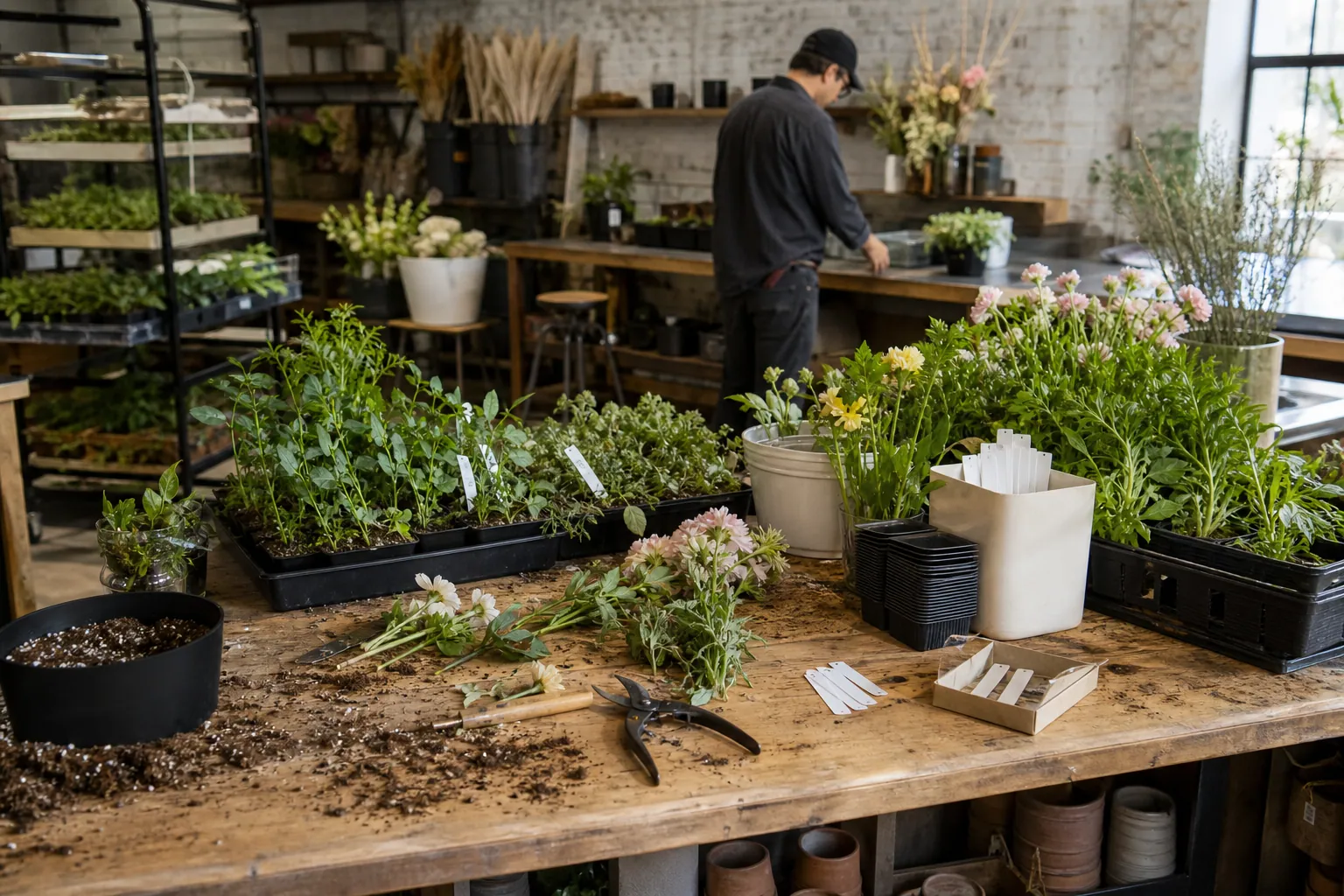
It is September. Your self-paced cut-flower gardening course opens in January, but your audience is already beginning to picture next spring.
A learner saves a photo of armfuls of zinnias, searches for a small cut-flower garden layout, then lands on a generic inspiration board with no clear next step. Meanwhile, your course contains exactly what they need: bed-planning lessons, bloom-time planning, seed-starting guidance, and a bouquet-focused planting plan. The gap is not course quality. It is that the course is organized as a curriculum while Pinterest users search by immediate decision.
For a cut-flower educator, Pinterest can bridge that gap before seed catalogs and spring weather create a rush. The aim is not to publish daily garden beauty. It is to make practical planning help easy to find, then give each learner a useful path from one question to the next.
Diagnose the gap between gardening searches and your course
Start with the learner moment, not the module name.
A module called “Planning for Continuous Harvest” may be excellent instruction. But a beginner is more likely to search for:
- cut flower garden layout for beginners
- flowers to grow for cutting
- small cut flower garden plan
- cut flower garden spacing
- flowers that bloom all summer for bouquets
- how many flowers to plant for a cutting garden
Those searches reveal three different jobs:
| Learner job | What they are really deciding | Best destination |
|---|---|---|
| “Can I do this?” | Whether their yard, time, and budget are enough | Beginner garden planning guide or quiz |
| “What should I grow?” | Which flowers suit their climate, beds, and bouquet goals | Crop-selection lesson or free planning worksheet |
| “How do I make it work?” | Succession planting, spacing, harvesting, and timing | Detailed lesson, paid garden plan, or course page |
Review your course outline, customer emails, social comments, and live workshop questions. Highlight every question that is specific enough to search. These are your raw materials.
Then sort them into a simple intent ladder:
- Inspiration: “small backyard cut flower garden ideas”
- Planning: “cut flower garden layout 10x10”
- Technique: “when to pinch zinnias”
- Outcome: “flowers for weekly bouquets all summer”
- Offer fit: “cut flower garden course” or “cut flower garden planner”
Do not expect a single Pin to handle all five stages. A gardener saving layout inspiration may be six months from enrollment. A gardener seeking a bloom calendar may be ready to join an email list today.
Audit the destinations before creating Pins
Pinterest content cannot repair a vague destination. For each priority topic, make sure the linked page does one clear job.
For example, a Pin titled “Plan a 10×10 Cut-Flower Garden for Weekly Bouquets” should not lead to your general course homepage. It should lead to a page that includes:
- a simple 10×10 sample layout or an honest preview of one,
- the assumptions behind the plan, such as sun exposure and growing season,
- a downloadable garden-planning worksheet,
- a short explanation of what the course adds beyond the free resource, and
- one primary next action.
Use a distinct Pinterest UTM tracking label for every destination group. A practical convention looks like this:
?utm_source=pinterest&utm_medium=organic&utm_campaign=fall_garden_planning&utm_content=10x10_layout
This lets you distinguish layout traffic from seed-starting traffic later. Without it, a spike in visits tells you very little about which learner problem created it.
Run a weekly publishing rhythm that starts with learner evidence
A sustainable weekly routine for a solo educator takes about two to three focused hours. It works because it turns one meaningful lesson or resource into several search-specific entries, rather than inventing unrelated content.
Monday: pick one planning decision
Choose one decision with enough depth to support a free resource and a paid lesson.
In September, strong decisions might include:
- choosing flowers for a first bouquet garden,
- fitting cutting flowers into a suburban side yard,
- planning bloom windows for summer bouquets,
- choosing between direct sowing and starting seeds indoors,
- planting a fall bulb patch for spring cutting.
Check Pinterest autocomplete and search results before committing. You are looking for the words gardeners use, recurring visual formats, and gaps where current Pins are attractive but not especially helpful. This is lightweight Pinterest keyword research, not an excuse to collect hundreds of phrases.
Write a one-sentence brief:
Help a first-time grower with one sunny 10×10 bed choose a manageable mix of flowers for summer bouquets.
That sentence keeps the week’s content from drifting into general floral inspiration.
Tuesday: improve one destination page
Create or refresh one page that genuinely answers the decision. Do not make a thin blog post solely to have somewhere for a Pin to go.
For the 10×10 garden example, include a labeled diagram, a short crop-selection rationale, a realistic disclaimer that results vary by location, and an invitation to download the full planner. If your course includes regional considerations, explain the boundary clearly: “Use this as a planning starting point; adjust planting dates for your frost dates and local conditions.”
The best Pinterest landing pages allow a visitor to succeed at a small task before they ever buy.
Wednesday: make a family of four Pins
Design four genuinely different Pins for the same useful page. Change the promise and visual evidence, not merely the background color.
For a small-space cut-flower layout page:
- Diagram Pin: “A Simple 10×10 Cut-Flower Garden Layout”
- Outcome Pin: “Grow Enough Flowers for One Homemade Bouquet Each Week”
- Constraint Pin: “Only Have One Sunny Bed? Start With These Bouquet Flowers”
- Planning Pin: “Plan Your First Cut-Flower Garden Before Seed-Starting Season”
Each Pin should have a readable title on the image, a keyword-led title in Pinterest, a natural description, and a destination that matches the claim.
Avoid stuffing every title with “easy,” “best,” “ultimate,” and “beginner.” Specificity earns the click: bed size, garden constraint, season, outcome, or decision.
Thursday: publish, schedule, and log the learning question
Publish the four Pins to the one or two most relevant boards. A small board structure is enough:
- Cut-Flower Garden Plans
- Flowers for Homegrown Bouquets
- Seed Starting and Garden Timing
- Beginner Cut-Flower Gardening
Add each Pin to a simple content log with its URL, target query, linked page, date, and UTM content label. A purpose-built publisher such as PinPinMe can help keep those drafts, links, and scheduled Pins in one place, but a spreadsheet is sufficient when your volume is small.
In the final column, write the question the Pin is testing. For example: “Do new growers click layout diagrams more often than flower-list graphics?” This prevents vague weekly reporting.
Friday: review older content, not just this week’s Pins
New Pins need time. Instead of judging Wednesday’s work on Friday, inspect content published 30, 60, and 90 days ago.
Review by topic cluster, not by vanity totals:
- Which planning topic produces outbound clicks?
- Which topic brings email subscribers?
- Do subscribers from bloom-calendar content later visit the course page?
- Are one or two destination pages creating confusion or fast exits?
- Which Pins earn saves but no meaningful site action?
A saved crop-selection chart may still be valuable if it reaches gardeners before buying season. But if it gets repeated exposure and never produces clicks, test a clearer promise, a more useful preview, or a better-matched destination.
Four Pinterest examples tied to a real course offer
Here is how course lessons can become discovery assets without giving away the entire curriculum.
Example 1: The garden layout lesson
Course lesson: designing beds for bouquet production.
Free page: “Three small cut-flower garden layouts, with space assumptions.”
Pin angles:
- “A 4×8 Cut-Flower Bed Plan for Beginner Gardeners”
- “How to Fit Cutting Flowers Into a Small Sunny Yard”
- “A First Bouquet Garden: What to Plant Together”
Course bridge: The free layouts solve the starting decision. The course teaches how to adjust layout, timing, crop choices, and harvest plans for the learner’s conditions.
Example 2: The bloom-sequence lesson
Course lesson: planning flowers across the season.
Free page: “Why a cutting garden can look full in June and empty in August.”
Pin angles:
- “Plan Flowers for Bouquets All Summer, Not Just One Week”
- “The Beginner Mistake That Creates a Mid-Summer Flower Gap”
- “A Simple Way to Plan Early, Midseason, and Late Bouquet Flowers”
Course bridge: Give a useful conceptual timeline for free. Reserve the detailed planning calendar, crop combinations, and personalized decision support for the paid offer.
Example 3: The seed-starting lesson
Course lesson: building a realistic sowing and transplant calendar.
Free page: “Seed-starting questions to answer before buying supplies.”
Pin angles:
- “Should You Start Cut Flowers From Seed Indoors?”
- “Before You Buy Grow Lights: Make This Seed-Starting Plan”
- “Direct Sow or Start Indoors? A Decision Guide for Cut Flowers”
Course bridge: This content attracts learners who need confidence and planning structure, not just a seed list. It also makes an ideal entry point into a garden-planning email sequence.
Example 4: The harvest lesson
Course lesson: cutting, conditioning, and arranging flowers for vase life.
Free page: “Five harvest habits for better homegrown bouquets.”
Pin angles:
- “When to Cut Garden Flowers for Longer-Lasting Bouquets”
- “Your First Cut-Flower Harvest: A Simple Morning Routine”
- “How to Avoid Bringing Wilted Flowers Indoors”
Course bridge: These Pins can attract a later-stage gardener. On the destination page, introduce the course as the place to learn the complete garden-to-vase practice, not as a hard sell after every paragraph.
Mistakes that make Pinterest harder than it needs to be
Treating beautiful flower photos as the strategy
Photos of lush gardens build credibility, but they rarely communicate what problem a Pin solves. Pair beauty with a legible promise: a layout, timing decision, flower list, or bouquet outcome.
Sending every Pin to a sales page
A cold visitor searching “how to plan a cutting garden” usually needs help before they need checkout. Send broad and early-stage queries to useful resources; reserve direct course links for searches that signal stronger buying intent or Pins that frame the course specifically.
Publishing advice without scope or context
Gardening advice is location-dependent. State the conditions under which a layout, date, or plant list applies. Encourage readers to use local frost dates and extension resources where appropriate. Credibility compounds more than certainty does.
Building a board for every flower variety
Boards are navigation, not a taxonomic archive. Four focused boards make it easier to signal topical relevance and easier for a one-person business to maintain.
Measuring only saves
Saves can indicate future intent, but they are not enrollments. Read them alongside outbound clicks, email signups, course-page visits, and sales over a longer window. Garden planning has a seasonal lag; judge September and October work with spring outcomes in mind.
Changing the whole plan after one weak week
Pinterest discovery has a long tail. Keep a Pin family live long enough to gather evidence, then improve the specific weak link: search phrasing, visual clarity, destination relevance, opt-in value, or course bridge.
A short operating checklist for this week
- Choose one garden-planning decision from learner emails or course feedback.
- Confirm the exact language with Pinterest search results and autocomplete.
- Refresh or create one page that solves a small, concrete part of that decision.
- Add a single, relevant next step: worksheet, email series, low-cost planner, or course page.
- Build four Pins with distinct angles and matching promises.
- Add readable image text, accurate Pinterest pin titles, and natural descriptions.
- Apply UTM labels that identify the topic and individual Pin.
- Publish to one or two focused boards, then log the hypothesis.
- Review 30- to 90-day content by topic cluster each Friday.
The durable advantage for a cut-flower course is not producing more Pins than every gardening account. It is becoming unusually useful at the moments when a future student is deciding what to grow, where it will go, and whether they can make it work. Build around those decisions through fall and winter, and your spring enrollment period begins with a library of help already in circulation.
Strategy Memo: Pinterest for Beginner Cake Decorating Courses
A 30-day Pinterest strategy for cake educators who want holiday-baking discovery to become qualified email subscribers and evergreen course enrollments.

Practice Sheets vs Project Pins: Pinterest Paths for Brush Lettering Courses
Compare five Pinterest entry paths for brush lettering educators—from drill-sheet opt-ins to direct enrollment—and choose the one that fits your course and capacity.

The Fit-Diagnosis Content Blueprint for Pants-Fitting Courses
Turn pants-fitting questions into an evergreen Pinterest content operation that sends serious sewists to free fit tools, lessons, and your paid course.
Pinterest Funnel Comparison for Beekeeping Course Creators
Compare five Pinterest paths for beekeeping educators, from winter-readiness worksheets to direct course enrollment, then choose a September funnel that fits learner intent.

The Stitch-Guide Pinterest SEO Desk for Needlepoint Canvas Shops
Turn hard-to-search canvas names into Pinterest discovery assets with a weekly routine built around stitch questions, finishing decisions, and project-ready collections.

A Lean Pinterest Tool Stack for Kitchen-and-Bath Designers
A practical tool-stack blueprint for kitchen-and-bath studios that need Pinterest to turn finished projects and planning expertise into better renovation inquiries.