Founder Field Note: The Lean Pinterest Stack for a Meal-Planning App
A practical founder field note on choosing Pinterest tools for a meal-planning app before back-to-school search traffic arrives.

Late July is when meal-planning apps start treating Pinterest as an emergency.
Back-to-school searches are already moving. Parents are saving lunch ideas, budget dinners, freezer meals, and grocery list templates. A founder sees the spike coming and asks the tool question first: Which Pinterest scheduler should we buy?
A few weeks ago, I reviewed an anonymized stack for a small meal-planning app with a recipe library, grocery-list generator, and free trial. The team had three people: one founder, one part-time content marketer, and one designer who also touched product screens.
They did not have a Pinterest problem in the way they thought. They had a tool stack that made posting possible but made learning difficult.
The call started with the wrong question
The founder opened with a familiar list.
They had Canva templates. They had a general social media scheduler. They had a Notion calendar. They had Pinterest Analytics open in one tab and GA4 open in another. They had a handful of recipe posts that were getting organic Pinterest traffic, but they could not tell whether those visitors were becoming users.
The visible symptoms were messy:
- Pins were being scheduled, but titles and descriptions were often copied from Instagram captions.
- UTMs existed on some links, not others.
- The most saved pins were pretty lunchbox collages, but the highest-trial pages were weekly meal plan pages.
- The app dashboard reported signups, but not which Pinterest angle brought users who actually created a meal plan.
The founder wanted a better scheduler. The deeper issue was that the stack optimized for output, not diagnosis.
For a meal-planning app, the key question is not just whether Pinterest users click. It is whether a click leads to a meaningful first action: saving recipes, building a weekly plan, or generating a grocery list.
Field takeaways
- Do not evaluate Pinterest tools only by how fast they publish pins.
- A Pinterest stack for an app needs to connect pin angle, landing page, signup, and activation.
- Pinterest saves are useful, but they are not the same as product demand.
- Before buying another tool, write down the one user action that proves the traffic is qualified.
We sorted the tools by job, not by brand
The team had too many places where Pinterest decisions could hide. The designer had visual files in Canva. The marketer had drafts in Notion. The founder had performance notes in a spreadsheet. The scheduler had final posts, but not the thinking behind them.
So we made a one-page tool map. Not a fancy operations doc. Just a list of jobs the stack had to perform.
| Job | Lean tool option | What the tool must preserve |
|---|---|---|
| Pinterest keyword research | Pinterest autocomplete, Pinterest Trends, Google Search Console, support notes | Search phrases, intent, seasonality, and page match |
| Pin design | Canva or Figma | Template type, promise, visual asset, and call to action |
| Planning source of truth | Airtable, Notion, or a spreadsheet | Status, URL, board, pin title, description, UTM, and publish date |
| Scheduling | Native Pinterest scheduler, a social suite, a Tailwind-style Pinterest scheduler, or a Pinterest-specific publisher | Board choice, destination URL, title, description, and campaign tag |
| Measurement | Pinterest Analytics, GA4, and app analytics such as Amplitude, Mixpanel, or PostHog | Outbound clicks, landing-page behavior, signup, activation, and retention |
This map changed the conversation. The team no longer needed the most powerful tool in every category. They needed fewer gaps between categories.
A tool that creates beautiful pins but loses the keyword intent is incomplete. A scheduler that publishes quickly but makes UTM tagging painful is incomplete. An analytics dashboard that reports impressions but not activated users is incomplete.
Field takeaways
- Choose tools around the decisions you need to make each week.
- For Pinterest SaaS marketing, the reporting layer must include activation, not just trials.
- If your scheduler cannot preserve the pin title, description, board, URL, and UTM cleanly, the team will eventually stop tracking.
- The best stack is usually the simplest stack that keeps context intact.
Canva stayed, but the template library got smaller
The team assumed the design tool was the weak link because their pins looked inconsistent. In practice, Canva was fine. The problem was the template library.
They had more than 40 pin designs. Some looked like recipe cards. Some looked like app ads. Some looked like Instagram carousels squeezed into a vertical format. None of them made it obvious which search moment the pin was built for.
We cut the working set to six templates:
- Weekly plan template for searches like back-to-school meal plan and family dinner plan.
- Lunchbox template for searches like school lunch ideas and lunch meal prep for kids.
- Budget grocery template for searches like budget family meal plan and cheap healthy dinners.
- Problem-solution template for searches like what to cook when I have no time.
- Feature demo template showing the app turning recipes into a grocery list.
- Seasonal reset template for moments like Sunday meal prep, back-to-school, and January planning.
The biggest change was copy discipline.
A pin should not say chicken tacos if the landing page is really a signup wall for a meal-planning app. That mismatch may earn a click, but it weakens trust. A better promise would be plan chicken taco night, sides, and groceries in 10 minutes if the page actually shows that path.
For the templates, we used a simple structure:
- Top third: the search-led promise.
- Middle: food, planner, or app visual.
- Bottom: small brand mark plus a practical call to action.
Example pin titles:
- Budget Family Meal Plan for a Busy School Week
- 5 School Lunch Ideas You Can Add to One Grocery List
- Easy Sunday Meal Prep Plan for Parents Who Hate Deciding
- High Protein Lunch Prep Ideas You Can Plan in Advance
The designer did not need more creative freedom. She needed fewer approved containers that made Pinterest SEO easier.
Field takeaways
- Canva Pinterest templates work well when each template maps to a search moment.
- Fewer templates usually produce better testing because the variable becomes the angle, not the layout.
- Pinterest pin titles should describe the outcome, not just the recipe name.
- For app marketing, do not disguise a product page as a recipe page. Match the pin promise to the destination.
The scheduler decision became a handoff decision
Once the design layer was cleaned up, scheduling looked different.
The team did not need a scheduler because they forgot to post. They needed a place where the marketer could connect each pin to a board, title, description, destination URL, and campaign tag without rebuilding the same details five times.
Here is how I framed the options.
| Option | Best for | Watch out for |
|---|---|---|
| Native Pinterest scheduler | Very small teams publishing a few pins per week | Manual tracking, limited batching, and easy-to-miss UTM consistency |
| General social media suite | Teams already managing many platforms in one place | Pinterest fields can become an afterthought, especially descriptions and boards |
| Tailwind-style Pinterest scheduler | Teams focused on Pinterest cadence and queue management | Avoid letting automation recycle weak landing pages or stale pin angles |
| Pinterest-specific publishing workspace | Teams turning many pages, products, or templates into tracked pin batches | Still requires a real keyword and landing-page plan |
For this team, the native scheduler was acceptable for the next two weeks because the pin volume was still modest. But if they moved into serious batching, the spreadsheet-to-scheduler handoff would become expensive.
If they had wanted a lighter middle ground between the spreadsheet and a full social suite, a Pinterest-specific workspace like PinPinMe would have made sense because it keeps pin titles, descriptions, boards, destinations, and publishing status close together.
The important point: a scheduler should reduce rework, not hide strategy.
Field takeaways
- Use the native Pinterest scheduler if you publish lightly and can maintain a clean tracking sheet.
- Use a broader social suite only if it handles Pinterest-specific fields well.
- Upgrade when handoffs create errors in URLs, boards, descriptions, or UTMs.
- Do not buy publishing speed before you have landing pages worth sending traffic to.
The SEO tool was mostly Pinterest itself
The founder expected a paid keyword tool recommendation. We did not start there.
Pinterest keyword research for a meal-planning app is usually visible in plain sight if you spend 45 focused minutes looking at search behavior.
We used four inputs.
Pinterest autocomplete
We typed stems like meal plan, school lunch, grocery list, freezer meal, high protein lunch, and picky eater dinner. The useful phrases were not always the highest-volume phrases. They were the phrases that revealed urgency.
Examples:
- meal plan for family of 4
- school lunch ideas for picky eaters
- grocery list for a week on a budget
- high protein lunch meal prep
- easy dinners for busy weeknights
Pinterest Trends
Trends helped separate seasonal spikes from evergreen demand. Back-to-school lunch searches rise before many teams are ready. Sunday meal prep and budget grocery planning have steadier behavior.
That matters for tool choice because seasonal content needs earlier scheduling, while evergreen content needs refreshable templates and patient measurement.
Pinterest search results
We looked at what Pinterest already rewarded. Were top results recipe photos, printable planners, grocery lists, app screenshots, or blog graphics?
For lunchbox searches, the visual expectation was practical and specific. For budget meal plan searches, users responded to lists, numbers, and weekly planning language. For grocery list searches, template-style pins made sense.
Existing search and support data
Google Search Console showed which recipe posts already had traction. Customer support messages revealed the emotional language: I hate deciding, I forget ingredients, I need dinners my kids will actually eat.
That language became pin copy.
The board strategy followed the same intent clusters:
- Back-to-School Meal Planning
- Budget Family Dinners
- Easy School Lunch Ideas
- Weekly Grocery List Ideas
- High Protein Meal Prep
- Picky Eater Dinner Ideas
Field takeaways
- Start Pinterest keyword research with native Pinterest behavior before buying more data.
- Build boards around durable planning needs, not just recipe categories.
- Strong Pinterest descriptions sound like useful guidance, not a pile of keywords.
- Organic Pinterest traffic grows more predictably when keywords, visuals, boards, and landing pages share the same intent.
The analytics setup was small, but it changed the conversation
The team had GA4 installed, but Pinterest traffic was blended into broad social traffic too often. App activation was tracked, but not tied back to pin angle.
We did not build a complex attribution model. We created a clean naming habit.
Example UTM structure:
utm_source=pinterest
utm_medium=organic_social
utm_campaign=btss_meal_plan_2026
utm_content=lunchbox_picky_eaters_v1
Then we defined the weekly view.
| Metric | Why it mattered |
|---|---|
| Pinterest saves | Shows planning resonance and future intent |
| Pinterest outbound clicks | Shows which promises earn action |
| Landing-page engagement | Shows whether the destination matched the pin |
| Signup rate | Shows whether visitors accepted the next step |
| Activation rate | Shows whether users created a meal plan or grocery list |
| Paid conversion or retained use | Shows whether the traffic has business value |
This is where Pinterest analytics for SaaS differs from a simple content report. A recipe click can look successful while producing no app usage. A lower-click grocery-list pin can be more valuable if those users create accounts and activate.
The founder began asking better questions.
Instead of asking which pin got the most saves, she asked which search pocket produced users who generated a grocery list within 24 hours.
That is a much more useful question.
Field takeaways
- Track Pinterest outbound clicks and saves, but do not stop there.
- For an app, activation is the bridge between marketing traffic and revenue.
- Use UTM content names that describe the pin angle, not just the design file.
- A simple GA4 plus app analytics setup is often enough for the first 30 days.
The tool we cut was the one making everyone feel productive
The surprising cut was not Canva or the scheduler. It was a generic caption generator and reporting habit that made the team feel busy.
The caption tool produced lots of short social copy, but it did not understand Pinterest pin titles, Pinterest descriptions, search intent, or landing-page match. The marketer still had to rewrite everything.
The reporting habit was similar. Every Friday, the team reviewed a broad social dashboard with impressions across multiple channels. It looked professional, but it did not help them decide which Pinterest pages to improve.
We replaced that with a smaller Friday note:
- Which keyword cluster did we publish into?
- Which pins earned saves without clicks?
- Which pins earned clicks without activation?
- Which landing page needs a stronger next step?
- Which template or angle deserves another variant?
No new dashboard. Just better questions.
Field takeaways
- Remove tools that create volume but not clarity.
- AI can help draft variations, but it should work from a Pinterest SEO brief.
- A beautiful cross-channel report is less useful than a small pin-to-activation review.
- If a tool does not help you decide what to publish or improve next, it may be decorative.
The 30-day stack I recommended
For the next month, I recommended a lean stack rather than a full rebuild.
Week 1: Clean the inputs
- Choose five keyword clusters tied to back-to-school and evergreen meal planning.
- List the best existing recipe, planner, and app-feature pages for each cluster.
- Create one UTM naming convention.
- Confirm app analytics can show first meaningful action from Pinterest traffic.
Week 2: Tighten the destinations
- Refresh the top four landing pages so the pin promise appears above the fold.
- Add clear calls to action: build this plan, save these meals, generate the grocery list.
- Make sure recipe pages do not dead-end before introducing the app.
Week 3: Publish a controlled batch
- Create 30 pins across five keyword clusters.
- Use six Canva templates, not dozens.
- Assign each pin to a board intentionally.
- Stagger publishing so early signals are easier to read.
Week 4: Review for learning, not final judgment
Pinterest often needs time. The first month is not the full performance story. But early signals can still guide the next batch.
Look for:
- Saves without clicks, which may indicate the idea is useful but the promise is too soft.
- Clicks without engagement, which may indicate landing-page mismatch.
- Signups without activation, which may indicate onboarding friction.
- Activation from lower-volume keywords, which may indicate a valuable niche.
The recommended stack looked like this:
| Layer | Tool choice |
|---|---|
| Research | Pinterest autocomplete, Pinterest Trends, Google Search Console, customer language |
| Planning | One Airtable, Notion database, or spreadsheet |
| Design | Canva with six approved templates |
| Publishing | Native scheduler until handoffs become painful, then upgrade thoughtfully |
| Measurement | Pinterest Analytics, GA4, and app activation reporting |
This was not the most impressive stack. It was the stack the team could actually maintain.
Field takeaways
- A 30-day Pinterest tool audit should simplify before it expands.
- Back-to-school content needs to be scheduled before the peak, not during it.
- Landing pages are part of the tool decision because weak pages waste good publishing.
- The right stack makes next actions obvious.
Final note from the audit
The founder did eventually choose a better publishing setup. But the decision was calmer after the team understood what the tool needed to protect.
For a meal-planning app, Pinterest is not only a traffic channel. It is a window into planning anxiety: lunches, budgets, weeknight dinners, grocery lists, picky eaters, and the Sunday decision spiral.
The best tool stack makes those moments visible from search to pin to page to activated user.
So if your team is asking which Pinterest scheduler to buy, pause for one more question first:
Which user problem are we trying to carry, without losing context, from the pin all the way into the product?

A Lean Pinterest Tool Stack for Kitchen-and-Bath Designers
A practical tool-stack blueprint for kitchen-and-bath studios that need Pinterest to turn finished projects and planning expertise into better renovation inquiries.
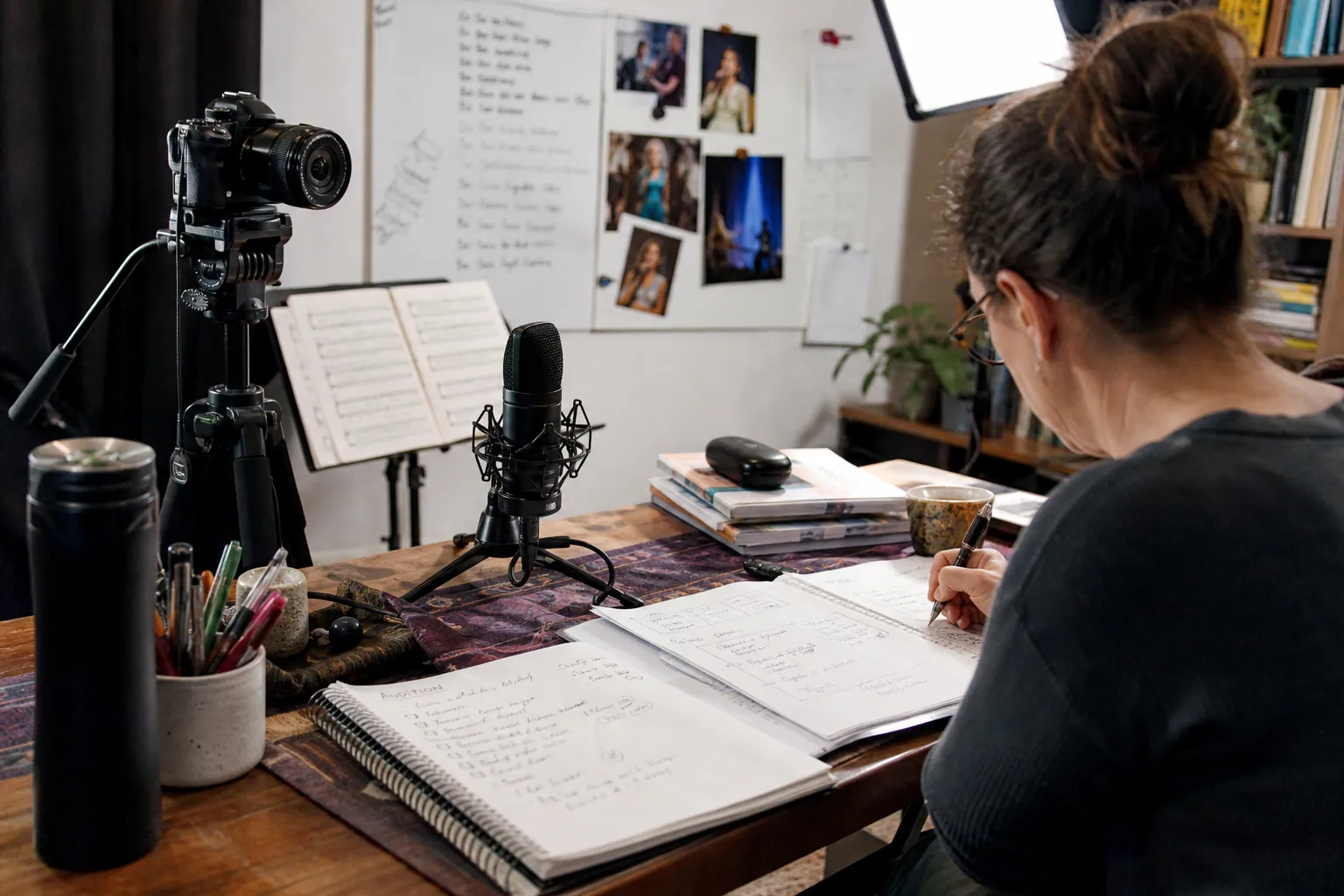
The Audition-Season Pinterest Tool Audit for Online Voice Teachers
A lean Pinterest tool audit for voice teachers who want audition-planning searches to become better coaching inquiries, mini-course sales, and booked lessons.

The Lean Pinterest Tool Stack for Wedding Venue CRM SaaS
A practical tool decision guide for venue CRM teams that want Pinterest template traffic to become qualified demos—not generic wedding inspiration saves.

Catalog Feed vs Curated Pins for Handmade Soap Gift Sets
A practical tool comparison for handmade soap shops deciding when to use catalog feeds, Canva templates, native scheduling, queue tools, and tracking before gift season.

The Mini-Session Pinterest Playbook for Photography Studio SaaS
Turn mini-session calendars, booking scripts, and client-prep questions into Pinterest demand that reaches photography studio owners before their busy season.

Strategy Memo: Pinterest SEO for Squirrel-Proof Bird Feeder Shops
A focused Pinterest SEO plan for bird feeder retailers: choose problem-solving content over generic bird inspiration, define useful metrics, and launch in 30 days.