The Pinterest Tool Stack for Mobile Dog Groomers Selling DIY Care Guides
A lean tool-stack review for mobile dog groomers using Pinterest to book local services, sell DIY guides, and track what actually drives qualified traffic.
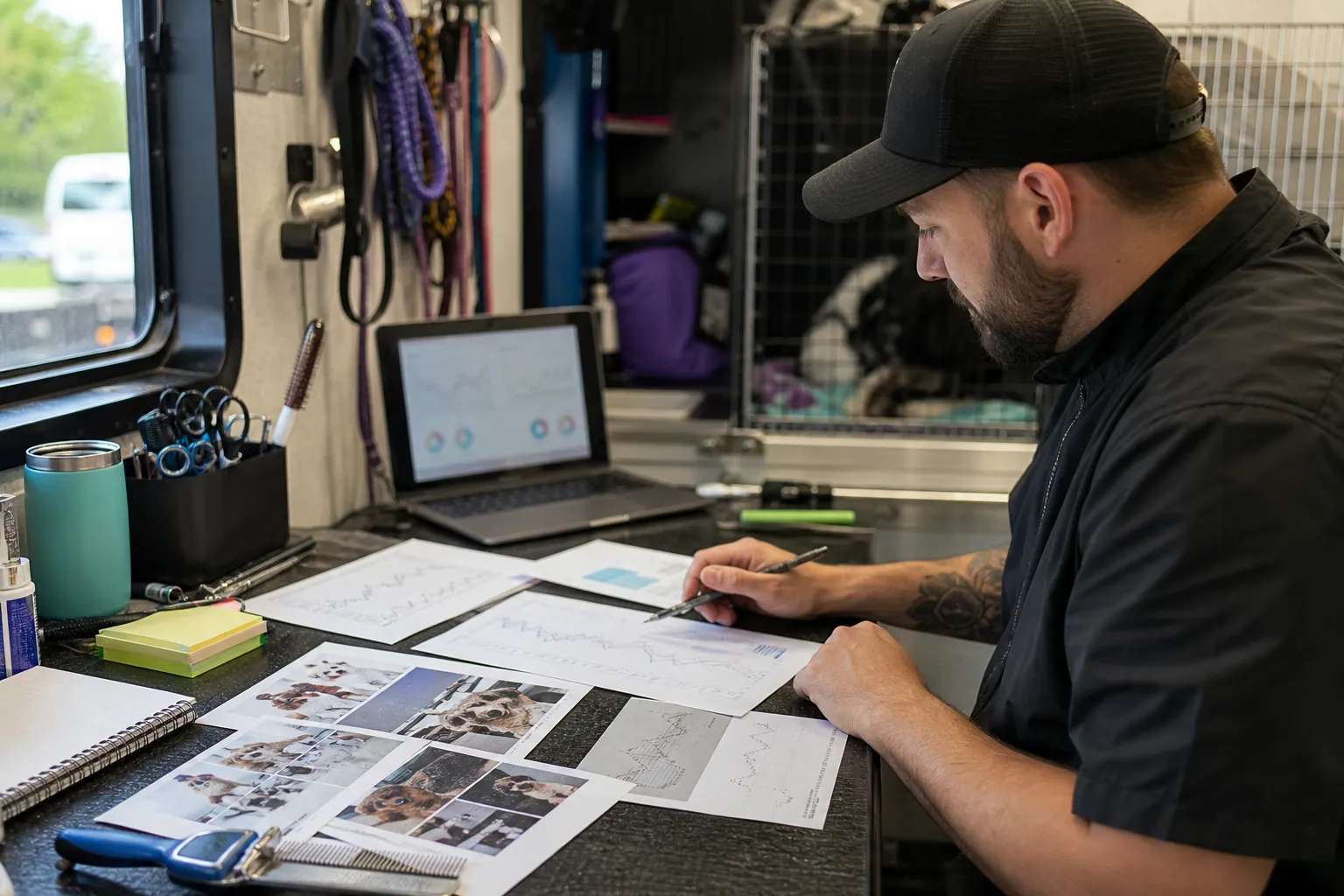
Imagine a mobile dog grooming business in Austin with two vans, a waitlist that spikes before holidays, and a $19 DIY guide for keeping doodle coats from matting between appointments.
The owner already has Canva, an Instagram scheduler, a booking app, Pinterest Analytics, and a Google Sheet full of half-finished content ideas. July brings searches around summer shedding, hot pavement, vacation prep, and first puppy grooms. Pinterest could help, but adding another tool feels like adding another chore.
That is the moment to audit the stack. Not by asking which Pinterest tool is best in general, but by asking which tool removes the next bottleneck: keyword choice, pin production, scheduling, tracking, or turning traffic into bookings and guide sales.
Diagnosis: the stack is built for posting, not discovery
Most pet service businesses do not have a Pinterest problem first. They have an Instagram-shaped content stack.
Instagram rewards timely updates, personality, and local proof. Pinterest rewards searchable answers, durable visuals, and clear destinations. A tool stack that works for reels, stories, and daily reminders may fail when the job is organic Pinterest traffic.
Before buying anything, identify the broken link:
- If you do not know what to pin, you have a Pinterest SEO and keyword research problem.
- If each pin takes 35 minutes, you have a design and template problem.
- If ideas are created but never published, you have a scheduling problem.
- If clicks arrive but nobody books or buys, you have a Pinterest landing pages and tracking problem.
- If every report says social traffic, you have a Pinterest UTMs problem.
The lean five-tool stack
For a mobile dog groomer, I would start with five jobs, not five shiny apps.
| Job | Practical tool choice | What good looks like |
|---|---|---|
| Search capture | Pinterest search bar, Pinterest Trends, simple spreadsheet | You collect owner language such as puppy grooming schedule, doodle matting prevention, and how to trim dog nails safely |
| Destination inventory | Blog, service page, Shopify-style product page, or booking page | Every pin has a specific place to send the reader, not just the homepage |
| Design | Canva or Adobe Express | You can produce 5 to 8 vertical pins from one topic without redesigning from scratch |
| Publishing | Pinterest native scheduler, Canva Content Planner, or a Pinterest-focused scheduler | Pins go out consistently with titles, descriptions, boards, URLs, and UTMs intact |
| Measurement | Pinterest Analytics, GA4, booking data, and sales data | You can see saves, outbound clicks, bookings, guide sales, and assisted demand by topic |
The key review point: a tool is only useful if it protects the fields Pinterest cares about. A pretty design tool that makes it hard to manage pin titles, descriptions, boards, and destination URLs will slow you down later.
How to choose the scheduler
Use the native Pinterest scheduler if you publish fewer than 8 pins per week and only promote one or two pages. It is free, direct, and good enough for a focused test.
Use Canva Content Planner only if your main bottleneck is getting finished designs out of Canva. Keep a separate tracker for Pinterest keyword research, board strategy, and UTMs because design-first scheduling can hide SEO details.
Use a general social media suite if your team needs approvals across Instagram, Facebook, and Pinterest. But audit whether it supports Pinterest-specific fields cleanly. If pin descriptions, boards, or links are treated like afterthoughts, it is not the right center for Pinterest.
Use a Pinterest-focused scheduler when you have multiple destination pages, repeatable pin variations, and campaign tracking. If the bottleneck is moving from idea to finished, scheduled pin, PinPinMe can sit between your planning sheet and Pinterest so titles, descriptions, boards, creatives, and UTM-tagged URLs stay together.
The weekly workflow: 90 minutes, one intent at a time
Do not try to feed Pinterest with every service you offer. Pick one owner question and one business goal per week.
0 to 10 minutes: choose the buyer moment
For a mobile dog groomer in July, the buyer moment might be:
- My doodle is matting between appointments.
- My puppy is scared of grooming.
- My dog is shedding everywhere in summer.
- I need a mobile groomer before a family trip.
Pair that with a business goal:
- Sell the DIY coat care guide.
- Book first-time puppy grooms.
- Fill weekday grooming slots.
- Grow an email list for seasonal reminders.
10 to 25 minutes: capture search language
Open Pinterest and type the base phrase. Record autocomplete suggestions, related tiles, and repeated modifiers.
For doodle grooming, you might find:
- doodle grooming tips
- doodle matting prevention
- how to brush a doodle
- goldendoodle grooming at home
- dog grooming checklist
Do not overcomplicate this. You are looking for language real owners use, not a perfect SEO database.
25 to 45 minutes: write the pin brief before designing
Create five pin briefs from the same topic. Each brief needs:
- Pin title
- Description
- Destination URL
- Board
- Visual idea
- UTM campaign
- Intended action
Example fields:
- Title: Doodle Matting Prevention: 7 Spots Owners Miss
- Board: Doodle Grooming Tips
- Destination: blog post about brushing between appointments
- UTM campaign:
doodle_matting_july - Intended action: buy DIY coat care guide or book grooming
Writing the brief first prevents Canva from driving strategy. The visual should support the search intent, not replace it.
45 to 70 minutes: design from templates
Make 5 pins from 2 templates:
- One checklist-style pin with bold text overlay.
- One close-up educational pin showing a brush, comb, paw, ear, or coat texture.
For pet services, avoid overly polished stock photos. Real owner context performs better: a comb next to a matted area, a puppy on a grooming table, a towel and brush kit by the door.
Keep text overlays specific:
- Better: 5 Brushing Spots Doodle Owners Forget
- Weaker: Dog Grooming Tips
70 to 85 minutes: schedule and tag
Schedule pins to the most relevant board first. Then add secondary boards only if they truly fit.
A simple board strategy for this business might include:
- Doodle Grooming Tips
- Puppy Grooming Schedule
- Dog Coat Care at Home
- Mobile Dog Grooming Austin
- Summer Dog Care Tips
Every URL should use UTMs. At minimum, tag:
- Source:
pinterest - Medium:
organic - Campaign: topic or offer, such as
puppy_first_groom - Content: pin angle, such as
checklist_pinorbefore_after_pin
85 to 90 minutes: log the batch
Add the batch to a tracker with publish date, topic, destination, and campaign. Do not judge performance immediately. Pinterest often needs weeks, not hours.
Your weekly question is not whether the pins exploded. It is whether you shipped a clean, trackable batch tied to one owner intent.
Three examples you can build this week
Example 1: Doodle matting prevention
Business goal: sell a DIY coat care guide and reduce emergency de-matting appointments.
Destination page: a useful article titled something like How to Prevent Doodle Mats Between Grooming Appointments.
Pin titles:
- Doodle Matting Prevention: 7 Spots Owners Miss
- How to Brush a Doodle Without Making Mats Worse
- The Between-Grooms Coat Care Checklist for Doodle Owners
Description pattern:
- Help doodle owners prevent mats between grooming visits with a simple brushing routine, tool list, and coat care checklist for busy weeks.
Tool note: Canva works well here if you create a recurring checklist template. Use the same layout for ears, tail, belly, legs, and collar areas.
Example 2: Puppy first groom schedule
Business goal: book first-time puppy grooming appointments and grow an email list.
Destination page: a puppy grooming timeline with a downloadable checklist.
Pin titles:
- Puppy First Groom Schedule by Age
- What to Do Before Your Puppy’s First Groom
- Puppy Grooming Checklist for Nervous First-Timers
Description pattern:
- Plan your puppy’s first grooming visit with a simple age-by-age schedule, prep tips, and a checklist for making the appointment less stressful.
Tool note: If your booking software can show first-visit availability, send traffic to a page that explains the process before asking for the booking. Cold Pinterest visitors need reassurance.
Example 3: Summer paw and coat care
Business goal: fill July and August grooming slots without discounting.
Destination page: a summer dog grooming guide for local owners.
Pin titles:
- Summer Dog Grooming Tips for Hot Weather
- Paw Care Checklist for Dogs in Summer Heat
- What to Ask Your Groomer Before a Summer Trim
Description pattern:
- Keep your dog more comfortable in hot weather with summer grooming tips, paw care reminders, and coat care mistakes to avoid.
Tool note: This is where local Pinterest can help. A board like Mobile Dog Grooming Austin can work if the pins still answer broader searches. Do not make every pin local-only; blend local service intent with general owner education.
Mistakes to avoid when choosing Pinterest tools
Buying a scheduler before fixing the destination
A scheduler cannot save weak landing pages. If your pin promises a dog nail trimming guide but the URL goes to a generic services page, the visitor has to work too hard.
Create or improve the destination first. Then schedule.
Letting the design tool choose the message
Templates are useful, but they can make every pin sound the same. Pinterest pin titles and text overlays should reflect specific searches.
One topic can become several angles:
- checklist
- mistakes
- timeline
- tool list
- before appointment prep
- breed-specific care
Using cute boards instead of searchable boards
Boards named Fur Babies, Pup Life, or Cute Dogs may fit your brand voice, but they do little for Pinterest SEO.
Use boards that describe the problem or outcome:
- Dog Grooming Tips
- Puppy Grooming Checklist
- Doodle Coat Care
- Dog Shedding Solutions
Measuring saves as if they are bookings
Saves are useful, especially for future-planning topics like puppy care. But a groomer also needs outbound clicks, booking page visits, guide purchases, email signups, and returning visitors.
Review Pinterest Analytics and GA4 together. Pinterest tells you what people engage with. Your site tells you what they do next.
Mixing local service traffic and digital product traffic in one report
A mobile grooming booking and a DIY guide sale are different outcomes. Tag them separately.
Use campaigns such as:
local_mobile_groomingdiy_coat_care_guidepuppy_email_checklist
This keeps you from cutting a topic that sells guides but does not book local appointments, or overvaluing a topic that drives curiosity without revenue.
Outsourcing the thinking to AI
AI can help draft Pinterest descriptions or create pin angle variations, but it should not invent grooming, safety, or veterinary advice. Use it for structure and wording. Keep professional judgment in-house.
Short operating checklist
Use this before you add another tool to the stack:
- Do we have a Pinterest business account and claimed domain?
- Do we have 3 to 5 boards named with search language?
- Does each pin point to a specific article, guide, product, or booking page?
- Can we create 5 pin variations from one topic in under 45 minutes?
- Are pin titles and descriptions written before design starts?
- Are UTMs added to every Pinterest URL?
- Can we separate local bookings, email signups, and digital guide sales in reporting?
- Are we reviewing Pinterest Analytics and site analytics at least monthly?
- Do we know whether the bottleneck is ideas, design, scheduling, or conversion?
- Did we refresh one older strong topic instead of only chasing new ideas?
The best Pinterest tool stack for a mobile dog groomer is not the biggest stack. It is the one that helps you answer real owner questions, publish cleanly, and see which searches turn into appointments, subscribers, and guide buyers.

A Lean Pinterest Tool Stack for Kitchen-and-Bath Designers
A practical tool-stack blueprint for kitchen-and-bath studios that need Pinterest to turn finished projects and planning expertise into better renovation inquiries.

The Lean Pinterest Tool Stack for Wedding Venue CRM SaaS
A practical tool decision guide for venue CRM teams that want Pinterest template traffic to become qualified demos—not generic wedding inspiration saves.

The Audition-Season Pinterest Tool Audit for Online Voice Teachers
A lean Pinterest tool audit for voice teachers who want audition-planning searches to become better coaching inquiries, mini-course sales, and booked lessons.

Catalog Feed vs Curated Pins for Handmade Soap Gift Sets
A practical tool comparison for handmade soap shops deciding when to use catalog feeds, Canva templates, native scheduling, queue tools, and tracking before gift season.

Strategy Memo: Which Pinterest Pins Actually Book Home Staging Consultations?
Home staging studios should test seller intent—not chase before-and-after saves. Compare four Pinterest routes, track qualified consults, and run a focused 30-day test.

Strategy Memo: Pinterest for Basement Waterproofing Contractors Before Fall Rains
A practical Pinterest strategy for waterproofing contractors: position around homeowner diagnosis, avoid low-fit inspiration traffic, track estimate-ready demand, and launch in 30 days.