Pinterest Tool Comparison for Etsy Sticker Shops Before Planner Season
A practical tool comparison for Etsy sticker sellers choosing between native scheduling, Canva, Tailwind-style queues, catalog feeds, and tracking before planner season.
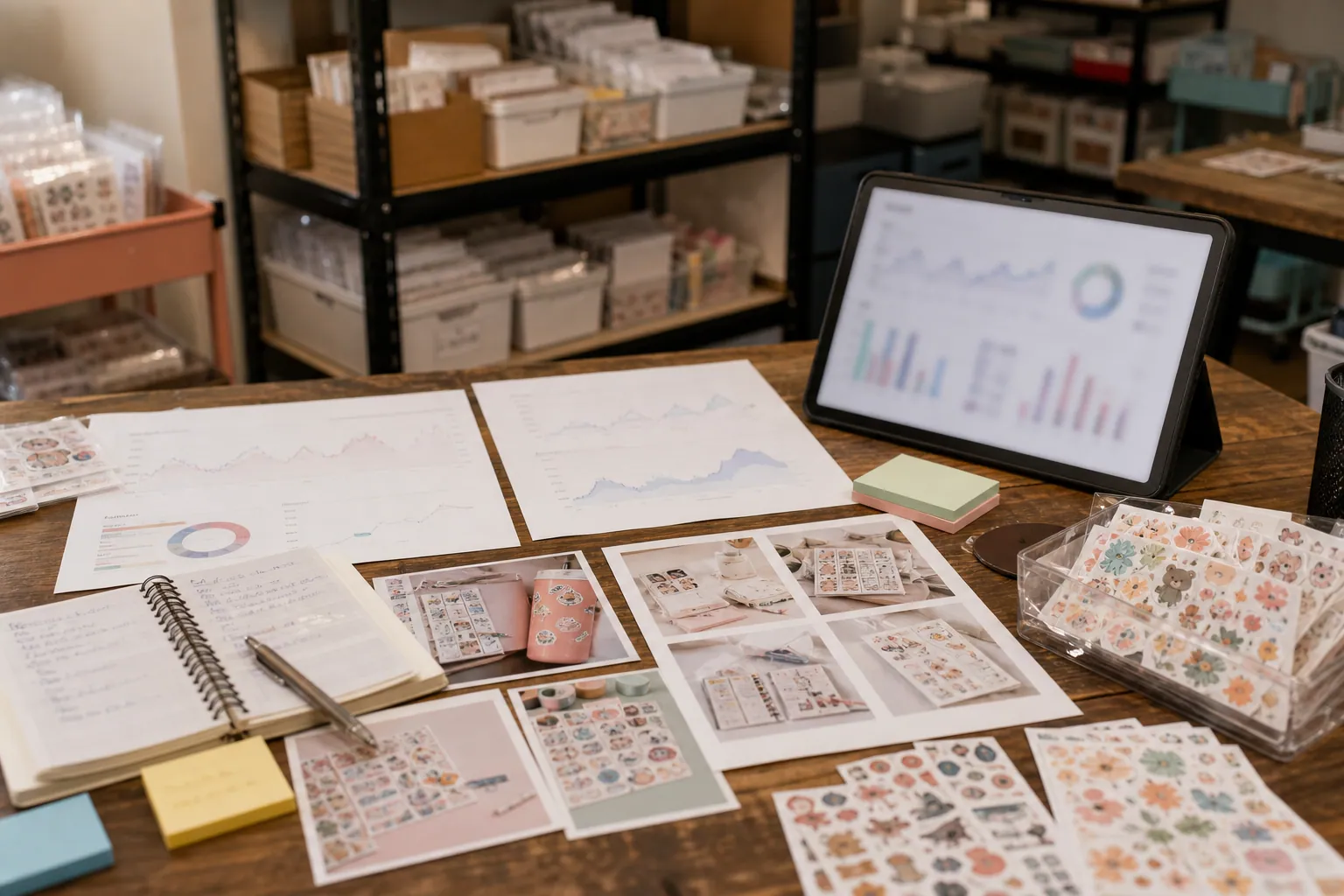
The sticker shop problem is not a lack of visuals
Most Etsy sticker shops have more artwork than they can reasonably promote. The harder question is which tools help turn small, highly specific products into evergreen Pinterest traffic without creating a second full-time job.
That matters in mid-August. Back-to-school searches are already moving, fall planner setup content is building, Halloween is close behind, and Q4 gift traffic is not far away.
If you sell planner stickers, laptop decals, teacher stickers, budgeting stickers, digital stickers, or small stationery add-ons, the best Pinterest setup is usually not the fanciest scheduler. It is the stack that helps you do four unglamorous things consistently:
- Create pins around how the sticker is used, not only what it looks like.
- Publish early enough for seasonal searches.
- Send clicks to pages that still make sense if one SKU sells out.
- See which topics deserve more designs, bundles, or listings.
Here is how I would compare the main Pinterest tool approaches for a small sticker shop today.
What you are really hiring the tool to do
Before comparing tools, separate the jobs. A scheduling app does not fix weak Pinterest SEO. Canva does not tell you whether teacher planner stickers convert better than study tracker stickers. A catalog feed does not create buyer intent.
For a sticker shop, the tool stack needs to cover five jobs:
- Design production: turning sticker art into pin images that show context, scale, and use.
- Pinterest SEO: writing pin titles, Pinterest descriptions, board names, and landing page angles around actual search behavior.
- Publishing: scheduling pins without losing track of boards, timing, or seasonal windows.
- Tracking: knowing which pins create outbound clicks, Etsy visits, Shopify sessions, email signups, or orders.
- Maintenance: refreshing old winners and avoiding dead links to sold-out or retired listings.
Once you define those jobs, the tool decision becomes much easier.
The main options compared
1. Pinterest native scheduler
The native Pinterest scheduler is the best starting point for many Etsy-only sticker shops.
It is free, simple, and close to the platform. You can upload a pin, choose a board, add a title and description, set a destination URL, and schedule ahead. If you are posting 3 to 8 pins per week while testing your first real Pinterest content plan, it is enough.
Where it fits best:
- You are a solo seller with limited time.
- You have fewer than 75 active listings.
- You want to learn which boards and pin angles get saves or outbound clicks before paying for another tool.
- You are not yet running a high-volume seasonal campaign.
The limitation is speed. It is not ideal for building dozens of related pins across many boards. It also will not manage a big refresh queue or help you keep a clear production calendar.
For a sticker shop, I would use the native scheduler for the first 30 days if you are still validating search pockets like college planner stickers, teacher planner stickers, habit tracker stickers, budget planner stickers, or Halloween planner spreads.
2. Canva templates and bulk creation
Canva is usually the production engine, not the Pinterest strategy.
For sticker sellers, Canva is useful because your products are small. A sticker on a blank background can look underwhelming on Pinterest. Canva lets you show the sticker inside a planner spread, on a laptop mockup, in a packing insert, or as part of a seasonal bundle.
A practical Canva setup might include:
- One template for use-case pins, such as fall study planner stickers for weekly spreads.
- One template for collection pins, such as 12 budgeting stickers for paycheck planning.
- One template for gift pins, such as stocking stuffer stickers for teachers.
- One template for tutorial pins, such as how to set up a Sunday reset planner page.
Canva bulk creation can help when you have many variations, but it can also make your account look repetitive. Do not bulk-generate 40 nearly identical pins with only the sticker name swapped. Pinterest needs distinct value, not only distinct files.
Where it fits best:
- You already know your main search themes.
- You have consistent product photography or mockups.
- You want a weekly batch process.
- You sell seasonal designs that need to be promoted before the peak.
The risk is making pretty pins that do not answer a search. Your template should leave room for clear benefit-led text, not just a cute product image.
3. Tailwind-style Pinterest schedulers
A Pinterest-focused scheduler can make sense once you have a real cadence.
This type of tool is useful for queues, intervals, seasonal planning, and spreading pins across boards over time. If you are building a Q4 campaign with teacher gifts, planner stocking stuffers, holiday budget stickers, and digital planner bundles, a queue can prevent publishing chaos.
Where it fits best:
- You publish 10 or more pins per week.
- You have several product categories and boards.
- You want to schedule seasonal content 4 to 8 weeks ahead.
- You have an assistant helping with pin uploads.
The downside is that a scheduler can hide a weak plan. It is easy to feel productive because the queue is full, even if every pin points to a single listing with a vague title like cute sticker sheet.
Use this category when your Pinterest content planning is already grounded in search themes and product priorities.
4. General social media suites
Tools built for Instagram, TikTok, Facebook, LinkedIn, and Pinterest in one place are convenient for teams. They are usually less ideal for Pinterest-first growth.
A general social suite can be useful if you run a stationery brand with multiple channels and need approvals, brand controls, client reporting, or calendar visibility. But if Pinterest is a meaningful acquisition channel, make sure the tool handles Pinterest fields well: destination links, boards, titles, descriptions, and scheduling details.
Where it fits best:
- You have a team or agency.
- Pinterest is one channel among several.
- You need approval steps before publishing.
- You want one shared content calendar.
Where it often falls short:
- Pinterest keyword research is usually not built in.
- Board strategy can become an afterthought.
- Pin titles and descriptions may be treated like generic captions.
- Reporting may emphasize impressions over outbound clicks and revenue.
For a tiny Etsy sticker shop, I would not start here unless you already use a social suite for the rest of the business.
5. Product catalog feeds and product pins
Product pins are valuable, but they are not equally available to every seller setup.
If you sell only on Etsy, you will usually rely on standard pins linking to Etsy listings, shop sections, or collection-like search pages inside your shop. If you also have Shopify, WooCommerce, or another store on your own domain, a catalog feed becomes more practical.
A catalog feed is strongest when you have:
- Stable inventory.
- Clear product titles.
- Good product images.
- Consistent pricing.
- Collection pages for themes like teacher planner stickers or digital budget stickers.
For sticker shops with many tiny SKUs, catalog pins can drive product discovery, but they should not replace editorial pins. A product pin for a Halloween sticker sheet is useful. A pin showing three Halloween planner layout ideas using that sheet may be more compelling to a searcher.
Where it fits best:
- You have your own ecommerce site.
- You maintain 100+ active products.
- You have evergreen collections, not only one-off drops.
- You want Pinterest product pins connected to real catalog data.
The trap is relying on SKU traffic only. Pinterest users often search by project, season, routine, or identity. Your catalog feed should sit beside content-led pins, not replace them.
6. A tracking layer: UTMs, spreadsheets, GA4, Shopify, or Etsy stats
Tracking is the most skipped part of the stack.
If you sell on Shopify or your own site, use Pinterest UTMs so you can see sessions, product views, add-to-carts, and revenue in GA4 or Shopify reports. If you sell only on Etsy, attribution is messier. You can still compare Pinterest outbound clicks, Etsy shop stats, listing favorites, listing sales, and occasional coupon-code usage, but do not expect perfect channel reporting.
A basic tracking sheet should include:
- Pin publish date.
- Board.
- Pin title.
- Destination link.
- Search theme.
- Product or collection promoted.
- UTM campaign if your site supports it.
- 30-day saves.
- 30-day outbound clicks.
- Sales or inquiry notes where available.
If you want one Pinterest-focused layer for drafting SEO-conscious pin copy, keeping destination links tidy, and reviewing what is queued, PinPinMe is one option to put between your design files and Pinterest rather than adding another general social dashboard.
Decision matrix: which stack fits your sticker shop?
| Shop situation | Best starting choice | Why it fits | Watch out for |
|---|---|---|---|
| Etsy-only shop with fewer than 75 listings | Canva plus Pinterest native scheduler plus a tracking sheet | Low cost, enough control, good for learning which search themes work | Do not overbuild before you know what gets clicks |
| Etsy shop with 150+ listings and weekly new designs | Canva templates plus Tailwind-style scheduler plus Pinterest Analytics | Helps batch seasonal pins and avoid manual scheduling bottlenecks | A full queue can still be full of weak pin angles |
| Sticker brand with Shopify and stable collections | Catalog feed plus editorial pins plus UTMs | Product pins support SKU discovery while content pins capture use-case searches | Catalog pins alone may not explain why someone needs the sticker |
| Digital planner sticker seller | Canva templates plus keyword-led landing pages plus UTMs | Digital products need education, examples, and compatibility details | Avoid vague titles like digital stickers for iPad only |
| Seller preparing for Q4 gift traffic | Seasonal pin calendar plus scheduler plus collection pages | Gift searches need early publishing and durable destinations | Do not link every pin to individual listings that may sell out |
| Shop with a VA or part-time assistant | Canva brand kit plus scheduler plus approval checklist | Keeps pin style, descriptions, and links consistent | Assign keyword research and QA, not only uploading |
| Shop getting saves but few orders | Tracking sheet plus landing page review before more tools | The problem may be destination intent, pricing, or product fit | More scheduling will not fix poor click-to-order paths |
The stack I would choose by stage
Stage 1: Etsy-only, proving Pinterest demand
Keep it lean.
Use Canva for templates, Pinterest native scheduler for publishing, Pinterest Analytics for platform signals, and a simple spreadsheet for decisions.
Your weekly cadence could be:
- 2 use-case pins.
- 2 collection pins.
- 1 seasonal pin.
- 1 tutorial or planner layout pin.
For example, instead of pinning one product image titled Fall Sticker Sheet, create:
- Fall Study Planner Stickers for College Weekly Spreads.
- Budget Planner Stickers for Payday Reset Pages.
- Teacher Planner Stickers for Grading and Conference Weeks.
- Halloween Planner Stickers for October Habit Trackers.
This is enough to learn whether Pinterest searchers respond to your shop by season, routine, customer type, or planner use case.
Stage 2: Etsy plus your own store
If you also sell on Shopify or another owned site, upgrade tracking and destinations before upgrading scheduling.
Your strongest Pinterest landing pages are usually collection or guide pages, not isolated product pages. Build pages like:
- Fall planner sticker collection.
- Teacher planner sticker bundle.
- Budget reset sticker kit.
- Digital planner stickers for weekly planning.
- Stocking stuffer stickers under a specific price point.
Then use UTMs on pins to compare search themes. A pin about college study planning and a pin about Sunday reset planning may both feature the same sticker sheet, but they represent different buyer intent.
At this stage, a catalog feed can support product pins, while Canva and a scheduler handle more editorial pins.
Stage 3: High SKU count or assistant-supported publishing
Once a shop has many designs, the risk shifts from not publishing enough to publishing without judgment.
This is where a scheduler, shared content calendar, or Pinterest-specific planning tool becomes more useful. But you still need a weekly review rhythm.
Give your assistant a brief like this:
- Choose one search theme, such as teacher planner organization.
- Select 3 to 5 relevant products or bundles.
- Create 6 pins across 3 templates.
- Write distinct Pinterest pin titles and descriptions.
- Link to the most durable collection page available.
- Add campaign tags if supported.
- Record publish dates and boards in the tracking sheet.
That brief is more valuable than telling someone to make pins for all new listings.
Pin formats worth making before you buy more tools
If your pins are not earning useful traffic, tool choice may not be the real problem. Build these four formats first.
| Pin format | Example title | Best destination |
|---|---|---|
| Use-case pin | Budget Planner Stickers for a Payday Reset Routine | Budget sticker collection or bundle page |
| Seasonal pin | Halloween Planner Stickers for October Weekly Spreads | Halloween or fall collection page |
| Customer-type pin | Teacher Planner Stickers for Grading Week Organization | Teacher sticker collection page |
| Tutorial pin | How to Set Up a Weekly Habit Tracker With Stickers | Blog post, guide page, or relevant bundle |
Notice that none of these depend on the tool. They depend on matching product imagery to a searcher’s moment.
A sticker sheet is a SKU. A weekly reset page, classroom planning routine, or holiday stocking stuffer idea is a reason to click.
What I would not pay for yet
Do not pay for a larger tool stack if the basics are unresolved.
I would pause before buying:
- An advanced social suite if you do not have clear boards, keywords, and landing pages.
- A premium scheduler if you only publish a few pins per month.
- AI image tools if your real need is better product context and mockups.
- Complex dashboards if you are not tagging links or reviewing Pinterest analytics weekly.
- Any automation that produces duplicate-looking pins at scale.
For small ecommerce shops, the cheapest stack often wins because it forces clearer choices. The goal is not to publish everywhere. The goal is to learn which Pinterest searches can become product demand.
A 14-day setup plan
Days 1 to 2: Audit products by search theme
Sort your listings into buyer moments, not product names.
Useful buckets might include:
- Back-to-school planning.
- College study routines.
- Teacher organization.
- Budget planning.
- Habit tracking.
- Digital planner setup.
- Halloween and fall spreads.
- Stocking stuffers.
Pick three buckets for the next month.
Days 3 to 4: Build reusable Canva templates
Create four pin templates: use case, collection, tutorial, and seasonal gift. Keep the text large enough to read on mobile.
Show the sticker in context. A tiny sheet on a white background is rarely as persuasive as a planner spread with a clear before-and-after use.
Days 5 to 6: Write keyword-led pin copy
Use Pinterest keyword research from autocomplete, search results, and your own Pinterest analytics if you have history.
Write 10 to 15 pin titles before designing more pins. This keeps the visuals tied to search intent.
Strong examples:
- Teacher Planner Stickers for Conference Week.
- Budget Planner Stickers for a No-Spend Month.
- Fall Study Planner Stickers for College Students.
- Digital Planner Stickers for Weekly Reset Pages.
Weak examples:
- Cute New Stickers.
- Planner Sticker Sheet.
- New Drop Is Live.
Days 7 to 10: Schedule the first batch
Publish or schedule 15 to 20 pins across your three chosen search themes.
Use the native scheduler if you are moving slowly. Use a queue-based scheduler if you already have enough validated content to justify it.
Do not send every pin to the same listing. Test collection pages, shop sections, bundles, and guide pages where possible.
Days 11 to 14: Set up review habits
Create a simple weekly review.
Track:
- Which themes get saves.
- Which pins get outbound clicks.
- Which destinations receive the best traffic.
- Which products get favorites or orders after pin activity.
- Which pin titles are worth refreshing.
You do not need perfect attribution to make better decisions. If budget planning pins consistently get clicks and teacher sticker pins only get saves, that is already useful.
Final recommendation
For most Etsy sticker shops, start with Canva, Pinterest native scheduling, and a tracking sheet. Add a Tailwind-style scheduler only when manual publishing becomes the bottleneck. Add catalog feeds when you have an owned store with stable collections. Add broader social suites only when team coordination matters more than Pinterest depth.
The best tool stack is the one that helps you publish search-led pins early, link to durable destinations, and learn which planner moments create real buying intent.
If your tools do that, they are working. If they only help you post more sticker images faster, they are probably making the wrong problem bigger.

The Pinterest Tool Stack for Laser-Cut SVG Shops Before Ornament Season
A lean tool audit for laser-cut SVG sellers who need holiday maker searches to become accurate downloads—not a queue full of broken links and generic Pins.

The Lean Pinterest Tool Stack for Printable Party Game Shops Before Holiday Hosting
A practical Pinterest content blueprint for printable party game shops: choose the right tools, batch seasonal Pins, prevent wrong-link errors, and maintain winners.
The 48-Hour Pinterest Tool Stack for Estate Sale Companies
A practical Pinterest tool audit for estate sale companies that need evergreen local leads without sending shoppers to sold-out inventory or expired sale pages.

The Spring-Booking Pinterest Tool Stack for Party Rental Companies
A practical tool audit for party rental operators who need Pinterest planning traffic to reach rentable inventory, accurate packages, and qualified spring inquiries.

Pinterest SEO for Backyard Greenhouse Kit Shops
A practical weekly Pinterest SEO routine for greenhouse kit sellers turning foundation, placement, and size questions into qualified spring catalog traffic.

Strategy Memo: Pinterest for Rain Boot Shops Before Wet-Weather Season
Use fit confidence, weather-specific collections, and practical outfit content to turn Pinterest fall planning into rain boot orders with fewer avoidable returns.