Pinterest Board Structures for Fall Bulb Shops Compared
Should a garden center organize Pinterest by bulb type, planting project, growing problem, or local events? Compare four structures and choose a lean fall setup.
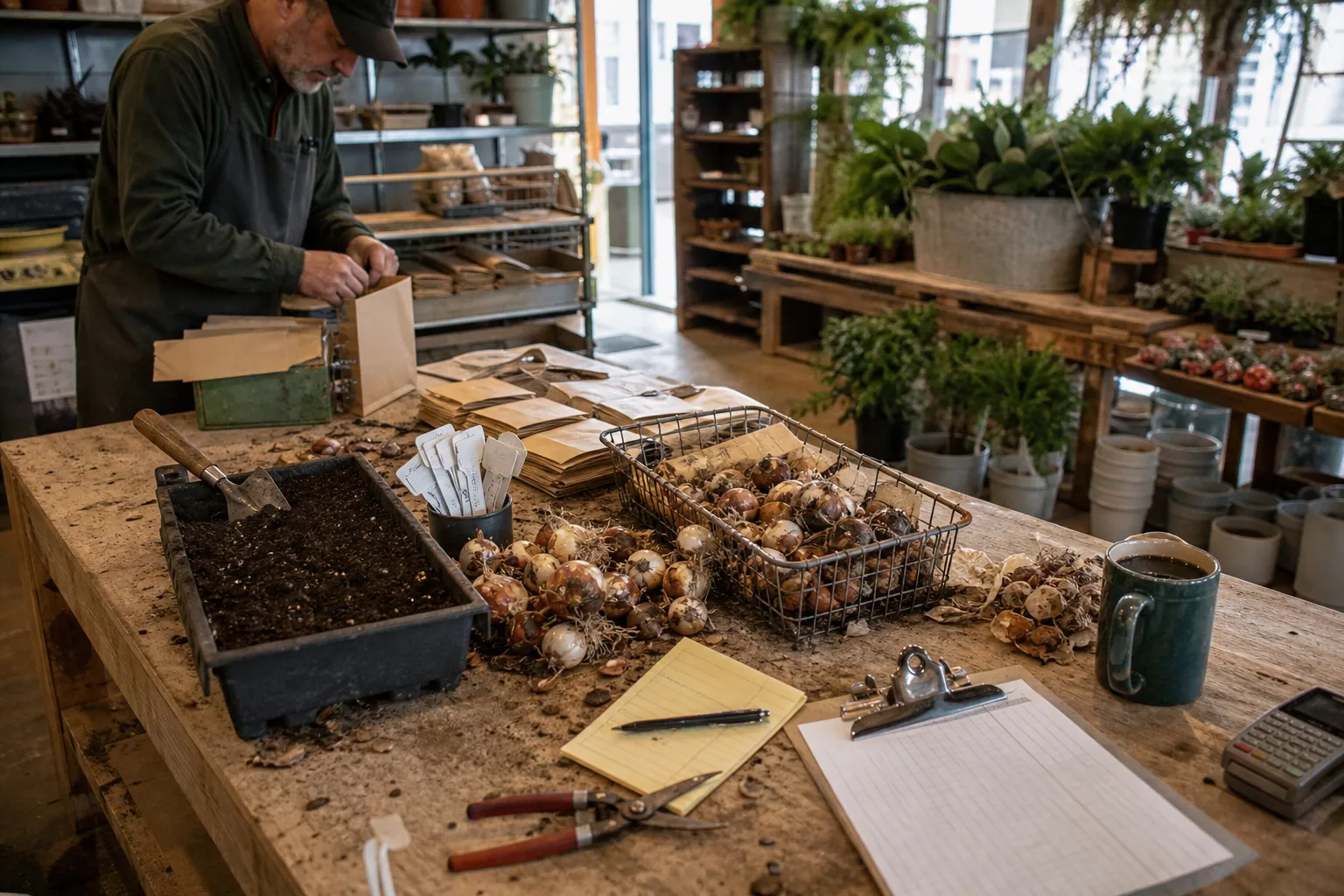
A fall bulb shop can make Pinterest unnecessarily hard by treating boards like a digital stockroom.
“Tulips,” “Daffodils,” “Alliums,” and “Bulbs” may be tidy internally, but many shoppers arrive with a different question: What can I plant along a deer-prone fence? How do I make a spring cutting garden? Which bulbs work in a shady entry bed?
For an independent garden center selling bulbs online, offering local pickup, and running a few planting workshops, the right board structure should help people move from a garden decision to a useful destination—not merely display every SKU. Here is how four common approaches compare before fall planting interest builds.
What a board structure needs to do
Boards are organization and context, not a substitute for strong pins or useful pages. A good structure gives a visitor a sensible next click after they save a planting idea. It also gives the operator a manageable publishing home for each pin.
Before choosing one, decide which of these outcomes matters most this season:
- More online bulb collection sales
- More local-pickup orders
- Workshop registrations
- Email signups for planting reminders
- Better discovery for a small, curated catalog
A shop trying to sell 20,000 bulbs nationally can support a different structure than a neighborhood garden center whose advantage is advice, pickup convenience, and climate knowledge.
Four ways to organize a bulb shop’s Pinterest boards
1. Catalog-first boards: organize by plant type
This is the obvious route: boards such as Tulip Bulbs, Daffodil Bulbs, Allium Bulbs, and Spring Flowering Bulbs.
It works best when the shop has meaningful depth in each category, reliable inventory, and well-built collection pages. A pin for “10 late-blooming tulips for a pink-and-apricot border” can lead directly to a late tulip collection rather than a vague homepage.
Strengths
- Easy for a merchandising team to maintain
- Matches existing ecommerce collections and a Pinterest catalog strategy
- Useful for shoppers already certain about the plant they want
- Makes seasonal product pins easy to sort
Limits
- It assumes people search by botanical product category
- It produces repetitive creative when every pin is “Shop [bulb type]”
- A board can become stale when sold-out varieties remain prominent
Choose catalog-first boards if bulb categories are a major way customers browse your store already. Do not make a separate board for every variety. A board called “Apricot Parrot Tulips” is nearly always too narrow unless it supports a substantial editorial collection.
2. Project-first boards: organize around the garden someone wants
Project-first boards translate bulbs into a visible outcome. Examples include:
- Cut Flower Garden Bulbs
- Deer-Resistant Spring Garden Ideas
- Bulbs for a Cottage Garden Border
- Small-Space Spring Containers
- Pink, Peach & Purple Spring Garden Plans
This is usually the most useful approach for a curated bulb shop. It meets people before they know the Latin name—or even the product category—they need.
A pin titled “A cut-flower bulb plan for six weeks of spring bouquets” can lead to a planting-plan article with a buyable bundle. Another pin, “Layered bulb container for a sunny front step,” can lead to a container recipe and the matching collection.
Strengths
- Connects visual inspiration to a clear buying reason
- Gives one product multiple legitimate pin angles
- Supports bundles, guides, and higher-value collections
- Works well for Pinterest SEO because the language reflects planning intent
Limits
- Requires pages beyond standard collection grids
- Needs accurate planting guidance and honest regional caveats
- Can become a messy catch-all if project names are vague
If a board title could describe almost any image—such as “Garden Inspiration”—it will be difficult to maintain. Name the decision instead: “Spring Bulbs for Partial Shade” gives both the pinner and the operator a clearer purpose.
3. Problem- and condition-first boards: organize around constraints
This model begins with what is making the customer hesitate: deer, squirrels, shade, containers, short bloom windows, heavy soil, or a need for low-maintenance color.
Possible boards:
- Deer-Resistant Bulbs and Garden Ideas
- Bulbs for Containers
- Easy Naturalizing Bulbs
- Spring Bulbs for Partial Shade
- Squirrel-Proof Bulb Planting Tips
This approach is excellent for a shop with knowledgeable staff. It turns common counter questions into content that has a much longer useful life than a single product launch.
The caution is precision. “Deer-resistant” is safer and more credible than “deer-proof.” Planting recommendations should clarify that results depend on local wildlife pressure, soil, weather, and growing conditions. Good content earns trust; oversimplified claims create returns and disappointed customers.
Strengths
- Captures high-intent research traffic
- Highlights the shop’s expertise over big-box selection
- Creates natural paths to checklists, bulb bundles, and advice pages
- Helps with regional and local service positioning
Limits
- Demands editorial review from someone who actually knows plants
- Some problems attract readers who want advice but are not ready to buy
- Too many condition boards can fragment a small account
Use this model when you can answer the question substantially on the landing page. A thin collection page called “bulbs for shade” with no explanation, product filtering, or planting notes will not fulfill the promise of the pin.
4. Local-event boards: organize around pickup, classes, and nearby gardens
A local garden center may also create boards such as Fall Bulb Planting Workshop, [City] Small Garden Ideas, or Spring Garden Inspiration for [Region].
This route supports foot traffic and workshops, but it should be a layer on top of evergreen content—not the whole account. Locality is meaningful when a pin leads to something specific: class dates, local pickup details, a regional planting calendar, or a neighborhood garden guide.
Strengths
- Makes local expertise concrete
- Supports events, workshops, and pickup orders
- Differentiates the shop from national retailers
- Can attract visitors planning a particular garden season
Limits
- Event pins expire quickly
- Too much city-only content constrains broader ecommerce discovery
- A board needs regular cleanup after dates pass
Use local boards if the store has a real regional point of view. A generic board title with a city inserted into it is not a strategy.
Decision matrix: which structure fits your shop?
| Board model | Best for | Strongest destination | Main risk | Use it when |
|---|---|---|---|---|
| Catalog-first | Deep, stable bulb assortment | Category or collection page | SKU-led pins feel interchangeable | Customers commonly shop by bulb type |
| Project-first | Curated assortments and bundles | Planting plan, project guide, bundle page | Requires useful editorial pages | You want to sell an outcome, not just a bulb |
| Problem-first | Advice-led garden centers | Guide with recommended products | Weak claims or thin advice | Staff can offer credible growing guidance |
| Local-event | Stores with pickup, classes, or regional expertise | Event, pickup, or regional calendar page | Content dates quickly | Local revenue is a primary goal |
For most independent bulb shops, the practical answer is not choosing only one. Build a project-first core, support it with a small catalog layer, and add one local board only if it serves a current commercial goal.
The recommended six-board shelf for a small garden center
Rather than launching 20 boards, begin with six that cover the customer’s planning path.
- Spring Bulb Garden Ideas — your broad discovery board
- Cut Flower Garden Bulbs — a high-intent project board
- Bulbs for Containers and Small Spaces — a second project board
- Deer-Resistant Bulbs and Garden Ideas — a constraint board
- Tulips, Daffodils and Alliums — a concise product-category board
- Fall Bulb Planting Workshops and Local Tips — only if local events or pickup matter
Each board needs a short description written for a human, not a list of keywords. For example:
Spring container ideas, layered bulb recipes, planting timing, and bulbs selected for small sunny patios.
That description tells a visitor what belongs there and gives the person publishing pins a useful boundary.
Match each board to a landing page before publishing
The most common strategic failure is pinning a beautiful garden photograph to a broad board and sending every click to the shop homepage. The customer must then restart their search.
Instead, make a simple destination map.
| Pin angle | Board | Best destination |
|---|---|---|
| “A 25-bulb recipe for a sunny patio pot” | Bulbs for Containers and Small Spaces | Container recipe with an add-all bundle |
| “What to plant when deer visit your front border” | Deer-Resistant Bulbs and Garden Ideas | Advice article with product recommendations |
| “Tulips that bloom after early daffodils fade” | Tulips, Daffodils and Alliums | Late-season tulip collection |
| “Beginner fall bulb planting workshop” | Fall Bulb Planting Workshops and Local Tips | Dated registration page |
This is where Pinterest landing pages matter. The page should show the promised plan, practical planting details, current availability, and an easy way to add the relevant products. A project pin should not lead to an unfiltered catalog with 300 options.
Use distinctive Pinterest UTMs for every destination. For example, include the board or content family in utm_content, such as container_recipe or deer_resistant_border. That makes it possible to compare traffic quality in analytics instead of assuming the board with the most saves is the board producing revenue.
Pin families, not one-off designs
For every destination, create a small family of three to five pins that express different entry points. This gives you enough range to learn without inventing a new board every time.
For a cut-flower bulb bundle, that might be:
- “Plan six weeks of spring bouquets with these bulbs”
- “The beginner’s cut-flower bulb list for a small garden”
- “Plant this fall for tulips, narcissus, and alliums next spring”
- “A spring cutting garden color palette: white, butter yellow, and apricot”
The Pinterest pin titles should make the promised outcome clear. Descriptions can add planting context, a concise product cue, and a natural call to visit the guide. Do not repeat a list of varieties just because the products are in the image.
A light publishing queue is enough at this stage. If the team is balancing product updates, staff approvals, and seasonal deadlines, a tool such as PinPinMe can keep approved pin batches and destination links organized without turning board maintenance into a daily chore.
A 30-day rollout that avoids a full-account rebuild
Days 1–3: audit what already exists
List every live board, its purpose, its most common destination, and whether the products remain available. Archive or stop using only the boards that are redundant, off-season, or impossible to explain in one sentence.
Do not delete valuable old pins merely to make the account look cleaner. Focus on where new work should go.
Days 4–10: build three useful destinations
Prioritize pages that can carry both advice and commerce:
- One container planting recipe
- One deer-resistant border guide
- One cut-flower bulb plan
Each page should be usable even for a visitor who does not buy today. That is what makes it worth saving and returning to later.
Days 11–20: produce three pin families
Create 9–15 pins total: three to five pins per destination. Use actual planted displays, clear text overlays, and a visual signal of scale—a pot, border strip, or simple bloom sequence—not only isolated product pack shots.
Days 21–30: review intent, not vanity totals
Review Pinterest analytics and site data together. Look for:
- Outbound clicks by pin and destination
- Click-through rate relative to impressions
- Add-to-cart and purchase rate from tagged visits
- Workshop registrations or local-pickup selections where relevant
- Saves that identify durable future-planning content
A pin with fewer saves but more outbound clicks to a planting bundle may deserve more production than a widely saved mood-board image. Conversely, a pin with high saves can be valuable as an audience-building asset if it leads to an email reminder or a strong guide.
Choose the board structure that reflects how customers decide
For fall bulb businesses, product categories are necessary but rarely sufficient. The strongest Pinterest presence usually follows garden decisions first: a cut-flower patch, a container, a deer problem, a color scheme, or a local workshop date.
Start with six boards, three genuinely helpful landing pages, and a small set of trackable pin families. After one month, expand only the board theme that is producing qualified outbound clicks and commercial action. That is a more useful signal than a neatly filled profile—and a far better reason to create the next batch of pins.

Pinterest Positioning for Newborn Photographers: 4 Routes Compared
Compare four Pinterest positioning routes for newborn photographers, then choose boards, Pins, and landing pages that lead to calmer, better-fit local inquiries.
From Nursery Mood Boards to Rug Orders: A Pinterest Operator Playbook
A practical Pinterest routine for nursery rug shops that need room-planning saves to become qualified collection visits, confident carts, and fewer wrong-size orders.
The October Pinterest Booking Desk for Holiday Light Installers
A practical Pinterest content operation for holiday light installers who need October searches to become profitable, route-ready installation bookings.

The Consult-Ready Pinterest Operator Playbook for Custom Closet Studios
Turn closet, pantry, and mudroom planning searches into better in-home design consultations with intent-led boards, useful Pins, and a simple weekly routine.

Pinterest Pin Descriptions for Personalized Notepad Shops: 4 Angles Compared
Compare four Pinterest description angles for personalized notepad shops, match each to a landing page, and test for clicks and gift-season orders.

Strategy Memo: Pinterest for Rain Boot Shops Before Wet-Weather Season
Use fit confidence, weather-specific collections, and practical outfit content to turn Pinterest fall planning into rain boot orders with fewer avoidable returns.