The Pinterest Tool Stack for Peel-and-Stick Wallpaper Brands
A weekly operator playbook for wallpaper ecommerce teams choosing practical Pinterest tools for samples, room ideas, UTMs, scheduling, and Shopify reporting.
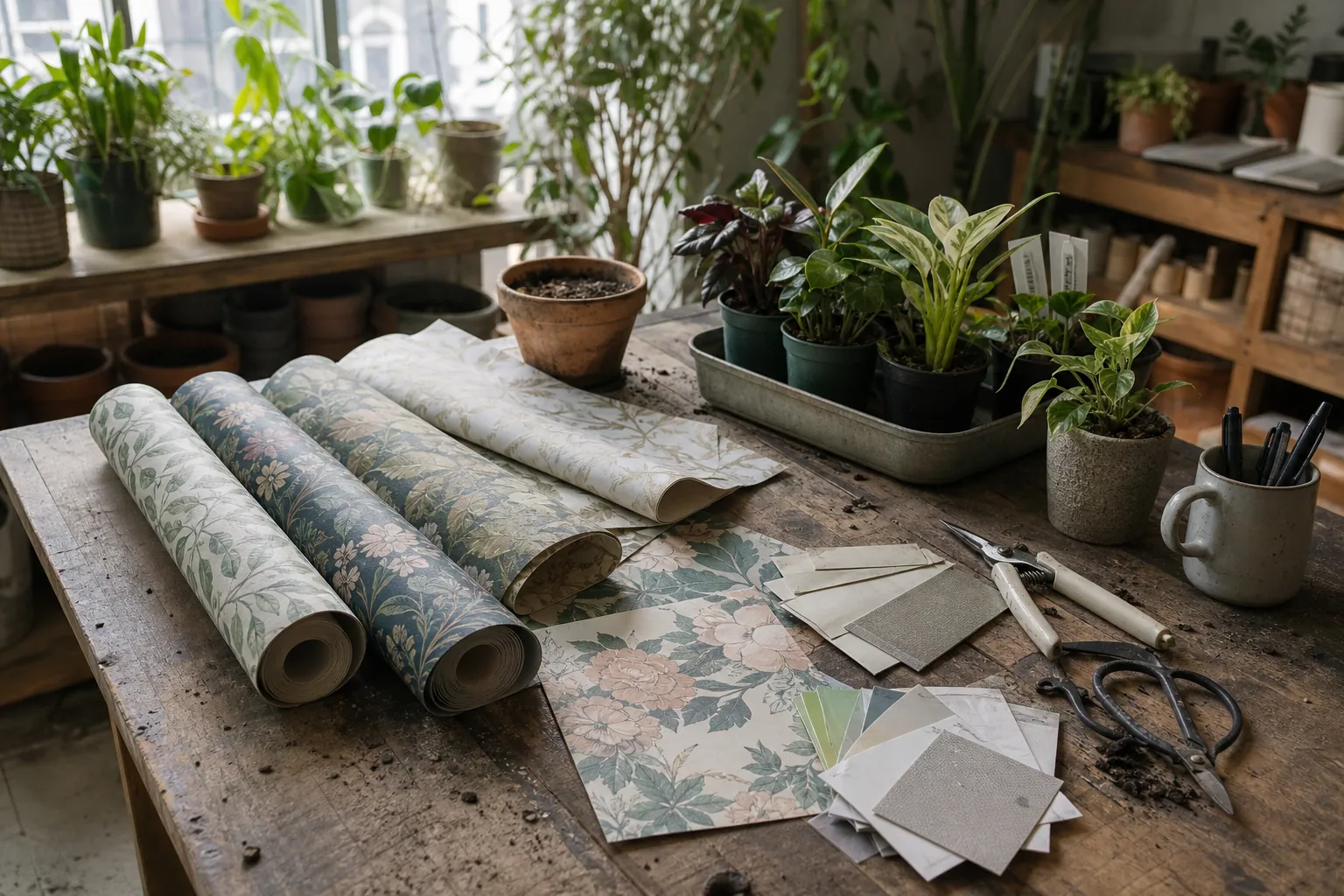
It’s early August, and your peel-and-stick wallpaper shop is about to enter a useful window.
Renters are planning fall apartment refreshes. Parents are saving nursery accent wall ideas. Homeowners are looking for small bathroom fixes before hosting season. You have 140 patterns, 12 new colorways, a Shopify catalog, a Canva folder full of pretty room mockups, and a Pinterest account that gets saves but not enough sample orders.
The temptation is to buy a bigger scheduler, add an AI caption tool, or push every SKU into Pinterest and hope the catalog does the work.
For a wallpaper brand, the better question is simpler: which tools help you connect search intent to sample orders without creating another messy production queue?
Diagnose the stack before you add another tool
A useful Pinterest stack for a wallpaper brand has five jobs. If a tool does not support one of these jobs, it is probably optional.
1. Find the room-level search language
Wallpaper shoppers rarely start with your pattern name. They search by room, style, color, surface, and constraint.
Examples:
- “peel and stick wallpaper for small bathroom”
- “sage green nursery wallpaper”
- “renter friendly kitchen backsplash wallpaper”
- “dark floral powder room wallpaper”
- “removable wallpaper for apartment bedroom”
Your keyword research tool can be simple. Pinterest search, Pinterest Trends, your own Pinterest analytics, Shopify search data, and customer support emails are often enough.
What matters is that the language makes it into your pin titles, Pinterest descriptions, board names, and landing pages.
2. Turn patterns into use cases
A catalog pin says, “Here is the product.”
A stronger organic pin says, “Here is how this product solves the room you are trying to fix.”
For wallpaper, this means your design tool needs templates for:
- Room mockups
- Close-up pattern scale
- Before-and-after style visuals
- Color palette pins
- Sample ordering guides
- Small-space idea pins
- Collection comparisons
Canva is usually enough for a small team. Figma can work if your design lead already lives there. A heavy creative suite is rarely necessary unless you have a large seasonal launch calendar and strict brand approval needs.
3. Keep destinations durable
Wallpaper SKUs change. Colorways sell out. Retired patterns disappear. That is a Pinterest problem because pins can keep sending traffic months after publishing.
Your tool stack should protect you from sending evergreen pins to dead product pages.
For organic Pinterest, favor destinations like:
- Collection pages by room:
/collections/bathroom-wallpaper - Collection pages by color:
/collections/green-peel-and-stick-wallpaper - Guides: “How to Choose Wallpaper Samples for a Nursery”
- Comparison pages: “Floral vs Stripe Wallpaper for Small Bathrooms”
- Sample bundle pages
Product pages still matter, especially for Pinterest product pins, but they should not be your only destination.
4. Publish with tracking
If every pin uses a clean destination with no tracking, you will still see Pinterest traffic in analytics, but you will struggle to compare campaigns.
At minimum, use Pinterest UTMs for:
- Campaign theme:
fall_bathroom_refresh - Content angle:
sage_green_small_bath - Destination type:
collection,guide,product, orsample_pack - Pin format:
mockup,closeup,before_after,palette, orchecklist
A spreadsheet is fine. A UTM builder is better. The best choice is the one your team will actually use every week.
5. Read sample-order signals, not just clicks
For wallpaper ecommerce, a first Pinterest visit may not become a full roll order. The more useful near-term conversion is often a sample order.
Your reporting should separate:
- Outbound clicks
- Collection page views
- Product page views
- Sample add-to-carts
- Sample orders
- Full roll orders
- Email signups from guides or sample reminders
Pinterest analytics tells you what people save and click. Shopify and GA4 tell you what they do after the click. You need both views.
The tool stack I’d choose for a small wallpaper brand
Here is the lean version I would build before buying a larger platform.
| Job | Practical tool choice | Upgrade only when | Watch out for |
|---|---|---|---|
| Pinterest SEO research | Pinterest search, Trends, analytics, customer emails | You have multiple writers or hundreds of monthly pin briefs | Using Google-only keywords that do not match Pinterest phrasing |
| Visual production | Canva templates organized by room and pin format | Brand approval is complex or designers already use Figma | Making every pin look like the same catalog ad |
| Product feed | Shopify Pinterest app or catalog connection | Feed errors, variant issues, or frequent stock changes are hurting visibility | Expecting product pins to replace search-led content |
| Scheduling | Pinterest native scheduler for low volume | You need bulk scheduling, team approvals, or deeper batching | Choosing a social suite that weakens Pinterest titles, descriptions, or destination control |
| Tracking | UTM spreadsheet plus GA4 and Shopify reports | You need automated weekly dashboards | Blending all Pinterest traffic into one bucket |
| Production hub | Spreadsheet, Notion, Airtable, or a Pinterest-specific tool | The handoff between keyword, creative, copy, and scheduling is breaking | Creating a project-management museum nobody updates |
If your issue is scattered pin briefs, image variants, titles, descriptions, and scheduling notes, a focused tool like PinPinMe can help keep Pinterest production in one place. But the principle is the same even if you use a spreadsheet: every pin should have a search angle, a destination, a visual format, and a tracking link.
A weekly operating rhythm for three focused hours
This is designed for one operator: founder, ecommerce manager, or marketing assistant. It assumes you can publish 6 to 10 quality pins per week without turning Pinterest into a full-time job.
Minute 0–20: Choose one search pocket
Do not start in Canva.
Start with one room, one style, or one constraint.
Good weekly pockets:
- Small bathroom peel-and-stick wallpaper
- Renter-friendly kitchen wallpaper
- Sage green nursery wallpaper
- Moody powder room wallpaper
- Removable wallpaper for apartment bedrooms
- Wallpaper samples for first-time buyers
Pick based on three inputs:
- Pinterest search language
- Products or collections you can actually sell now
- A landing page that can answer the shopper’s next question
If you cannot name the destination, do not make the pins yet.
Minute 20–45: Check the destination
Open the collection, guide, or product page before making creative.
Look for:
- Clear product photos or room mockups
- Sample ordering callout above the fold
- Pattern scale information
- Shipping and return clarity
- Install difficulty notes
- Related products or color alternatives
- No sold-out hero products
- Mobile readability
For wallpaper, landing pages carry a lot of trust. A shopper may love the pin but hesitate if they cannot understand scale, texture, removability, or sample options.
Minute 45–105: Produce the pin batch
Create 6 to 10 pins from one or two destinations.
Do not make 10 near-identical pins. Vary the job each pin performs.
For one green botanical collection, the batch might include:
- A small bathroom room mockup
- A nursery accent wall mockup
- A close-up showing pattern scale
- A color palette pin with coordinating paint colors
- A “sample before you commit” pin
- A renter-friendly install angle
- A powder room inspiration pin
- A comparison pin: botanical vs stripe
This gives Pinterest more context and gives shoppers more than one reason to click.
Minute 105–135: Write titles and descriptions
Pin titles should be specific, not poetic.
Weak title:
Fresh Walls for Your Home
Better title:
Sage Green Peel-and-Stick Wallpaper for a Small Bathroom
Weak description:
Transform your space with beautiful wallpaper perfect for any room.
Better description:
Planning a renter-friendly bathroom refresh? See sage green peel-and-stick wallpaper ideas, sample options, and small-space styling tips before you choose a pattern.
A good description naturally includes Pinterest SEO terms, but it still reads like it was written for a person.
Minute 135–155: Add UTMs and schedule
Use a consistent naming pattern.
Example:
utm_source=pinterestutm_medium=organicutm_campaign=fall_bathroom_refreshutm_content=sage_green_mockup_collection
Then schedule pins across relevant boards.
Board examples:
- Renter-Friendly Wallpaper Ideas
- Small Bathroom Wallpaper Ideas
- Nursery Wallpaper and Accent Walls
- Peel-and-Stick Wallpaper for Apartments
- Powder Room Wallpaper Inspiration
Board strategy matters because Pinterest uses boards as context. Avoid cute internal board names like “Our Faves” or “Wall Magic” if they do not explain the topic.
Minute 155–180: Review older cohorts
Pinterest needs time. Review pins that are at least 30 to 60 days old, not yesterday’s pins.
For each weekly review, ask:
- Which pins are earning saves but few outbound clicks?
- Which pins are earning clicks but no sample orders?
- Which destinations convert sample orders best?
- Which board and topic combinations keep showing up?
- Which products are getting traffic but have weak product page information?
Your next batch should come from this review, not from a blank calendar.
Example: one collection, one week of pins
Let’s say your new collection is called Moss Garden, a soft green botanical peel-and-stick wallpaper line.
Internally, that name matters. On Pinterest, it is secondary.
Here is how I would translate it into search-led pins.
| Pin angle | Destination | Pin title | Board |
|---|---|---|---|
| Small bathroom refresh | Green wallpaper collection page | Sage Green Peel-and-Stick Wallpaper for Small Bathrooms | Small Bathroom Wallpaper Ideas |
| Nursery planning | Nursery wallpaper collection page | Soft Green Nursery Wallpaper Ideas for an Accent Wall | Nursery Wallpaper and Accent Walls |
| Renter constraint | Install guide or product page | Renter-Friendly Botanical Wallpaper You Can Sample First | Peel-and-Stick Wallpaper for Apartments |
| Buyer hesitation | Sample bundle page | How to Choose Wallpaper Samples Before a Room Refresh | Wallpaper Samples and Planning Tips |
| Style comparison | Blog or collection guide | Botanical vs Stripe Wallpaper for a Powder Room | Powder Room Wallpaper Inspiration |
| Close-up scale | Product page | Green Floral Wallpaper Close-Up: Pattern Scale and Sample Tips | Floral Peel-and-Stick Wallpaper |
Notice that not every pin goes to the same product page.
Some shoppers are ready to sample. Some are still choosing a room style. Some need proof that removable wallpaper will work in a rental. Your tools should help you match those stages, not flatten them into one product link.
Where each tool earns its place
Pinterest native scheduler
Use it if you publish a modest number of pins and want to keep costs low. It is enough for many wallpaper shops.
Best for:
- Founder-led accounts
- 5 to 15 pins per week
- Simple scheduling
- Direct control inside Pinterest
Not ideal for:
- Bulk uploads
- Larger content calendars
- Multi-person approval
- Complex tracking handoffs
Tailwind-style Pinterest schedulers
A dedicated scheduler can help if batching is your bottleneck. The benefit is not “automation” by itself. The benefit is reducing the friction between approved pins and consistent publishing.
Best for:
- Larger weekly batches
- Seasonal launches
- Multiple boards per topic
- Repeating production rhythms
Watch for:
- Over-scheduling near-identical pins
- Losing track of which pin points to which destination
- Treating interval controls as strategy
All-in-one social media suites
These can be useful if your team already manages Instagram, Facebook, TikTok, and Pinterest in one approval queue.
But Pinterest is not just another social post. It needs searchable titles, descriptions, boards, and durable destinations.
Before using a general social suite for Pinterest, confirm that it handles:
- Pinterest title fields
- Full descriptions
- Board selection
- Destination URLs with UTMs
- Image aspect ratios that work on Pinterest
- Reporting that separates Pinterest from other channels
If it cannot preserve Pinterest-specific fields, it may save time while weakening performance.
Canva templates
For wallpaper brands, Canva is usually the highest-leverage tool in the stack.
Create templates by shopper question, not just by visual style.
Useful template categories:
- “Best wallpaper for [room]”
- “Before you order samples”
- “Color palette for [style]”
- “Small room idea”
- “Renter-friendly refresh”
- “Pattern scale close-up”
- “Accent wall inspiration”
Name templates clearly so an assistant can produce pins without guessing.
Example naming:
PIN_room_mockup_small_bath_2x3PIN_sample_guide_checklist_2x3PIN_palette_green_botanical_2x3PIN_pattern_scale_closeup_2x3
Shopify catalog and product pins
Keep your catalog connection if your product data is clean. Product pins can support discovery and shopping behavior.
But catalog pins are not enough for a wallpaper brand because many shoppers need education before purchase.
Use catalog pins for:
- In-stock products
- Clear product names
- Accurate pricing
- Variant visibility
- Direct shopping paths
Use organic standard pins for:
- Room ideas
- Sample education
- Style comparisons
- Installation confidence
- Collection-level discovery
The two should work together.
Analytics tools
Do not overcomplicate reporting at the beginning.
A weekly review can live in a spreadsheet with these columns:
- Publish date
- Pin title
- Board
- Destination
- UTM campaign
- Visual format
- Saves
- Outbound clicks
- Sample orders
- Full orders
- Notes
- Next action
The key is consistency. A beautiful dashboard that nobody checks will not help you decide what to publish next Tuesday.
Mistakes to avoid when choosing Pinterest tools
Mistake 1: Buying a scheduler before fixing destinations
If your collection pages are thin, your product pages lack scale photos, and your sample offer is buried, a scheduler only helps you send more people into confusion.
Fix the click destination first.
Mistake 2: Letting AI write vague wallpaper copy
AI can help draft variations, but it often defaults to generic lines like “transform your space” and “elevate your home.”
Pinterest users are searching with constraints. Keep the concrete phrases:
- Small bathroom
- Renter-friendly
- Peel-and-stick
- Sage green
- Nursery accent wall
- Powder room
- Wallpaper samples
Mistake 3: Treating product names as keywords
Your pattern name may be memorable, but Pinterest does not know it yet.
Use the product name after the searchable phrase.
Better:
Sage Green Peel-and-Stick Wallpaper — Moss Garden Botanical Pattern
Not:
Moss Garden Is Here
Mistake 4: Sending every pin to the homepage
A homepage click asks the shopper to restart their search.
Send pins to the most relevant page you have. If that page does not exist, that is a content planning signal.
Mistake 5: Ignoring retired SKUs
Pinterest pins can live longer than your inventory.
Once a month, check top-clicked pins and confirm the destination still makes sense. Redirect retired products to the closest collection or a “similar patterns” page.
Mistake 6: Measuring only full wallpaper orders
Wallpaper has a consideration step. Samples are often the real first conversion.
If Pinterest drives sample orders that later become full orders through email, your reporting should show that path.
Short operating checklist
Use this before each weekly batch.
- One search pocket selected by room, color, style, or constraint
- Destination page checked on mobile
- Sample ordering path visible
- Product availability confirmed
- 6 to 10 pins created with varied visual formats
- Pin titles include clear Pinterest keyword research language
- Descriptions sound human and specific
- Boards chosen for search context, not internal branding
- UTMs added before scheduling
- Pins scheduled across the next 1 to 2 weeks
- 30- to 60-day analytics reviewed before choosing next week’s topic
- Winning pins tagged for refresh or expansion
The right Pinterest tool stack for a wallpaper brand is not the biggest one. It is the one that helps you repeat a simple chain: find the room-level search, create useful visuals, send people to a strong destination, track sample behavior, and improve the next batch.

A Lean Pinterest Tool Stack for Kitchen-and-Bath Designers
A practical tool-stack blueprint for kitchen-and-bath studios that need Pinterest to turn finished projects and planning expertise into better renovation inquiries.

Catalog Feed vs Curated Pins for Handmade Soap Gift Sets
A practical tool comparison for handmade soap shops deciding when to use catalog feeds, Canva templates, native scheduling, queue tools, and tracking before gift season.

Strategy Memo: The Right Pinterest Tool Stack for Fermentation Supply Shops
Choose Pinterest tools based on content shelf life, stock volatility, and measurable kit sales—not the promise of posting more often.
The Audition-Season Pinterest Tool Audit for Online Voice Teachers
A lean Pinterest tool audit for voice teachers who want audition-planning searches to become better coaching inquiries, mini-course sales, and booked lessons.

The AI Project-Question Pinterest Desk for Mineral Paint Brands
A practical AI-assisted Pinterest routine for mineral paint sellers turning verified product facts, customer questions, and project intent into catalog traffic.
The Project-Outcome Pinterest Playbook for Beginner Embroidery Kit Shops
Generic kit flat lays get saves. This operator routine turns stitch questions, project outcomes, and seasonal gifting into Pinterest traffic that buys beginner embroidery kits.