Strategy Memo: Pinterest Tools for Heirloom Seed Shops
A practical tool-stack memo for seed shops choosing Pinterest schedulers, catalog feeds, Canva templates, UTMs, and analytics before spring catalog demand builds.
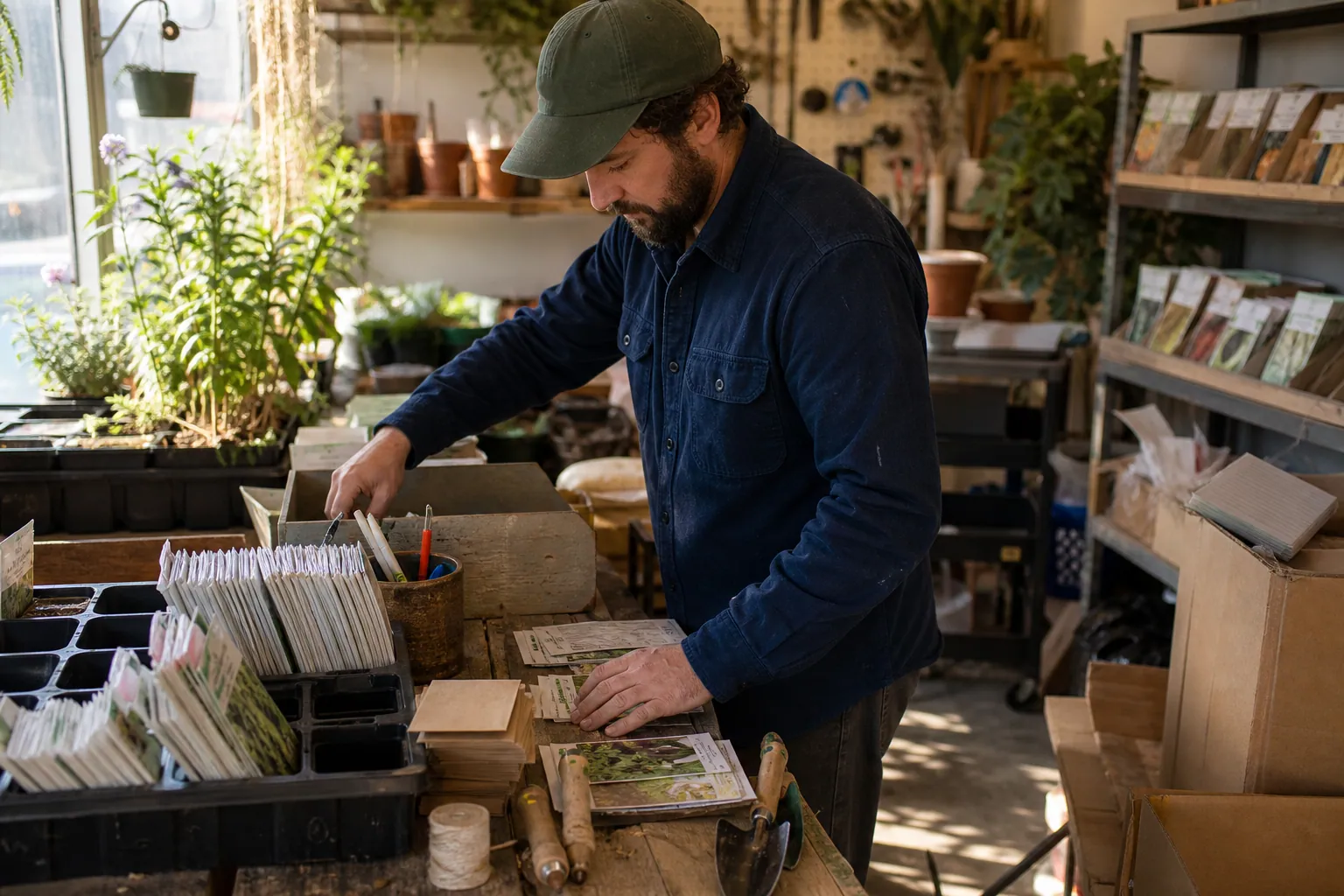
Strategic thesis: an heirloom seed shop does not need the biggest Pinterest tool stack. It needs a stack that protects seasonality, stock accuracy, search intent, and tracking.
If your tools help you publish 80 pretty tomato pins that send gardeners to sold-out product pages, the stack is failing. If your tools help you turn searches like seed starting chart, fall vegetable seeds, cut flower garden plan, and gifts for gardeners into durable pages, email signups, and orders, the stack is working.
For a small seed shop, the best Pinterest setup is usually boring: one design tool, one scheduling path, one source of truth for URLs and UTMs, clean catalog data, and a weekly analytics review. Add complexity only when a real bottleneck appears.
The operating moment: August is not too early
Seed shops have a strange Pinterest calendar.
A gardener may save a pin in August, revisit it in January, and buy in February. Fall planting, indoor herb gardens, holiday gifts, and spring seed-starting all overlap. That makes Pinterest valuable, but it also makes tool decisions tricky.
Your stack has to handle four realities:
- Many SKUs are seasonal or limited quantity.
- Cultivar names are important to buyers but not always the first search term.
- Educational content often creates more demand than product-only pins.
- Pinterest traffic needs longer measurement windows than paid search or email.
A product called Cherokee Purple tomato seeds matters to a gardener who already knows the variety. But many Pinterest users start with broader searches: best heirloom tomatoes for beginners, when to start tomato seeds indoors, or tomato seed starting mistakes.
Your tools should help you connect both layers: the planning question and the product shelf.
The options worth comparing
Here is the practical tool comparison I would use for a Shopify or WooCommerce seed shop with a few hundred SKUs and a small team.
| Option | What it gives you | Best fit | Main risk |
|---|---|---|---|
| Native Pinterest scheduler + Canva + spreadsheet | Low cost, direct publishing, simple design control | Owner-led shop publishing 20-40 pins per month | Easy to lose consistency, UTMs, and review discipline |
| Pinterest catalog feed + ecommerce platform reports | Automated product pins, availability data, product-level traffic | Shops with stable product pages and clean product data | Product-only accounts often miss broader planning searches |
| Tailwind-style scheduler + Canva templates | Faster batching, queues, interval scheduling | Shops producing steady guide and collection pins | Volume can hide weak Pinterest SEO and poor landing-page fit |
| Full social media suite | Team approvals, multi-channel calendar, client-style reporting | Larger teams already managing several social channels | Pinterest gets treated like Instagram instead of search |
| Pinterest-specific production layer | Pin briefs, URLs, UTMs, titles, descriptions, and publishing handoff in one place | Shops where handoff and tracking are the bottleneck | Not useful if your pages and offers are not ready |
A Pinterest-specific layer such as PinPinMe can sit between your keyword research, Canva assets, landing pages, and analytics when spreadsheets start causing missed links or inconsistent UTMs.
The key is not to buy every category. The key is to know which job each tool is doing.
Option 1: Native scheduler, Canva, and a spreadsheet
This is the stack I would start with if the founder is still close to content and inventory.
You need:
- Pinterest business account
- Canva or another design tool
- A spreadsheet with pin title, description, board, URL, UTM, asset link, publish date, and content type
- GA4 or ecommerce analytics
- Shopify or WooCommerce reports
This setup is cheap and transparent. You can see every destination URL before a pin goes live. You can force yourself to write proper Pinterest pin titles instead of posting whatever caption worked on Instagram.
Where it breaks:
- You forget to add UTMs.
- You duplicate designs without changing search intent.
- Pins are designed but never scheduled.
- Nobody reviews performance after publishing.
- The spreadsheet becomes stale when product pages sell out.
Use this option if you are still validating Pinterest as a channel or publishing fewer than 10 new pins per week.
Option 2: Product catalog and automated product pins
A catalog feed is useful for seed ecommerce, especially if your product data is clean.
Product pins can show current information from your store, and they are useful for high-intent searches like basil seeds, zinnia seeds, or organic lettuce seeds. If you already use Shopify Pinterest marketing basics, make sure the feed is not an afterthought.
Check these fields before you trust the feed:
- Product title
- Product description
- Availability
- Product category
- Price
- Image quality
- Variant handling
- Canonical URL
For seed shops, the title field is especially important. A title like Roma VF is less helpful than Roma Tomato Seeds - Heirloom Paste Tomato if that is accurate for your product.
The risk is thinking the catalog is the whole strategy. It is not.
A catalog pin can capture existing demand. A guide pin can create demand. For example:
- When to start tomato seeds indoors by zone
- Best cut flower seeds for beginners
- Fall vegetable seeds for raised beds
- Easy herbs to grow from seed on a windowsill
Those searches usually need guide pages, collection pages, or beginner bundles, not just individual SKU pages.
Option 3: A Pinterest scheduler for higher volume
A dedicated scheduler becomes useful when you already have a clear plan but publishing is slowing you down.
This is common for seed shops because one guide can produce several pin angles:
- Seed starting calendar
- Tomato seed starting mistakes
- Indoor seed tray setup
- When to transplant seedlings
- Beginner seed starting supplies
If each angle has a different title, description, visual, and landing-page promise, scheduling them over time makes sense.
The danger is turning a scheduler into a pin blender.
More pins will not fix weak Pinterest keyword research. More pins will not fix a collection page that does not match the search. More pins will not fix a sold-out product path.
Use a scheduler when your bottleneck is publication, not strategy.
Option 4: A full social media suite
A full social suite can be helpful if you have a team, approvals, permissions, and reporting requirements. But for many small ecommerce shops, it is more tool than they need.
Pinterest is not just another social feed. It behaves more like visual search. Repurposing an Instagram caption into Pinterest descriptions often produces vague pins:
- New seeds just dropped
- Our favorite spring picks
- Garden season is here
Those phrases may be fine for an email audience. They are weak for Pinterest SEO.
Better Pinterest descriptions use the gardener’s planning language:
- Plan a beginner cut flower garden with easy zinnia, cosmos, and calendula seeds.
- Use this seed starting chart to time tomatoes, peppers, herbs, and greens before your last frost date.
- Build a fall raised-bed garden with cool-season vegetable seeds for quick harvests.
A social suite is fine if it supports that level of specificity. If it encourages generic captions, skip it.
Option 5: A lightweight production hub
A production hub can be a spreadsheet, Airtable, Notion, or a Pinterest-specific workspace. The point is to prevent small mistakes that compound over time.
For a seed shop, the hub should track:
- Keyword pocket
- Pin angle
- Landing page
- Product or collection owner
- Stock risk
- UTM
- Canva file
- Board
- Status
- Publish date
- Review date
Stock risk is the unusual column that seed shops should not ignore.
If a variety is limited, do not build the whole pin around that SKU unless you are comfortable with the pin living after sellout. Send broader pins to evergreen collection pages where you can swap products.
For example, a pin about best tomato seeds for sauce should probably link to a paste tomato collection or guide, not only one Roma product page.
The tradeoffs that matter more than features
Tool pages love feature lists. Operators should care about tradeoffs.
Product accuracy vs. evergreen usefulness
Catalog tools help keep product information accurate. That is valuable.
But Pinterest pins can circulate long after a SKU sells out. Evergreen pages age better than narrow product pages.
A good rule:
- Use product pins for stable, replenishable, or high-priority SKUs.
- Use collection pages for seasonal categories.
- Use guide pages for planning searches.
- Use email signups for long-consideration topics like spring garden planning.
Speed vs. search quality
Scheduling tools make publishing faster. They do not automatically make pins more searchable.
Before increasing volume, review your pin titles. A useful title is specific enough for search and clear enough for a real gardener.
Weak: Fall Garden Favorites
Better: Fall Vegetable Seeds for Raised Beds
Weak: Start Seeds With Us
Better: Seed Starting Chart for Tomatoes, Herbs, and Greens
Weak: Pretty Flowers to Grow
Better: Easy Cut Flower Seeds for a Beginner Garden
Automation vs. horticultural trust
AI-assisted tools can help draft Pinterest descriptions, repurpose guide content, or create variations. But seed advice needs accuracy.
Do not let a tool invent frost dates, germination timing, zone advice, or companion planting claims. Use your existing guides, product data, and horticultural knowledge as the source.
For seed shops, trust is part of conversion. A bad growing tip can cost more than a missed pin.
Centralized approvals vs. Pinterest-specific execution
A big suite may make managers feel organized. But if the tool does not support board choice, destination URLs, keyword notes, and pin-specific reporting, the team will still make Pinterest decisions blind.
If you need approvals, add them. But do not sacrifice Pinterest SEO details for a cleaner calendar view.
Analytics dashboards vs. usable decisions
A beautiful dashboard is not useful if you cannot answer one simple question:
Which pin angle brought a gardener to a page that moved them closer to buying?
That requires UTMs and content-type labels before publishing, not after.
The metrics your stack must produce
Do not judge the stack by impressions alone. For seed shops, saves are often early planning signals, and orders can happen weeks or months later.
Measure in four layers.
1. Production health
These metrics tell you whether the stack is manageable:
- Pins created per week
- Pins scheduled per week
- Average minutes from brief to scheduled pin
- Percentage of pins with approved title, description, board, URL, and UTM
- Percentage of pins linking to durable pages
- Number of links corrected after publishing
If the stack saves time but increases link errors, it is not saving time.
2. Search and engagement quality
Track by keyword pocket, not just by individual pin.
Useful pockets for seed shops might include:
- Seed starting
- Fall planting
- Cut flower garden
- Indoor herbs
- Beginner vegetable garden
- Garden gifts
For each pocket, watch:
- Impressions
- Saves per 1,000 impressions
- Outbound click rate
- Top boards by outbound clicks
- Pins still gaining traffic after 30 days
Pinterest analytics can show early platform signals, but you need your own labels to understand patterns.
3. Landing-page behavior
Once gardeners reach your site, measure page fit:
- Sessions from Pinterest
- Email signup rate on guide pages
- Product clicks from guide pages
- Collection page conversion rate
- Add-to-cart rate
- Revenue per Pinterest session
- Out-of-stock product page visits
Out-of-stock visits deserve attention. If Pinterest is sending traffic to products that disappear quickly, shift more pins toward collections and guides.
4. Commercial outcomes
For ecommerce, the final questions are simple:
- Did Pinterest-assisted visitors buy seeds?
- Did they join the email list before peak season?
- Did they browse multiple products?
- Did they return later through email, direct, or organic search?
Use UTMs consistently. A practical naming format:
utm_source=pinterest&utm_medium=organic&utm_campaign=2026_seed_starting&utm_content=tomato_chart_pin_a
Keep campaign names tied to intent, not random months. Seed starting, fall planting, cut flower garden, and garden gifts are easier to review later than August batch 1.
The recommended lean stack
For a one-to-three-person seed shop, I would start with this:
- Pinterest business account and claimed domain
- Clean ecommerce product feed for product pins
- Canva templates for guides, collections, products, and gift/beginner angles
- A pin production hub with URLs, UTMs, boards, and review dates
- Native scheduler or a dedicated Pinterest scheduler, depending on volume
- GA4 plus Shopify or WooCommerce reporting
- Pinterest Tag if you are serious about conversion tracking or future ads
Do not add a full social media suite unless team coordination is genuinely the problem.
Do not add heavy automation until your landing pages, UTMs, and product feed are clean.
Do not publish only catalog pins. Seed shops win Pinterest by teaching gardeners what to plant, when to plant it, and why a certain seed category fits their plan.
A 30-day action plan
This plan is designed for an operator who wants to make a tool decision and publish a useful first batch without turning Pinterest into a second full-time job.
Days 1-3: Audit the current stack
List every tool currently involved in Pinterest:
- Design tool
- Scheduler
- Spreadsheet or project tracker
- Ecommerce platform
- Catalog feed app
- Analytics tools
- Link shorteners or UTM builders
- AI writing tools
For each, answer:
- What job does this tool perform?
- Is that job still necessary?
- Does it reduce errors or create them?
- Can we see the final URL and UTM before publishing?
- Can we review performance by pin angle later?
Cut any tool that exists only because it once sounded useful.
Days 4-6: Choose three Pinterest demand pockets
Do not start with all seeds. Start with three buyer moments.
For August, a seed shop could choose:
- Fall planting and cool-season vegetables
- Indoor herbs and windowsill growing
- Spring seed starting preparation
Run basic Pinterest keyword research with autocomplete, Pinterest Trends where available, search results, and your own site search data.
Build a small keyword list for each pocket. For example:
- fall vegetable seeds
- fall garden planting guide
- what seeds to start in fall
- indoor herb garden from seed
- seed starting chart
- when to start tomato seeds indoors
This is enough for a first batch.
Days 7-10: Fix the landing pages before making more pins
Choose or create one destination per demand pocket.
Good destinations include:
- Fall vegetable seed collection
- Indoor herb seed collection
- Seed starting chart or guide
- Beginner seed starting kit page
- Cut flower seed collection
Each destination should have:
- Clear headline matching the Pinterest promise
- Products or next steps above the fold
- Helpful buying guidance
- Email signup if the purchase may happen later
- Links to related collections
- No dead-end sold-out experience
If a product is out of stock, suggest alternatives. Pinterest traffic is too hard-earned to send into a dead end.
Days 11-14: Build the minimum tool setup
Create four Canva templates:
- Guide template: charts, steps, checklists
- Collection template: product category plus use case
- Product template: single SKU with broader keyword framing
- Gift or beginner template: bundles, starter kits, easy wins
Create your UTM format and add it to your production hub.
Set up boards around search intent, not internal categories only. Useful boards might include:
- Seed Starting Tips
- Fall Vegetable Garden
- Cut Flower Garden Seeds
- Indoor Herb Garden
- Beginner Vegetable Gardening
- Gifts for Gardeners
Then decide your scheduler path:
- Use native scheduling if you are publishing under 40 pins this month.
- Use a dedicated Pinterest scheduler if batching is already causing delays.
- Use a broader social suite only if approvals are the real bottleneck.
Days 15-22: Produce the first batch
Create 36 pins, not 100.
A balanced first batch:
- 10 seed-starting guide pins
- 8 fall planting pins
- 6 indoor herb pins
- 6 collection pins for stable product categories
- 4 product pins for replenishable or high-priority SKUs
- 2 beginner or gift pins tied to email capture or bundles
For each pin, write the title before the design is finalized. This prevents vague visuals.
Example pin titles:
- Seed Starting Chart for Tomatoes, Herbs, and Greens
- Fall Vegetable Seeds to Plant in Raised Beds
- Easy Indoor Herb Seeds for a Kitchen Windowsill
- Best Cut Flower Seeds for a Beginner Garden
- Beginner Seed Starting Kit for Spring Garden Planning
Then write Pinterest descriptions that add context without stuffing keywords.
Days 23-27: Schedule and quality-check
Schedule steadily. A small shop can start with one or two pins per day if that is sustainable.
Before each pin goes live, check:
- Does the title match the visual?
- Does the description match the landing page?
- Is the board relevant?
- Is the URL correct?
- Is the UTM present?
- Is the destination in stock or evergreen?
- Would a beginner gardener understand the promise?
This review step is where simple stacks often beat fancy ones.
Days 28-30: Review the stack, not just the pins
After 30 days, you do not have final Pinterest winners yet. But you can review whether the stack is usable.
Ask:
- Did we publish on schedule?
- Did any pins go live with broken or missing UTMs?
- Which part took longest: research, design, approvals, scheduling, or reporting?
- Did catalog pins and guide pins both get tracked cleanly?
- Are we able to review performance by demand pocket?
Then make one tool decision.
Use these rules:
- If pins are designed but not published, improve scheduling.
- If pins are published but not tracked, fix UTMs and analytics.
- If pins get clicks but no action, fix landing pages before buying more tools.
- If product pins go to sold-out pages, improve feed handling and collection links.
- If the team argues over status, improve the production hub.
Final recommendation
For seed shops, Pinterest tools should be judged by what they protect: timing, accuracy, useful search language, and clean measurement.
Start lean. Build around guide pages, collection pages, and accurate product pins. Track every meaningful pin with UTMs. Review by gardening intent, not vanity metrics.
The right stack will not make seed season less seasonal. It will make your best planning content discoverable before gardeners are ready to buy, and measurable when they finally are.
The Pinterest Tool Stack for Laser-Cut SVG Shops Before Ornament Season
A lean tool audit for laser-cut SVG sellers who need holiday maker searches to become accurate downloads—not a queue full of broken links and generic Pins.

The Lean Pinterest Tool Stack for Printable Party Game Shops Before Holiday Hosting
A practical Pinterest content blueprint for printable party game shops: choose the right tools, batch seasonal Pins, prevent wrong-link errors, and maintain winners.

The Spring-Booking Pinterest Tool Stack for Party Rental Companies
A practical tool audit for party rental operators who need Pinterest planning traffic to reach rentable inventory, accurate packages, and qualified spring inquiries.
The 48-Hour Pinterest Tool Stack for Estate Sale Companies
A practical Pinterest tool audit for estate sale companies that need evergreen local leads without sending shoppers to sold-out inventory or expired sale pages.

Strategy Memo: Pinterest for Rain Boot Shops Before Wet-Weather Season
Use fit confidence, weather-specific collections, and practical outfit content to turn Pinterest fall planning into rain boot orders with fewer avoidable returns.

Strategy Memo: Test Pinterest Demand for Custom Recipe Books Before Holiday Cutoffs
A 30-day Pinterest testing plan for custom recipe book shops that measures completed, production-safe holiday orders—not sentimental saves alone.